Export the deck as a .pptx, keep the original untouched, and send it to a service or tool that redesigns the existing slides instead of generating a new deck. Test two slides first: one text-heavy slide and one with a chart or photo. BetterPPT does this for $39 (up to 30 slides) or $59 (31–50), once, with no subscription, in about 15–20 minutes for 30 slides, and returns an editable .pptx. A $9.90 deposit counts toward the price and shows you up to six of your own slides redesigned before you pay the rest. BetterPPT is itself AI-made design, so judge the result the way you would any provider: does it look specific to your company, or like another template? Prices checked 2 November 2026.
- 01
Why decks from ChatGPT, Gamma and Canva look alike
They draw on the same few layout families: bullets of equal weight, rounded cards, small icons and stock photos. Nothing on the slide tells the audience where to look first, so the deck looks generic even when the writing is good. Gamma’s own team has started to talk about “AI smell”. The fix is not better words but a design decision per slide: one focal point, a clear order of reading, and imagery that belongs to your business.
Why AI slides look the same, and how to tell → - 02
Step one: export a .pptx and keep the original
In Gamma and Canva, use the export or download menu and choose PowerPoint (.pptx); menu names change, so look for the PowerPoint option. If ChatGPT gave you a .pptx file, use it as it is; if it only gave you text, paste it into a plain PowerPoint first. Fonts and some effects can shift on export, so open the file in PowerPoint and check it before you upload. Keep the original: a redesign tool returns a .pptx, not a Gamma or Canva file, so if you need to keep editing inside Gamma or Canva, keep your original there.
How AI redesign of an existing deck works → - 03
A same-deck example: a plain cover, through Gamma and through BetterPPT
We gave four tools the same 8-slide manufacturer’s company profile on 18 October 2026. The original cover is black text on white. Gamma turned the tagline into the headline on a factory photo, added a line (“Operating across 60+ countries”), and its export carries a “Made with Gamma” badge. BetterPPT put the company name on a dark scene with an AXIOM logo mark, and added “Established 2008” and “2025 Edition”. Neither of those lines is on the original cover: BetterPPT sometimes adds a small decorative label, such as an edition year, when a page needs balance, and if a label says something that is not true of your company, delete it. Our test started from a deck a person wrote, not one Gamma had generated, so treat it as a comparison of what each tool does to an existing deck, and read every added line on your own result.
The full same-deck test of four tools →
Original cover: black text on white 
Gamma: tagline as headline, factory photo, an added line and a “Made with Gamma” badge (unedited export) 
BetterPPT: company name on a dark scene, logo mark, two added lines (unedited export) - 04
A data slide: what each tool did to the figures
The data slide has five bullets full of figures and one lab photo. Gamma rewrote the headline, kept almost every figure, dropped “6 global R&D centers” and added a “So what” line of its own. BetterPPT used the photo as the backdrop and enlarged three key numbers; 8 of the 9 facts appear on the slide, and one industry benchmark was folded into the headline without its number. That is why you compare the figures with your original every time, whichever tool you use.
How to check nothing was changed, page by page →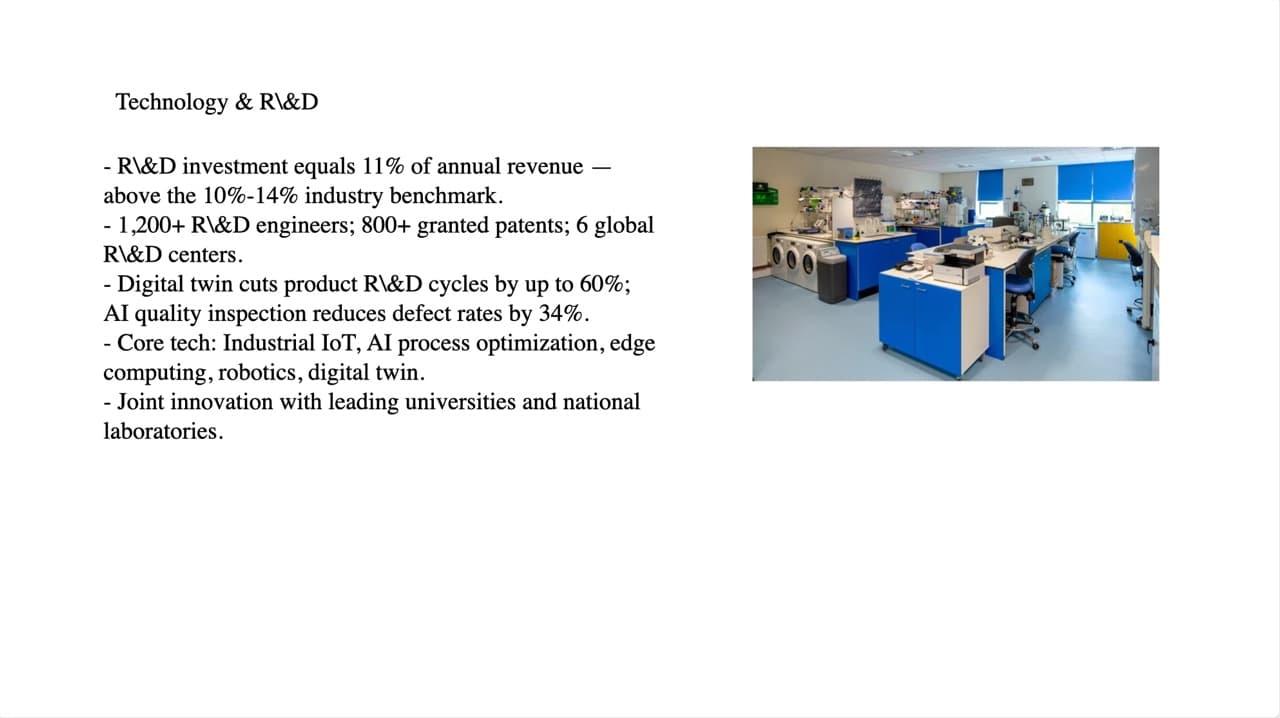
Original: five bullets packed with figures and one lab photo 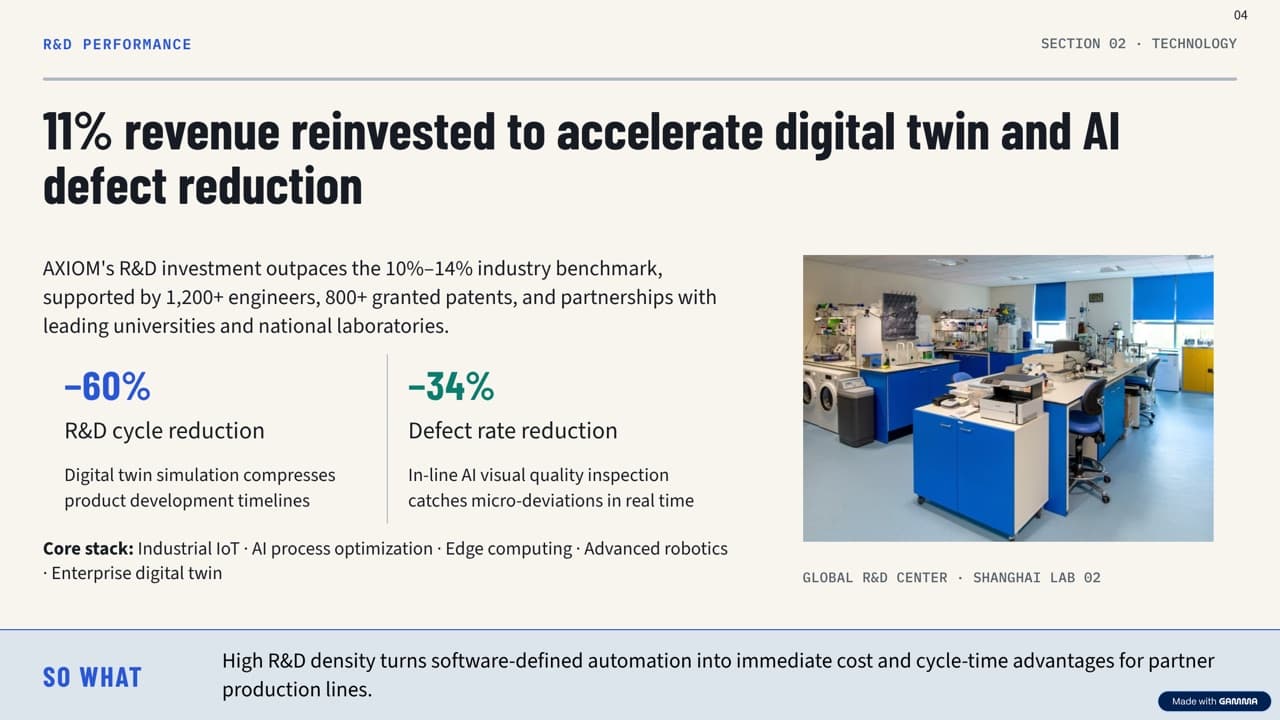
Gamma: takeaway headline, two big stats, a “So what” bar (unedited export) 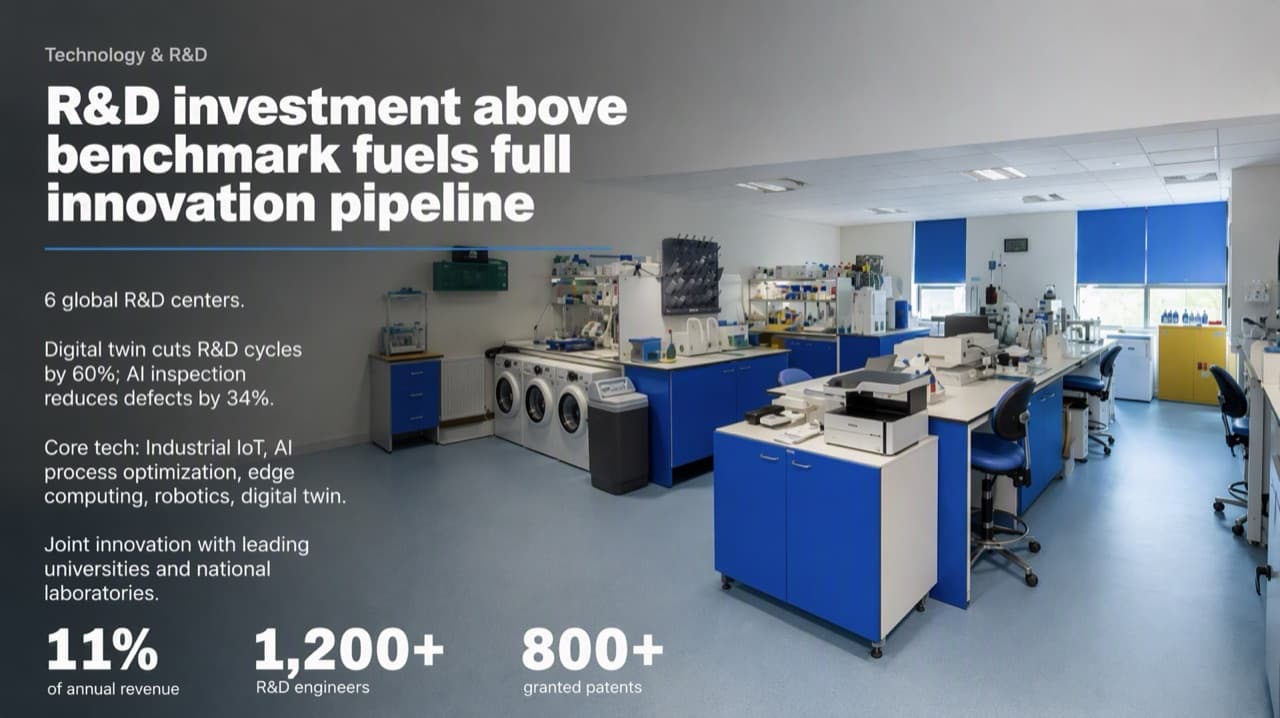
BetterPPT: photo as backdrop, three key numbers enlarged (unedited export) - 05
A brief you can paste into the setup page
“Keep every word, figure and unit exactly as written; do not add text or claims. The deck currently looks like a generic AI template (equal-weight bullets, rounded cards, stock photos). Give each slide one clear focal point and a clear reading order, let one or two key figures lead, and use full-bleed imagery that fits our industry instead of generic stock. One consistent type scale, colour palette and image treatment across the deck. Keep our logo and footer on every slide. No “made with” badges.” Then choose “keep every word” as the content mode, so the redesign changes the layout, not your wording.
What each content mode changes → - 06
Test two slides before you commit
Pick one text-heavy slide and one with a chart or image; these show whether a provider can create a distinctive look rather than just change fonts. With BetterPPT, the $9.90 deposit shows up to six of your own slides, and it counts toward the price. With a human studio, ask for two sample slides and an editable .pptx, and tell them to preserve every number and claim. Compare the sample against your original before approving the rest.
See the deposit preview → - 07
What it costs against a human studio
For 18 slides, BetterPPT is $39. 24Slides lists redesign at $28 per slide on a 72-hour turnaround, which is about $504 for 18 slides (its pricing page, checked 23 October and again 2 November). SlidePartners lists design only at $20 per slide, about $360 (checked 27 October). Those are listed starting prices, not quotes for your deck, and a studio may be the right call for the reasons below.
Alternatives to 24Slides, Fiverr and Upwork, with prices → - 08
When a human designer is the better choice
Choose people if you want a one-off visual identity with custom illustration, if the deck must keep being edited inside Gamma or Canva, if you need a client template followed placeholder by placeholder, or if it runs past 50 slides. BetterPPT can be slower than a layout tool such as Wonderslide or Gamma and has no editor in the browser. If the deck holds confidential details, an NDA can be signed on request (it binds BetterPPT; slide content is still processed by external AI models).
Hire a designer or use AI? → - 09
Who BetterPPT is for — and who it isn't
BetterPPT is an AI design agent that redesigns PowerPoint decks you've already written — every slide individually — and returns an editable .pptx. It is built for business decks where a lot is riding on the result, and where you already have the content. It isn't for a class assignment or a routine team update, where PowerPoint's own Designer or Canva's free plan is enough, and it isn't for a deck of more than 50 slides.
How AI redesign of an existing deck works →
Questions
ChatGPT wrote my slides but the design is terrible. Can a service fix only the design?
Yes: export or save the deck as a .pptx and use a service that redesigns the existing deck. In BetterPPT, choose “keep every word” so only the layout and imagery change, then compare your figures with the original.
My Gamma deck looks like every other AI deck. How do I make it look custom?
Export it as a .pptx and redesign it so each slide gets its own layout and a clear focal point. Check the exported file first, because fonts and effects can shift, and judge the result by whether it looks specific to your company.
My Canva Magic Design deck is all rounded cards and stock photos. Can I redesign it without starting over?
Yes. Export the Canva deck as a .pptx, test one text-heavy slide and one image slide, and redesign the rest in one pass. The result is a .pptx, not a Canva file.
Will the redesign change my wording or numbers?
That is your choice at setup: keep every word, light editing or restructuring. With keep every word, the text is carried over; in our own same-deck test one tool added lines and another folded a number into a headline, so compare every figure before you send.
How much does it cost, and how fast is it?
$39 for up to 30 slides and $59 for 31–50, one-time, with no subscription. About 15–20 minutes for 30 slides. A $9.90 deposit counts toward the price and lets you see up to six redesigned slides first.
Bottom line
If the content is done and the deck needs to stop looking like an AI template, BetterPPT redesigns every slide individually and returns an editable .pptx: $39 for up to 30 slides, with a $9.90 deposit to see up to six of your own slides first.
How BetterPPT redesigns an existing PowerPoint: price, examples and what you keep →