
How it works
Three steps. No designer, no waiting.
- 01
Upload your .pptx
Your own deck, your own content. No template to pick, no brief to write.
- 02
Start with a small deposit
Tell us your industry, pay a $9.90 deposit to start, and our redesign agent rebuilds every slide — a 30-slide deck is ready in about 15–20 minutes.
- 03
Download editable PowerPoint
Real text boxes you can retype, with the fonts included. Or take the HD image version if you're not changing the words.
Full walkthrough — upload to editable download.
One-time price, then it's yours. One flat price per deck: $39 for up to 30 pages, $59 for 31–50. Pay a $9.90 deposit to start, the rest only when you download. No subscription, 7-day money-back guarantee.
See pricing →Before & after · 9 slide types
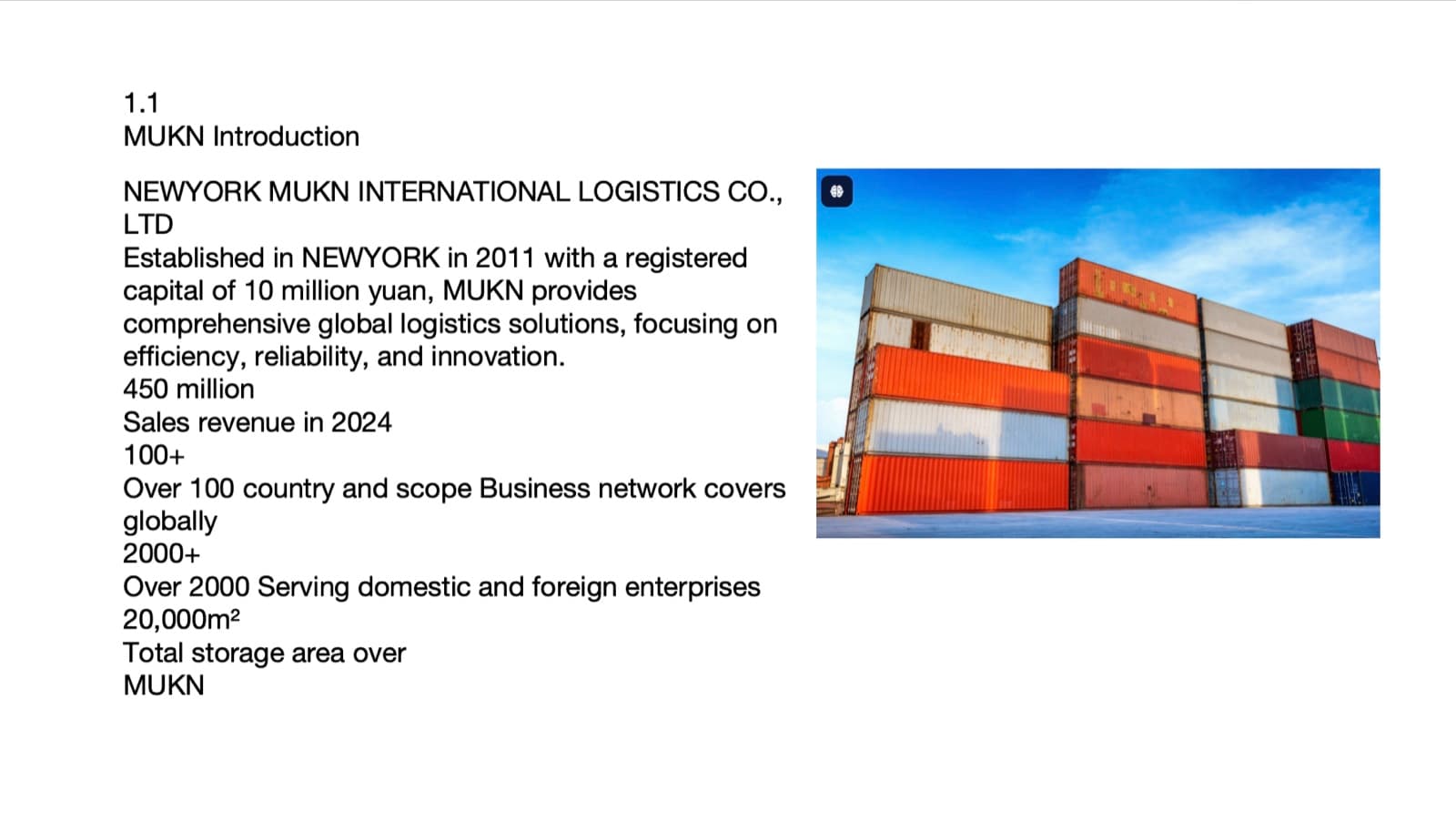
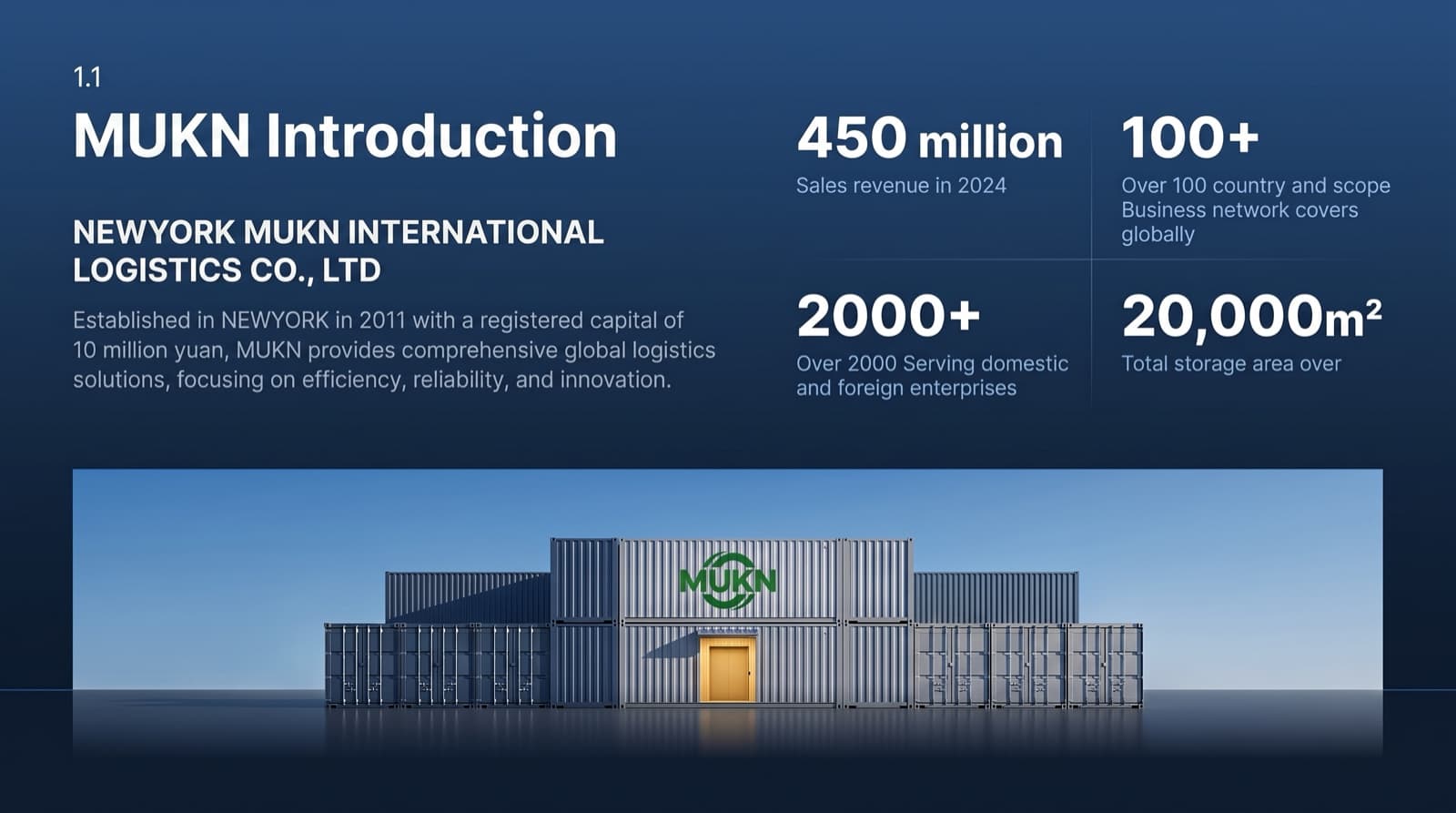
30 slides. Presentation-ready in 15–20 minutes.
From rough draft to boardroom deck — we keep everything you wrote and rebuild the layout, imagery, and hierarchy around it.
The same slide, before and after redesign.
1 / 6
Illustrative only: profiles are compiled from public sources and avatars are AI-generated — not real photos, no copyright or likeness issues.
The designer behind the agent
I built 10 years of design into one agent.
Diana
1,000+
Decks designed
I specialize in business and minimalist presentation design. Ten years of that work now runs inside BetterPPT's design agent — a boardroom-ready deck in minutes, without hiring a designer.
15–20 min
for a 30-slide deck, not days
$39
instead of a designer's invoice
7 days
of free 1-on-1 email revisions after purchase

Global-ready
Supports 7 languages. No forced translation.
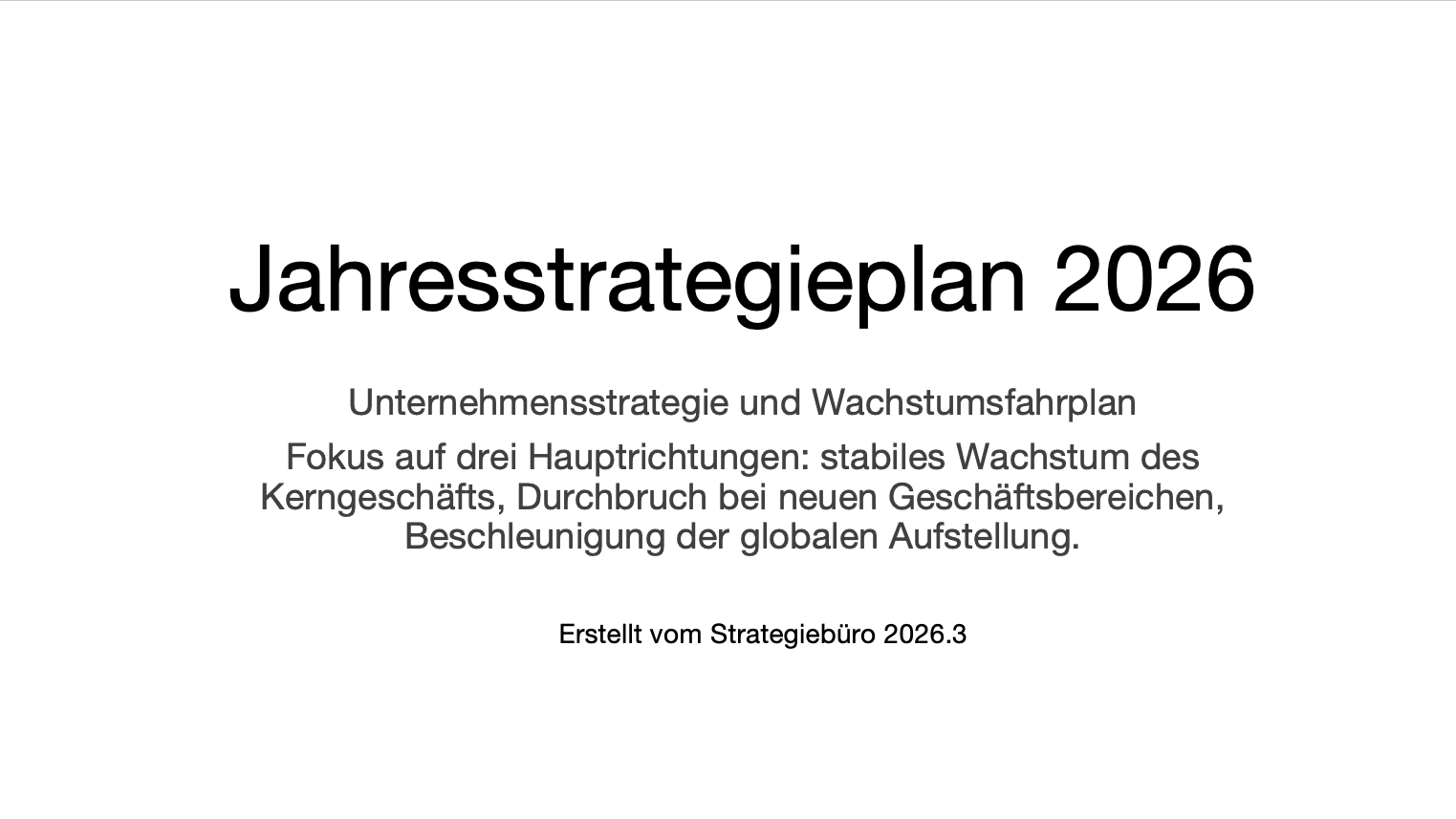
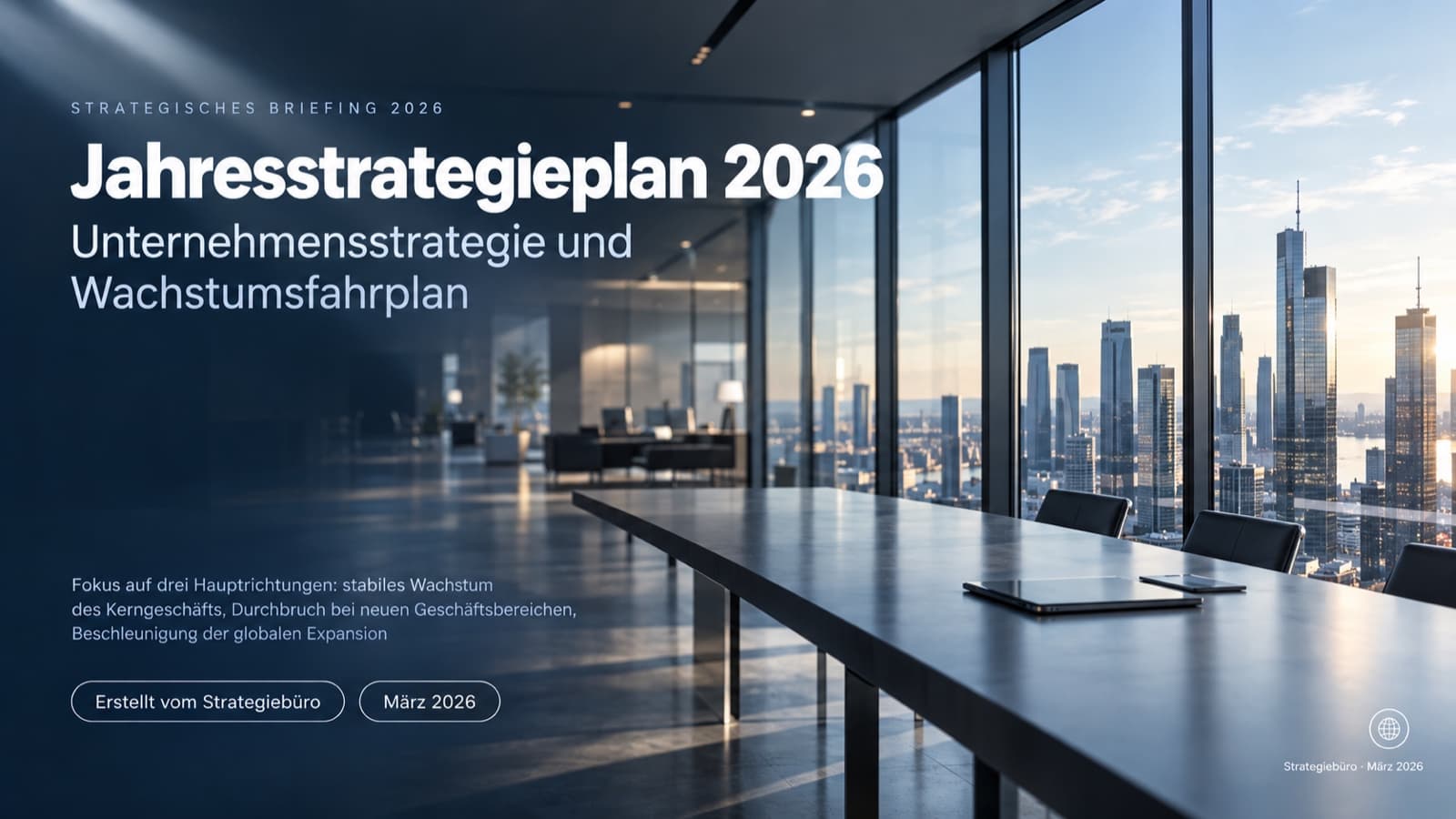
Your text stays in its original language — nothing is force-translated, and bilingual slides stay bilingual. You choose how much the wording may change: keep every word, allow light editing, or allow restructuring.


Same slide, same language — before and after.
1 / 6
Illustrative only — sample deck, content preserved in its original language.
FAQ
Frequently asked questions about AI PowerPoint redesign
The questions people usually ask before uploading their first deck for an AI PowerPoint redesign — pricing, file formats, brand colors, how this compares to generating a deck from scratch, and what happens if you're not happy with the result.
How it works
What exactly does "AI PowerPoint redesign" mean?
It means BetterPPT takes the deck you already wrote — your words, your numbers, your structure — and redesigns the visual layer: colors, fonts, spacing, image treatment, and slide hierarchy. Nothing is generated from scratch. You decide how much of the wording may change: “Keep every word” leaves your text exactly as you typed it, “Allow light editing” tightens wordy sentences without changing the meaning, and “Allow restructuring” reorganizes slides that are too dense or messy.
How is this different from an AI presentation generator?
Most AI slide tools start from a prompt and write new content for you, in a generic template. BetterPPT starts from a deck you have already finished — the thinking is done, you just want it to look professional. Upload your .pptx and we redesign what is already there instead of replacing it with something new.
I don't have a deck yet — can I still use this?
BetterPPT is built specifically for redesigning a deck you've already written, not generating one from nothing. If you're starting from zero, draft your content first, even roughly — plain text and placeholder images are fine — then come back and let the redesign handle how it looks.
Do I need any design skills to use this?
No — that's the point. You write the content, we handle color, layout, spacing, and hierarchy. You don't pick a template, drag any elements, or make any design decisions unless you specifically want to.
Does this work for any type of deck?
Yes — pitch decks, strategy reviews, team introductions, product launches, academic presentations, and more. During setup you tell us your industry and who you're presenting to, and the redesign adapts to that context instead of applying one generic look to everything.
Pricing & delivery
How much does an AI PowerPoint redesign cost?
One flat price based on how many slides you have — $39 for up to 30 pages, $59 for 31–50. You pay a $9.90 deposit to start and the rest only when you download. No subscription and no per-seat pricing; you own the result.
Is this a subscription like other AI tools?
No. It's a one-time, flat price per deck, not a monthly plan. You pay once for the redesign, download your editable file, and you're done — nothing renews and nothing gets billed again unless you upload another deck later.
How long does a redesign actually take?
A 30-slide deck comes back in about 15–20 minutes; longer decks take a little more. You upload your file, answer a few quick questions about your industry and preferred style, and wait — there's no manual layout work left for you to do.
What file do I actually get back?
A real, editable .pptx with genuine text boxes, not a flattened image you can't touch. Open it in PowerPoint or Google Slides and keep editing like normal, the same way you'd edit any deck you wrote yourself. If you don't plan to change any text, you can also download the HD image version instead.
Quality & control
Will my brand colors and fonts survive the redesign?
Yes. Tell us your brand colors, fonts, and logo when you upload, and every slide follows them. If you don't have a brand system yet, we apply general design principles instead — clean hierarchy, consistent spacing, and readable type — so the deck still looks intentional rather than default.
Does the redesign work in languages other than English?
Yes. Upload a deck in Chinese, Spanish, Russian, or any other language and we keep every word exactly as written — nothing gets force-translated into English. Bilingual slides stay bilingual after the redesign, too, including mixed-language captions and labels.
Can I see real redesign examples before I commit?
Yes — the before & after gallery further up this page shows real redesigned slides across a few common formats: covers, timelines, data charts, and team pages. Our template library also has hundreds more finished examples if you want a broader sense of the range of styles available.
Can I request changes after the redesign is done?
Since you get back a fully editable .pptx, you can make any change yourself in PowerPoint immediately. If you want a different visual direction entirely, you can also run the same deck through another redesign with different style preferences. And for 7 days after purchase, you can email support@betterppt.com — our designer will revise specific slides with you one-on-one, free of charge.
Guarantee & comparison
What if I don't like how it turns out?
Every redesign comes with a 7-day money-back guarantee. If the result doesn't work for you, you can request a refund within a week of purchase without a lengthy back-and-forth.
How is this different from hiring a freelance designer?
A freelance designer might take days and cost hundreds of dollars per deck, with rounds of revisions. BetterPPT redesigns your deck in minutes for a flat, much lower price, and every change comes with a short explanation of why it was made — so you get a finished file and pick up some of the reasoning a real designer would apply, too.
Redesign an existing PowerPoint with AI →See how BetterPPT compares to Kimi →See how BetterPPT compares to Gamma →