TL;DR
If your content is already written, BetterPPT redesigns it as-is — same text, same photos, better design. If you're starting from a blank page, Kimi's prompt-based generation works, but expect your original wording and photos to be replaced.
BetterPPT vs. Kimi
| BetterPPT | Kimi | |
|---|---|---|
| What it does | Redesigns the deck you already wrote | Generates a new deck from a text prompt |
| Your content | Kept exactly as written | Rewritten and regenerated |
| Your photos | Preserved, backgrounds cleaned up | Replaced with generic placeholder icons |
| Pricing | One-time, from $39 | ¥49/month subscription |
| Time to result | About 12 minutes | About 20 minutes |
| Output file | Editable .pptx | Editable .pptx |
See the actual difference

BetterPPT — before & after
Your real photos and content stay exactly where you put them.
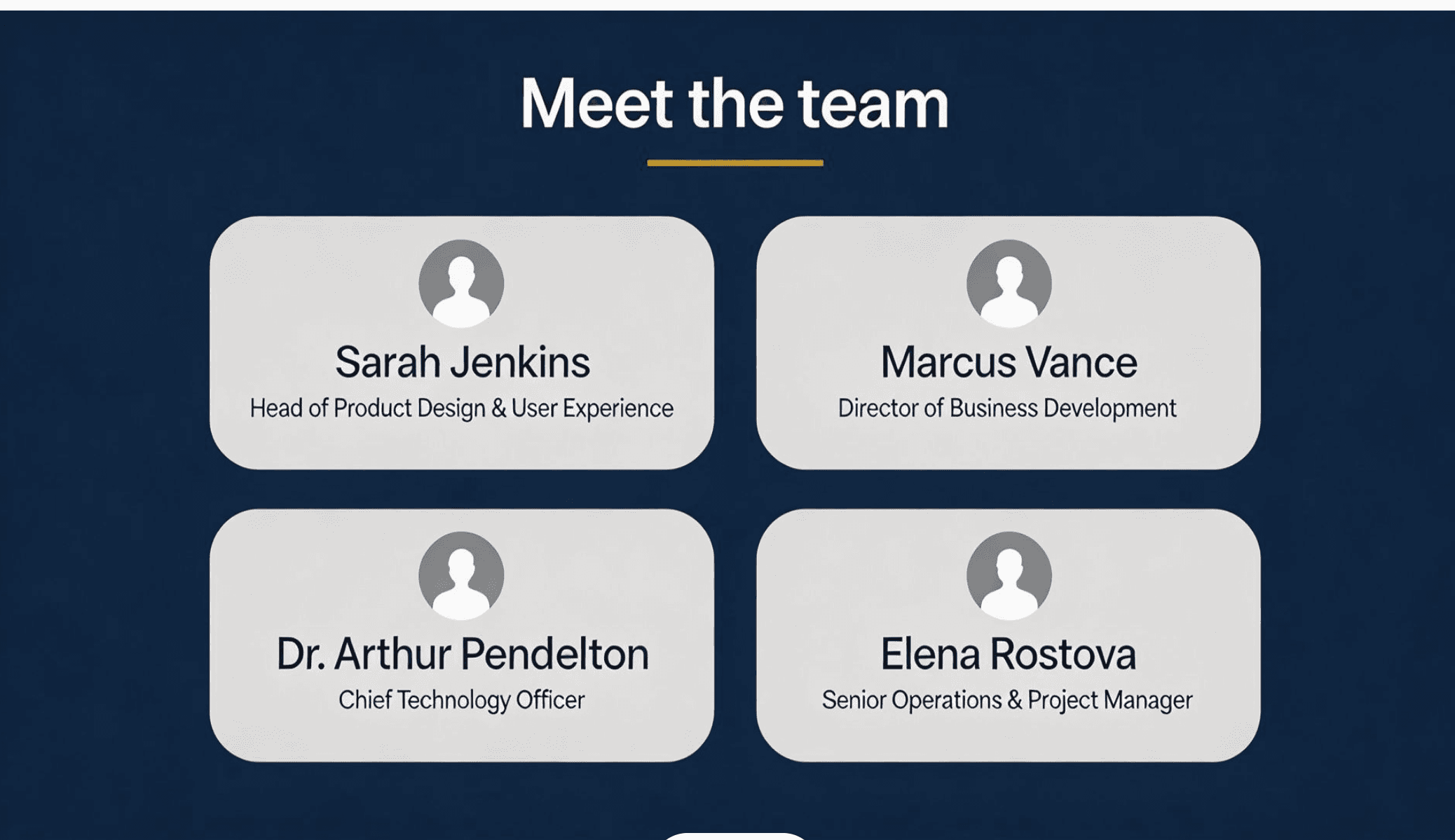
Kimi's result
The same slide, regenerated — real photos are replaced with generic placeholder icons.
Based on a real side-by-side test redesigning the same "Meet the team" slide with both tools.
Why this matters
If you already wrote real content — real names, real numbers, real photos — a prompt-based generator throws that work away and writes something new instead. BetterPPT starts from what you already have and only changes how it looks, so nothing you wrote gets lost or replaced.
Kimi vs. BetterPPT — questions people ask
Is BetterPPT a good Kimi AI alternative?
Yes, if you already have a deck. BetterPPT is built for redesigning a PowerPoint you've already written, not generating one from a prompt like Kimi does — so it's the right Kimi AI alternative when your content is already done and you just want it to look better.
How is this different from Kimi AI PPT generation?
Kimi AI PPT generation writes new slides from a text prompt, so your original wording, numbers, and structure get replaced. BetterPPT redesigns the PPT you already wrote instead — the content stays exactly as you wrote it, only the design changes.
Do Kimi slides keep my original photos?
Not in our test — Kimi slides replaced the real headshots we uploaded with generic placeholder icons. BetterPPT keeps your actual photos, cleans up the backgrounds, and redesigns the layout around them.