If your deck already has its story and content and the problem is how it looks, an AI design tool is usually enough — and it is much cheaper and faster than a designer. Hire a designer when you need the story or content built from scratch, custom illustration or animation, a brand template made for you, or several rounds of feedback with a person. On price: 24Slides lists a slide redesign at $28 per slide with a 72-hour turnaround or $43 with 24 hours (pay-as-you-go, checked 23 October 2026), so a 20-slide deck costs $560–$860; SlideModel's pricing guide estimates $15–$100 per slide for freelancers and $1,500–$5,000+ per deck for agencies. BetterPPT redesigns a deck you've already written for $39 up to 30 slides, in about 15–20 minutes.
- 01
First ask: is the problem the story, or the look?
Read only your slide titles from first to last. If they already tell a clear story and the numbers are right, what you need is design — layout, hierarchy, consistency — and that is the part AI now does well. If the titles don't add up to an argument, or half the content is still notes, no amount of design will save it: you need a writer, a pitch consultant or a designer who also shapes the narrative.
- 02
What a 20-slide deck costs, three ways
Design studio, listed price: 24Slides charges $28 per slide for a redesign with a 72-hour turnaround and $43 with 24 hours, on its pay-as-you-go plan — $560–$860 for 20 slides (24slides.com/pricing, checked 23 October 2026; a 10-hour turnaround needs its $99/month plan). Freelancers and agencies, estimated: SlideModel's guide (published 3 February 2025) puts freelancers at $15–$100 per slide and agencies at $1,500–$5,000+ per deck; SlideModel sells design services and templates itself, so treat these as one company's estimate, not a market survey. AI redesign: BetterPPT is $39 for up to 30 slides ($59 for 31–50), with a refundable $9.90 deposit to preview up to six of your slides first.
- 03
When a designer is worth the money
Pay a person when the work is more than redesigning finished slides: building the deck from an outline or a document, writing or restructuring the story, drawing custom illustrations or icons, adding animation, or creating a brand template your whole company will reuse. A designer is also the better choice when you want to talk it through, give feedback over several rounds, or need someone to sign an NDA and answer to your legal team.
Compare: AI design service vs. an agency → - 04
When AI is enough — and what to check
AI is enough when the content is final, the deadline is days rather than weeks, and what you need is every slide looking like it belongs in front of investors or a client. Decide how much the tool may change your text — BetterPPT lets you choose keep every word, allow light editing, or allow restructuring — and check every number against your source before you present. In the example below, the deck was run in keep-every-word mode: every line of text is unchanged (including the original's grammar), and the four figures were enlarged into the focal point. The photo, however, was replaced with a new image, and the stray “MUKN” line from the original became the logo on the container — exactly the kind of change you should look for and approve.
We tested four AI redesign tools on the same deck →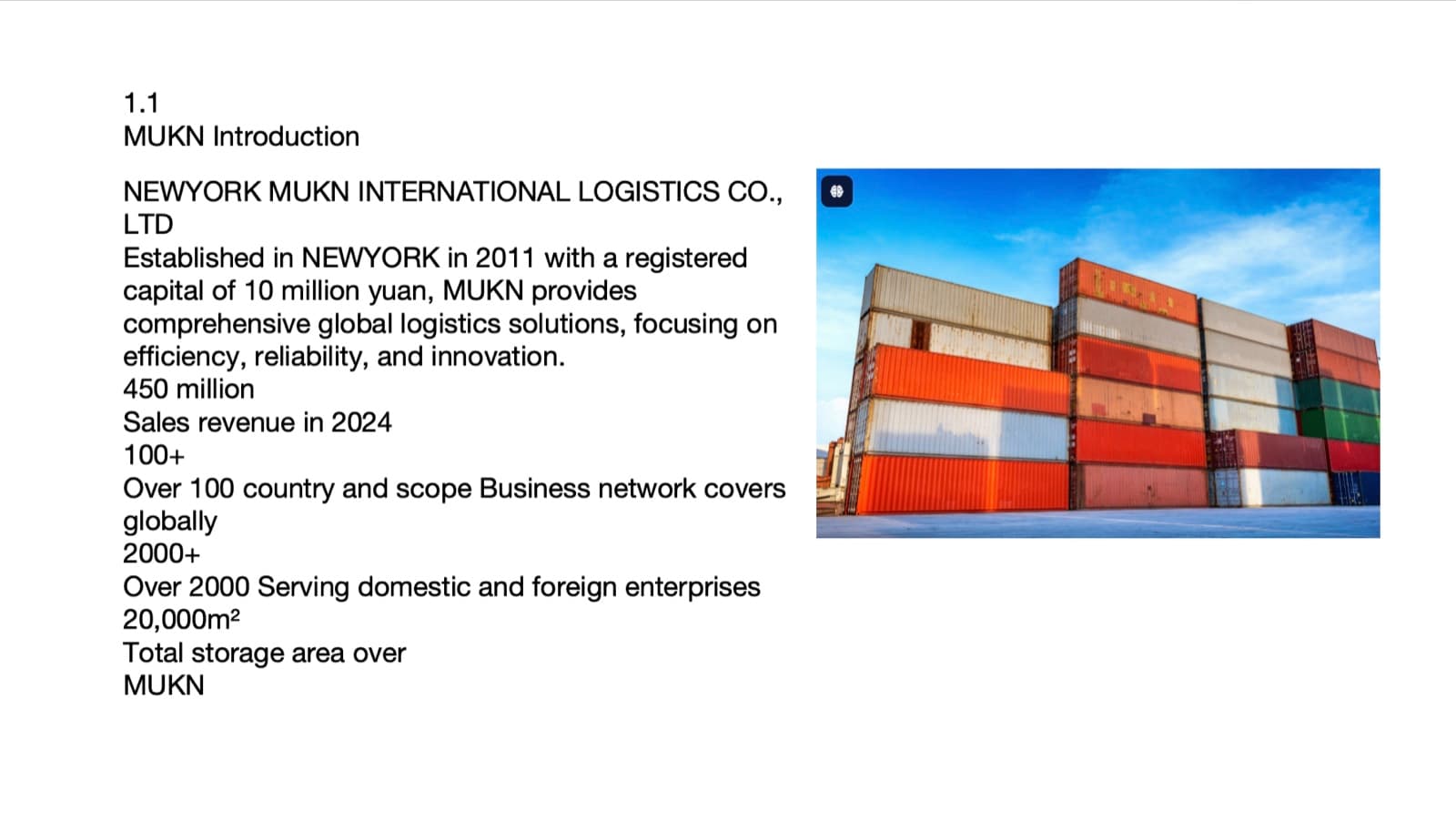
Before: a company introduction slide, every line the same weight 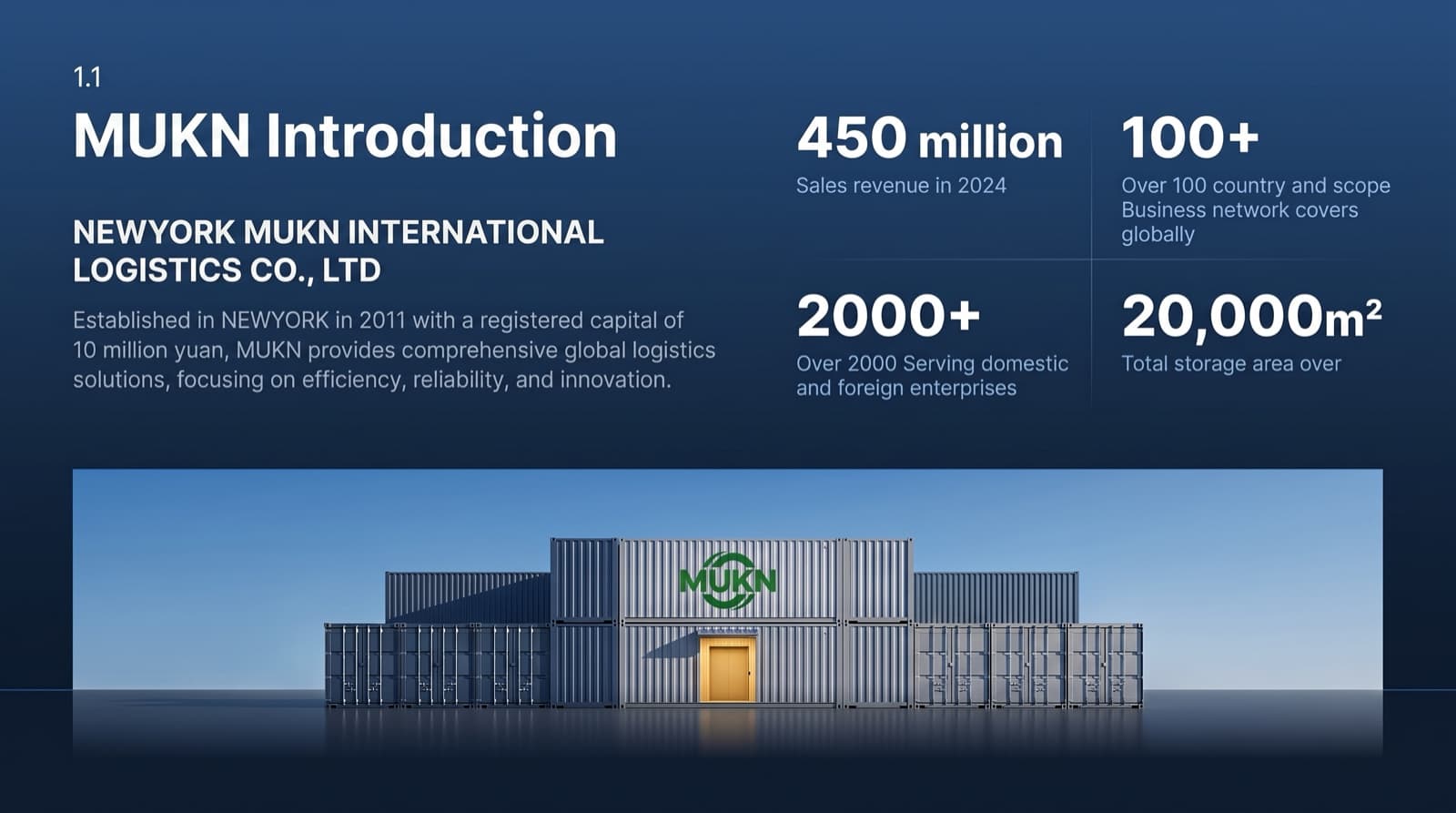
After: same wording, four figures as the focal point, new photo - 05
Who BetterPPT is for — and who it isn't
BetterPPT is an AI design agent that redesigns PowerPoint decks you've already written — every slide individually — and returns an editable .pptx. It's for decks where a lot is riding on it — investor meetings, client pitches, board updates, promotion reviews and conference talks — when the content is written and you can't wait days for a designer. It isn't for a class assignment or a routine team update: free tools like PowerPoint Designer or Canva's free plan are enough for those. And if you need the story built from scratch, hire a person. BetterPPT is paid, costs more than subscription tools, is slower than Gamma or Wonderslide, and has no in-browser editor — you edit the returned .pptx in PowerPoint.
How AI redesign of an existing deck works →
Questions
How much does it cost to hire a presentation designer?
It depends on who you hire and how fast you need it. 24Slides lists a slide redesign at $28 per slide with a 72-hour turnaround and $43 with 24 hours on its pay-as-you-go plan (checked 23 October 2026), so 20 slides cost $560–$860. SlideModel's pricing guide (February 2025) estimates $15–$100 per slide for freelancers and $1,500–$5,000+ per deck for agencies.
Is AI design good enough for an investor or client deck?
For the design itself, often yes — if the story and numbers are already right. AI can give every slide a clear hierarchy and a consistent style in minutes. It can't fix a weak argument, and it can change things you didn't expect, so choose how much text it may change and review every slide before you present.
Can I use an AI tool first and still hire a designer later?
Yes. If the AI version is close, a designer only needs to polish the few slides that matter most, which usually costs less than a full redesign. BetterPPT returns an editable .pptx with real text boxes, so a designer can keep working on it in PowerPoint.
What does BetterPPT cost, and what are its limits?
$39 for up to 30 slides and $59 for 31–50 slides, one-time with no subscription; a refundable $9.90 deposit lets you see up to six redesigned slides first. It costs more than subscription tools and has no in-browser editor — you edit the returned .pptx in PowerPoint. It accepts .pptx files up to 50 slides and 50 MB.
Bottom line
Run the title test first. If the story holds and the slides just look plain, try AI before you pay a designer: BetterPPT redesigns every slide individually and returns an editable .pptx, you decide how much of your wording may change, and a refundable $9.90 deposit shows you up to six of your own slides first.