Yes — if the tool lets you lock the text. BetterPPT has three modes: keep every word, allow light editing, and allow restructuring; in keep-every-word mode the slide text is carried over unchanged while the layout, hierarchy and imagery are redesigned. “Keep every word” is about the text; images follow their own rule. BetterPPT assesses each original image: good ones are kept and enhanced — extended or retouched to fit the new layout — and weak or generic ones are replaced with new images matched to your industry and topic. The redesign may also add small layout elements such as page numbers. So for audited figures, board material or a locked tender, choose keep every word and still compare the result with your original before you send it — every figure, name, date and qualifier.
- 01
Pick the mode before you upload
Keep every word: the text stays as written; only the design changes. Allow light editing: the tool may shorten and remove repetition without changing the meaning or dropping key information. Allow restructuring: it may cut, merge and reorganize crowded slides and rewrite titles. For financial results, legal or compliance wording, a locked tender response or anything someone has signed off, use keep every word.
- 02
What “keep every word” locks — and how images are handled
In this logistics company slide, redesigned in keep-every-word mode, every line of text is unchanged — even the original's grammar — and the four figures became the focal point. The original stock photo was replaced with a new, on-topic image of containers, and the company name, which sat alone on the last line, became the logo on them. BetterPPT assesses each original image: good ones are kept and enhanced — extended or retouched to fit the new layout — and weak or generic ones are replaced with new images matched to your industry and topic. If a slide needs a real photo of your own site, team or product, use a clear, good-quality original so it is kept.
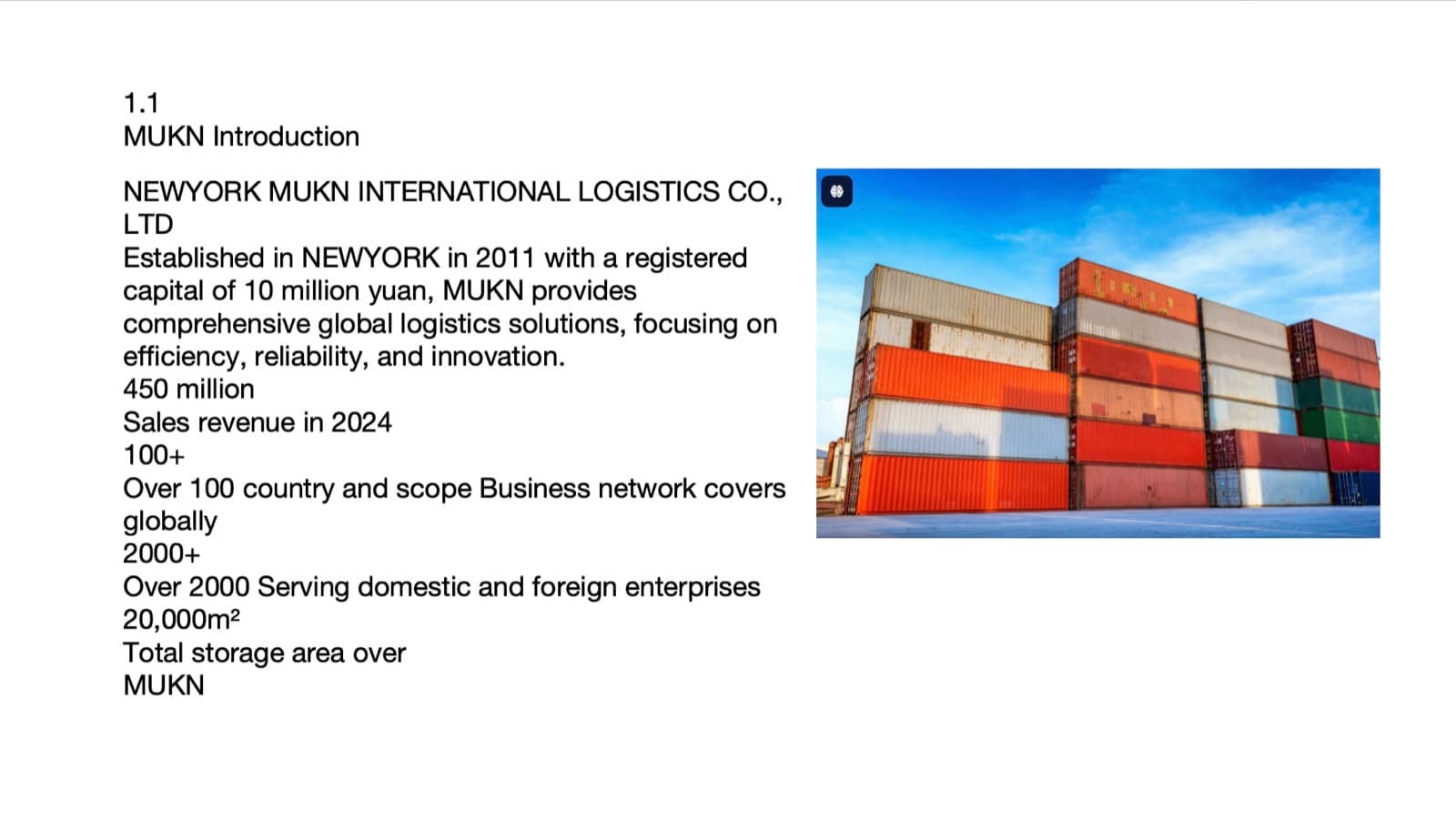
Before: the original slide 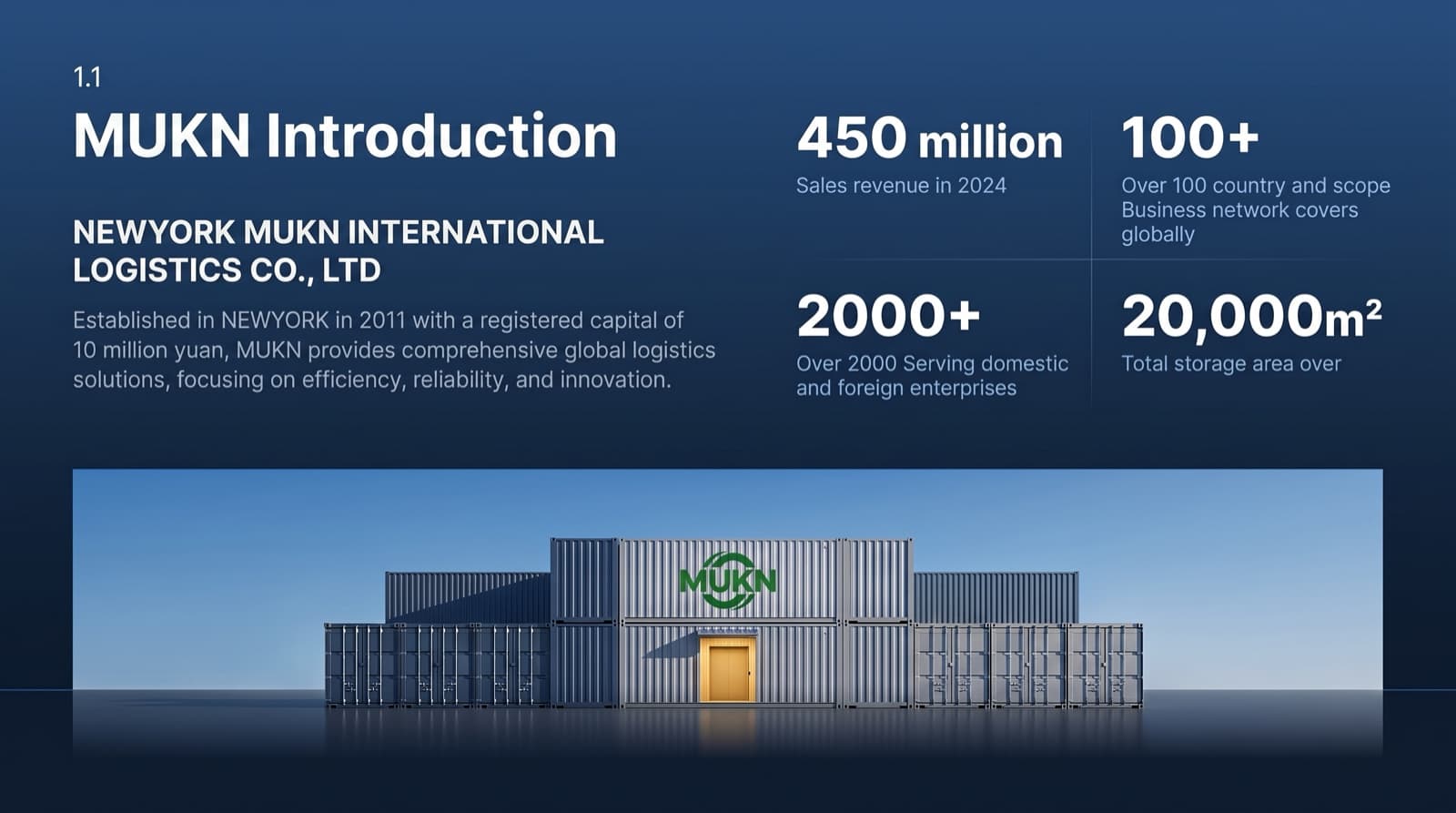
After (keep every word): same text, an on-topic new image, the company name as a logo - 03
A real job in keep-every-word mode: six slides compared
This is a customer job — a 30-slide clinical teaching deck — run with keep every word selected. We compared six slides of the redesign with the original. The wording on five of them, including a table of questions and two lists of risk factors with thresholds such as “BMI >30 kg/m²” and “≥35 years”, carried over as written; the only wording-level change was a slide's two questions becoming two bullets. What did change: layout, icons, type size and one added AI-generated image. And on the sixth, the title slide, the redesign added a small “PHC” mark and a repeated subtitle that weren't in the original — which is why you check what was added, not only what is missing. That is one deck, not a guarantee for yours: compare your own slides with the original.
All five slide patterns from that deck →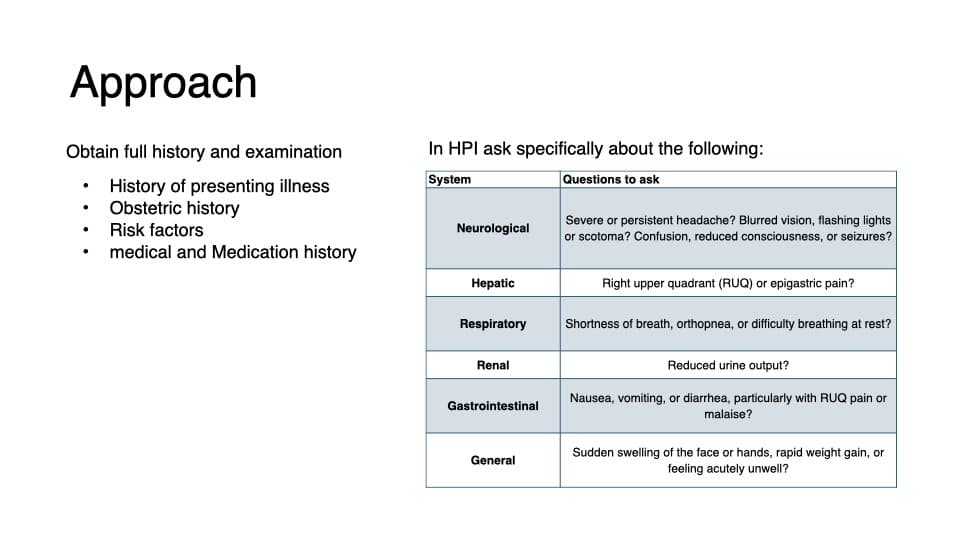
Before: a table of history questions, small type 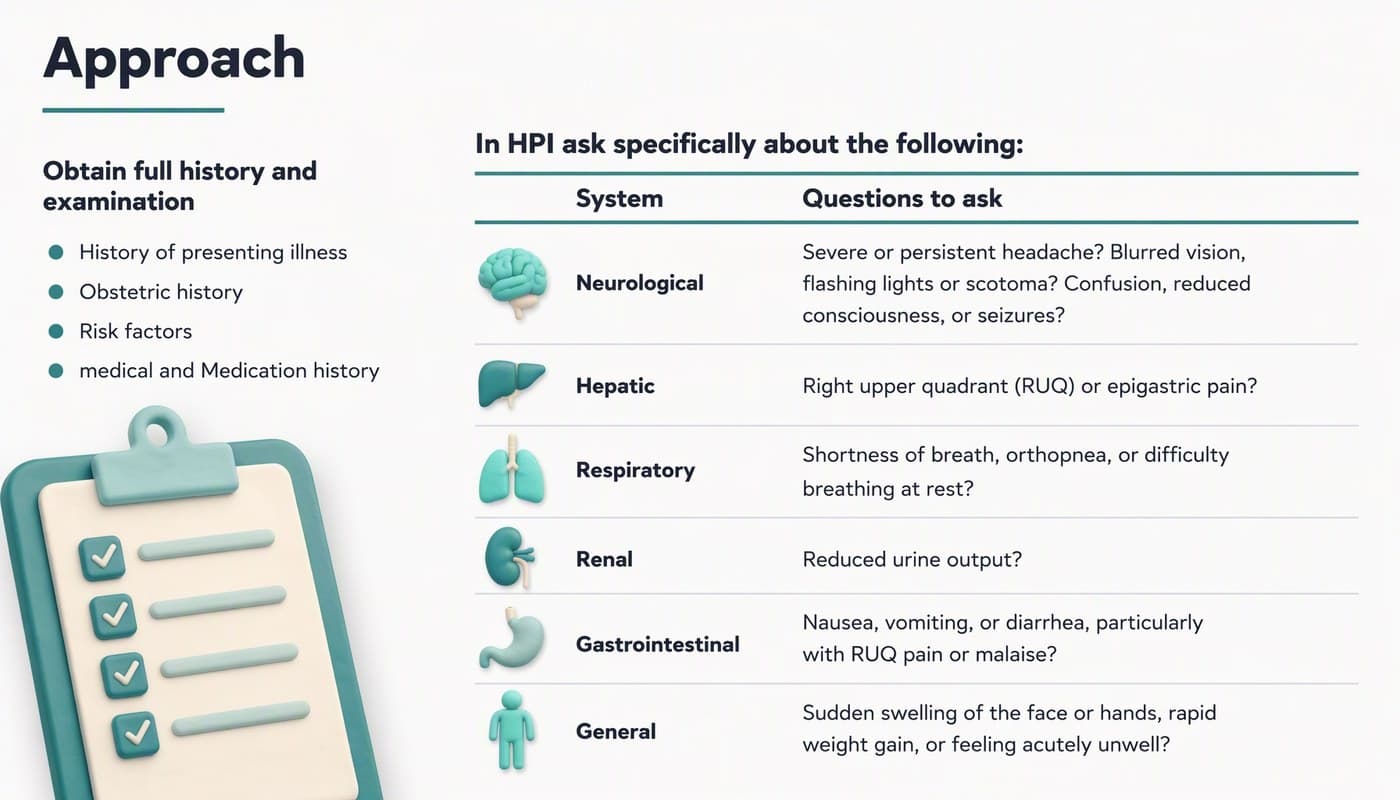
After (keep every word): the same six rows and questions, larger type, an icon per system 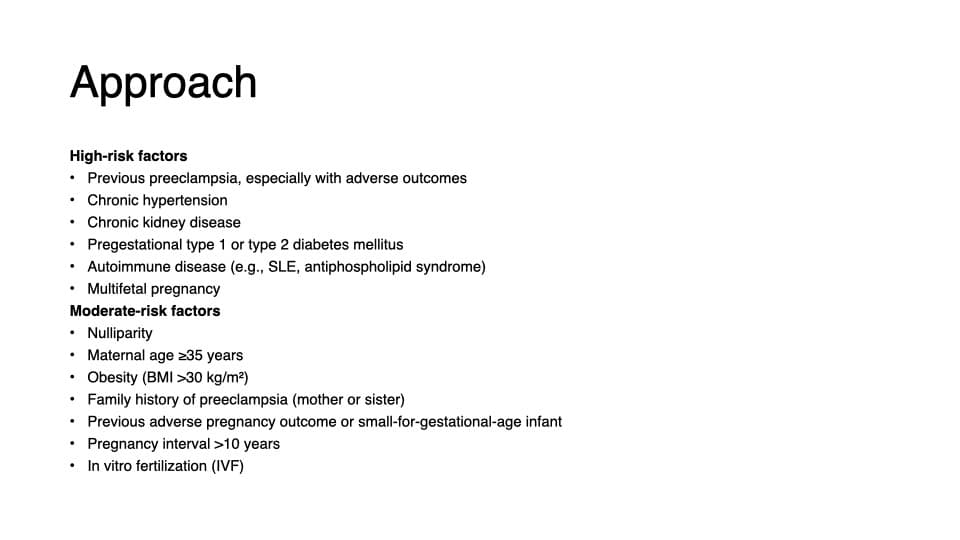
Before: risk factors with thresholds 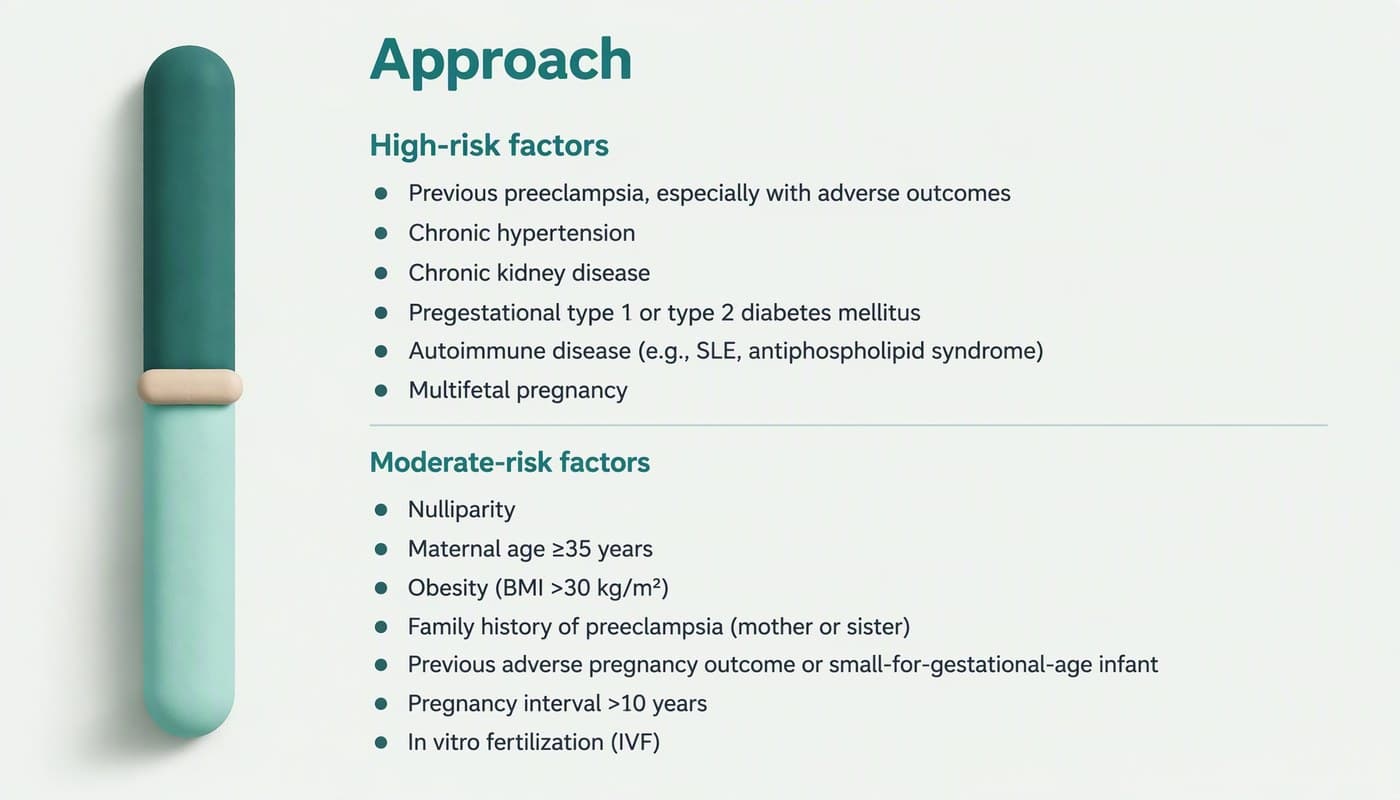
After (keep every word): every item and threshold unchanged - 04
Additions are changes too
A redesign can add elements that weren't in your file. On this contents slide all eight section titles and “AXIOM · 2025” stayed word for word, but the AXIOM wordmark appeared at the top left and a “01 / 08” page counter at the bottom right. Harmless here — but in a tender or a regulated document, an added label, number or claim can matter. Look for what's new, not only for what's missing.
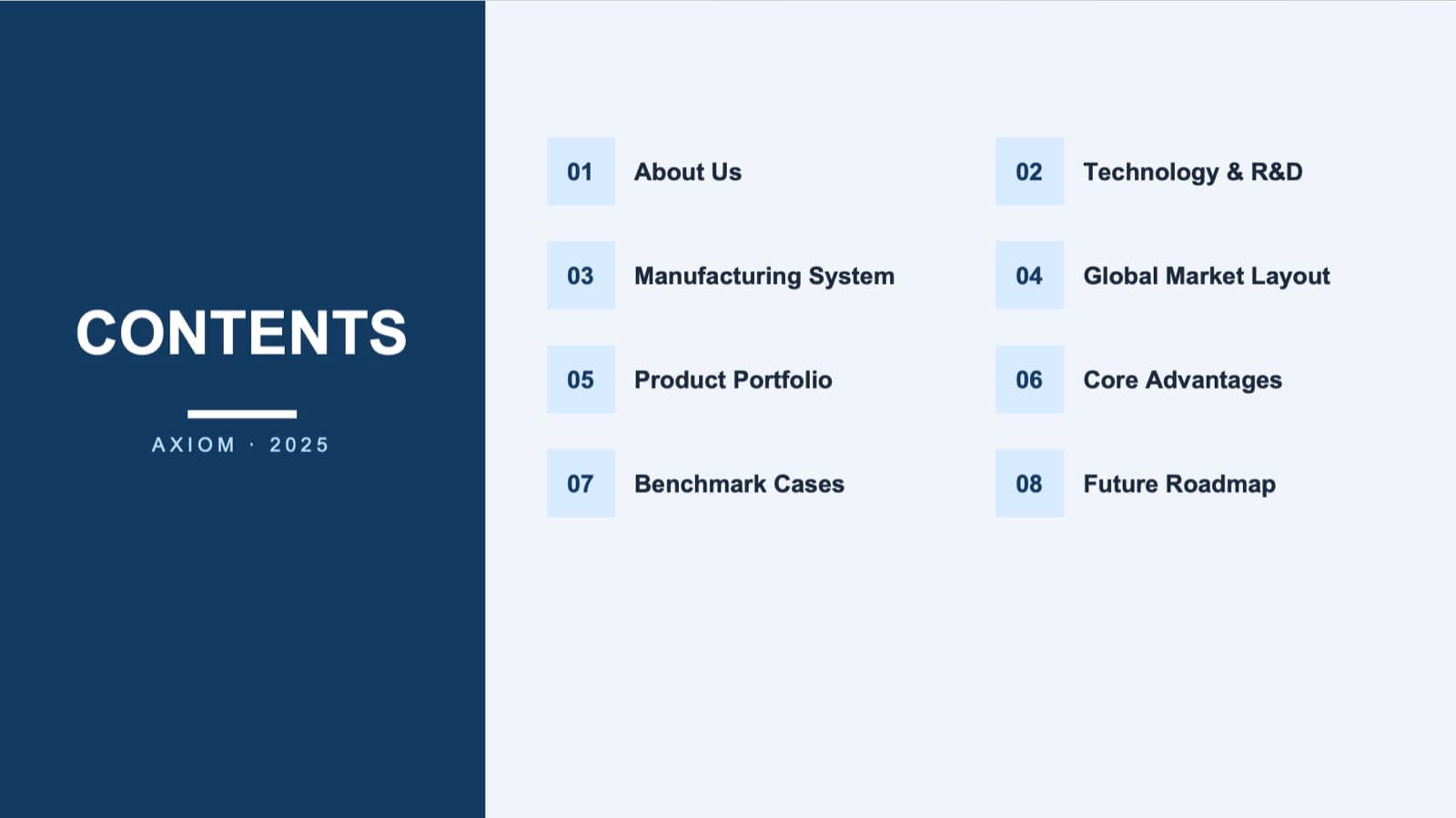
Before: eight section titles 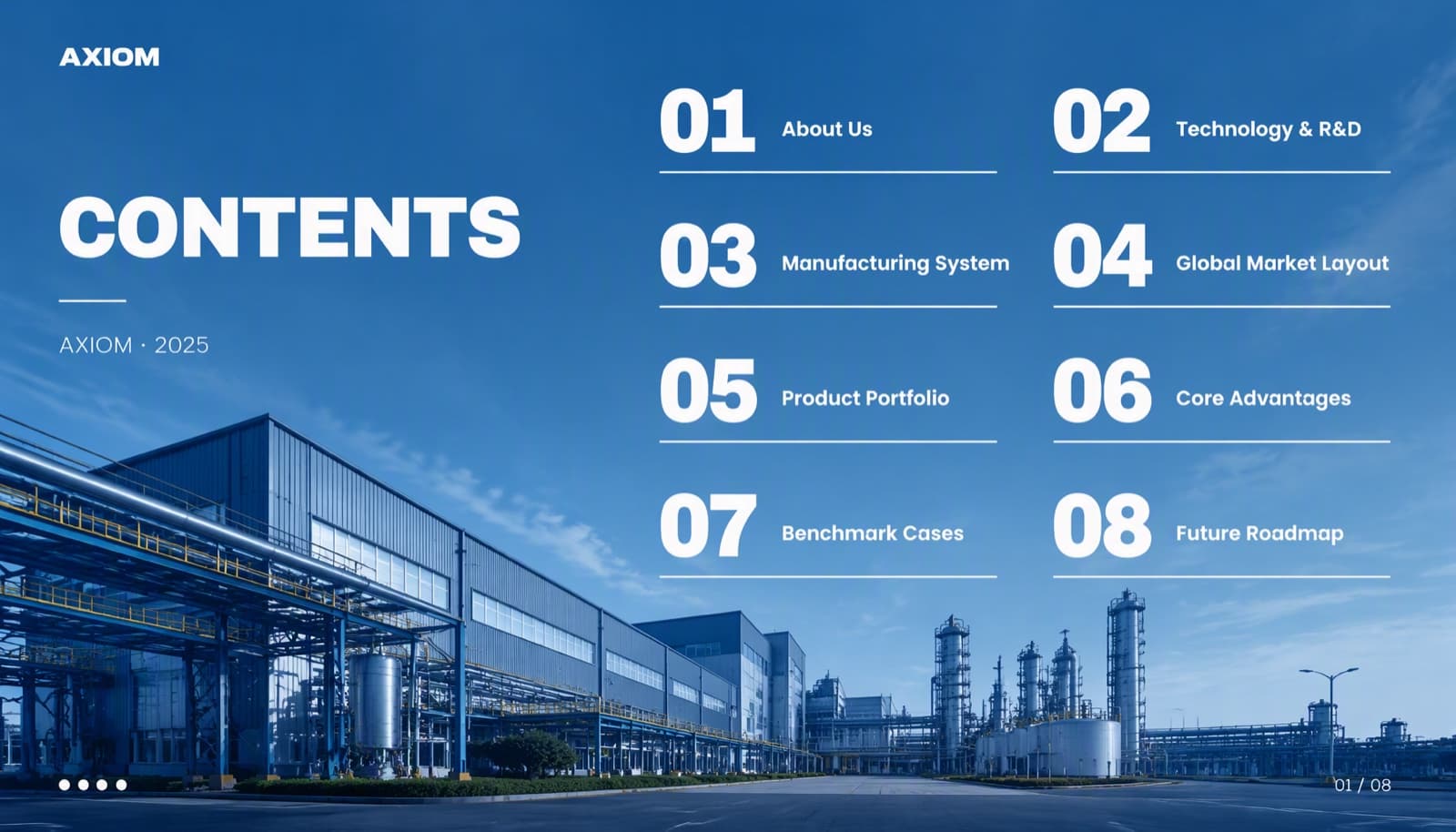
After: same titles, plus a wordmark and a page counter - 05
What restructuring can do to a number
This slide was redesigned in allow-restructuring mode. It kept 1,200+, 800+, 11%, 60% and 34%, but “Digital twin cuts product R&D cycles by up to 60%” became “Digital twin cuts R&D cycles by 60%”, and the 10%–14% industry benchmark range was dropped. The original lab photo, a good one, was kept and extended into a full-bleed background. The number survived; the qualifier didn't — and “up to 60%” and “60%” are different claims. That is exactly why audited or locked content should never go through restructuring.
Every change in that example, line by line →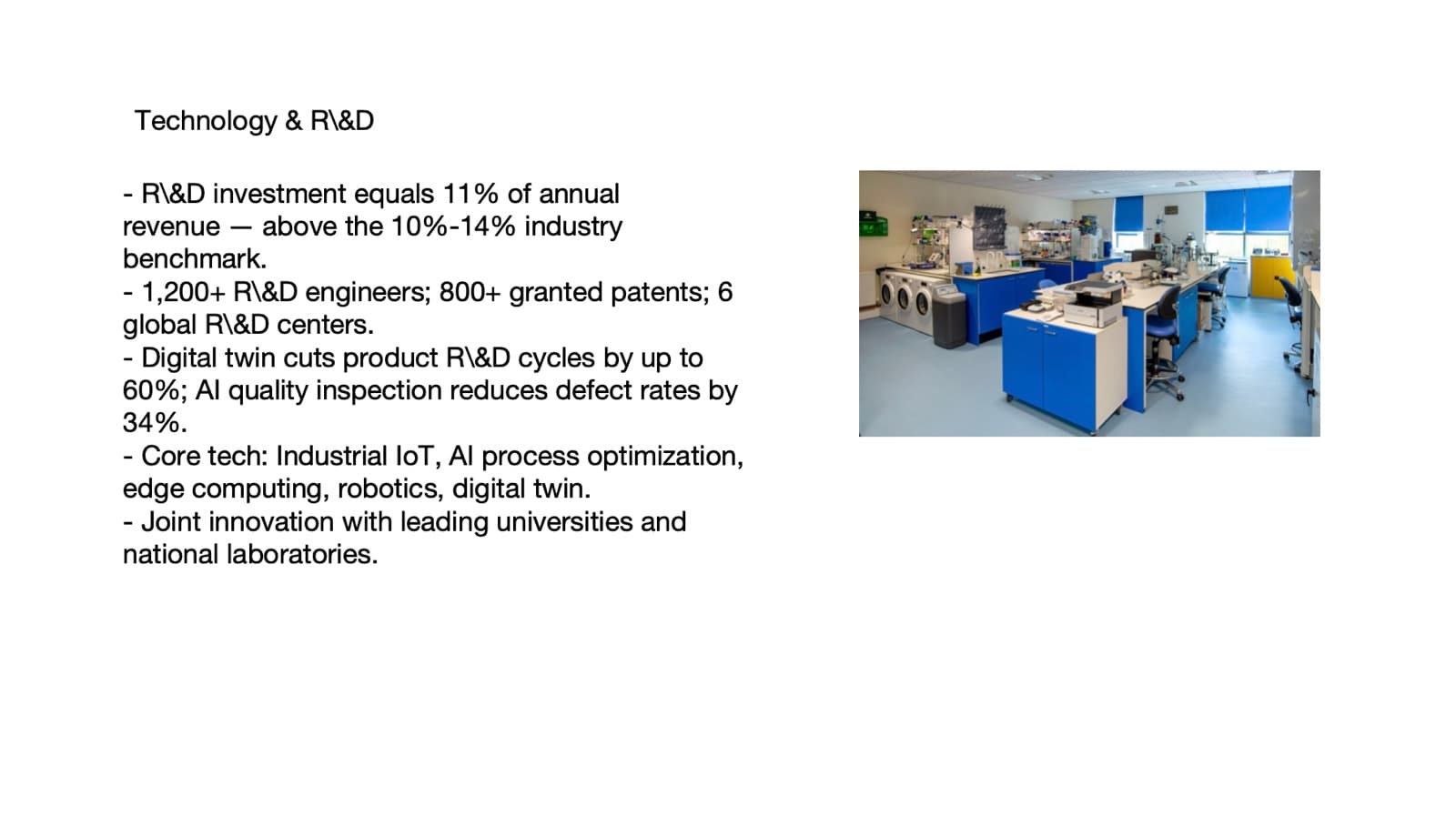
Before: “up to 60%”, with an industry range 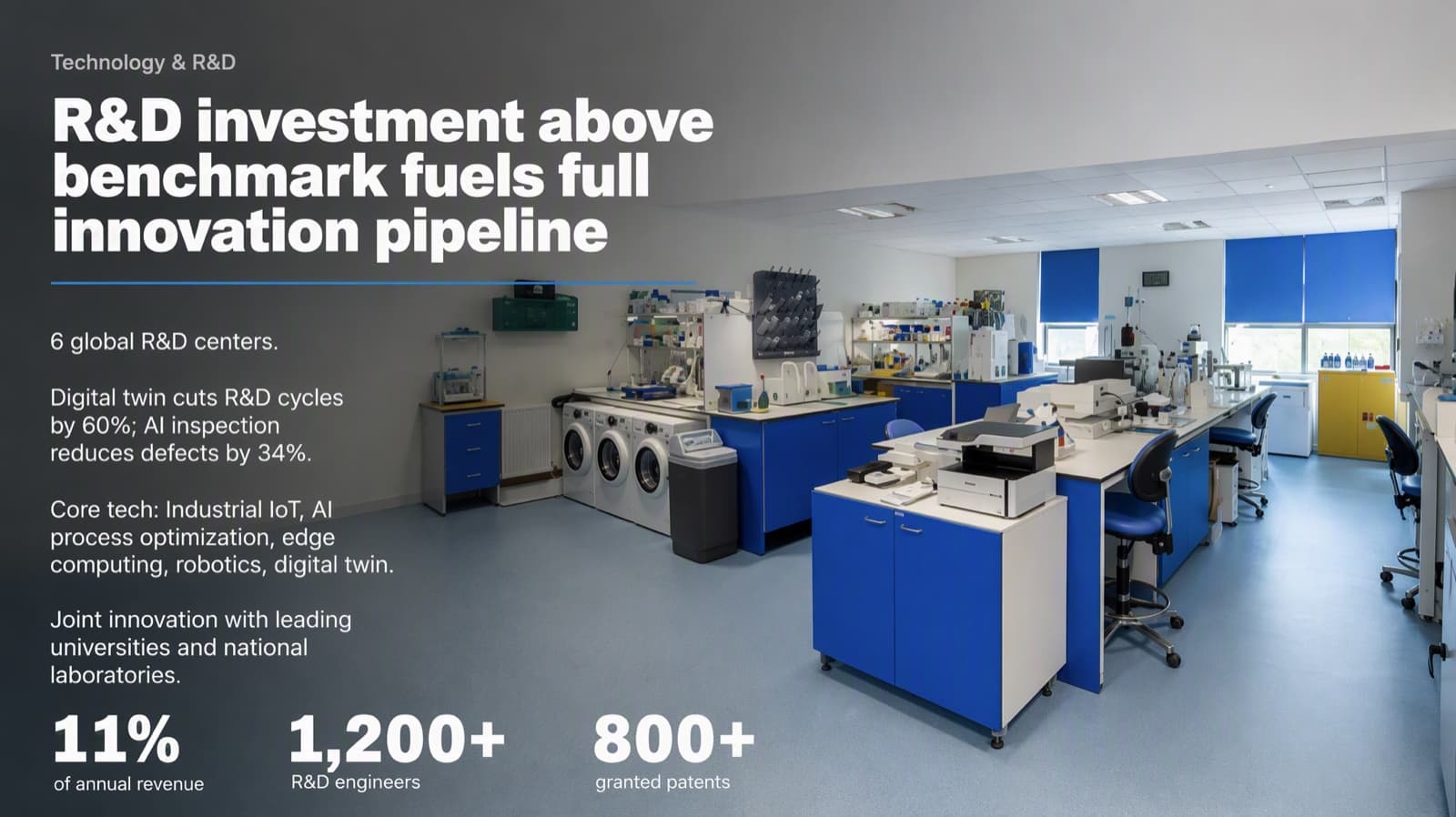
After (restructuring): “by 60%”, range dropped - 06
How to check the result in ten minutes
Before you open the redesigned file, list every figure, name, date and qualifier (up to, at least, approximately) from the original. Then go slide by slide and tick each one off; mark anything added that wasn't there. Check chart labels and axis values too, not just body text. If anything is off, fix it in the returned .pptx — it's editable — rather than sending a version you haven't read.
Is it safe to upload a confidential deck? → - 07
A visual-only brief you can paste
Whether you brief a human designer or an AI tool, say in writing what must not move. For example: “Visual redesign only. Keep all original wording, terminology, numbers, dates, conclusions and slide order. Standardize fonts, sizes, colors, spacing and alignment. Keep text, tables and charts editable — not flattened into images. If something looks wrong, flag it; don't fix it. Show two or three representative slides first.” In BetterPPT you don't have to write this: choosing keep every word on the setup page locks the text, and the deposit shows you your own slides first. For medical and pharmaceutical content, also keep the untouched approved file as the reference: AI can improve how a slide looks, but it can't certify that a dose or a result is right — your study team or clinician still signs that off.
- 08
Who BetterPPT is for — and who it isn't
BetterPPT is an AI design agent that redesigns PowerPoint decks you've already written — every slide individually — and returns an editable .pptx. It's for decks where a lot is riding on it — investor meetings, client pitches, board updates, promotion reviews and conference talks — including ones where the words can't change. It isn't for a class assignment or a routine team update: free tools like PowerPoint Designer or Canva's free plan are enough for those. It's paid — $39 for up to 30 slides, with a $9.90 deposit to preview up to six of your slides first.
How AI redesign of an existing deck works →
Questions
Can AI redesign a PowerPoint without changing the text?
Yes, if the tool has a mode that locks the text. BetterPPT's keep-every-word mode carries the slide text over unchanged and redesigns the layout, hierarchy and imagery. Good original images are kept and enhanced, weak ones replaced with new on-topic images, and small elements such as page numbers may be added — so compare the result with your original before you send it.
Is it safe to use AI on financial results or a tender response?
Only with the text locked and a full check afterwards. Choose keep every word, never restructuring, then tick off every figure, name, date and qualifier against the original, including chart labels. In our restructuring example, “up to 60%” became “by 60%” — a different claim.
Will an AI redesign mess up my content, numbers or conclusions?
It can, depending on the mode you pick and the tool you use — so check, don't assume. In keep-every-word mode the slide text is carried over as written, though small elements such as a page counter or logo wordmark may be added (we saw both on a contents slide). In restructuring mode, “up to 60%” became “by 60%” and an industry range was dropped: the number survived, the qualifier didn't. In a client-pitch example, four award names gained words the original didn't have. Lock the text for anything audited or signed off, then tick every figure, name, date and qualifier against your original — it takes about ten minutes.
Will I get an editable file back?
Yes. BetterPPT returns an editable .pptx with real text boxes, plus an HD image version, so you can correct anything in PowerPoint before you present or submit.
What does BetterPPT cost, and what are its limits?
$39 for up to 30 slides and $59 for 31–50 slides, one-time with no subscription; a $9.90 deposit lets you see up to six redesigned slides first. It is a one-time price with no subscription, and you edit the returned .pptx in PowerPoint. It accepts .pptx files up to 50 slides and 50 MB.
Can I use AI on slides with drug names, doses or study results?
Only with the text locked and a full check afterwards. Choose keep every word, never restructuring, then tick off every drug name, dose, sample size, percentage, p-value and confidence interval against the original — including chart labels and footnotes. In our restructuring example, “up to 60%” became “by 60%”: a different claim. AI can improve the layout, but it can't certify scientific accuracy; have your study team or a clinician sign off the final version.
My compliance team has already approved the wording. How do I keep it exactly as approved?
Choose keep every word, keep the approved file untouched as your reference, and compare the returned deck with it. A cheap proof: export the text of both versions, for example as an outline, and run Word's Compare Documents or any diff tool on the two — if they match, you can say the wording is identical. Also look for what was added, such as a page counter or a logo wordmark, not only for what is missing.
Bottom line
If your figures are audited or your wording is locked, choose keep every word, then check the result against your original before it leaves your hands. BetterPPT redesigns every slide individually and returns an editable .pptx — a $9.90 deposit shows you up to six of your own slides first.
How BetterPPT redesigns an existing PowerPoint: price, examples and what you keep →