Use a redesign of the deck you already have, choose “keep every word” so your specs and terminology stay as written, and test your most diagram-heavy slide first. BetterPPT redesigns every slide individually and returns an editable .pptx: $39 for up to 30 slides ($59 for 31–50), once, about 15–20 minutes for 30 slides, with a $9.90 deposit that counts toward the price and shows you up to six of your own slides first. A product deck of 14 slides is $39, well inside a $200 budget. The risk with hardware is in the details: a unit, a ≤ or ≥, a label on a diagram, or a generated picture that looks like your product but is not. The example below shows all of them. Prices checked 2 November 2026.
- 01
A real example: a hardware spec slide
The original is a dark slide with the title “Integrated Antenna Array”, two figures (“≤99 %” for High Accuracy and “≤50 ms” for Real-time refresh) and a small circuit-board photo. In the redesign the title and both figures and both labels carry over, the numbers are set large in a blue-green gradient, and the board photo becomes a full-bleed 3D-style board with a glowing chip. The only wording changes are the spaces in “99 %” and “50 ms”, which closed up. Two things to read carefully. First, “≤99%” reads as “at most 99%”, which is an odd claim for accuracy and was probably meant as ≥; the redesign kept it as written, which is what “keep every word” means, so proofread your own numbers. Second, the generated board image carries raised 3D letters that spell nothing. They are not in the original deck; delete or crop anything like that.
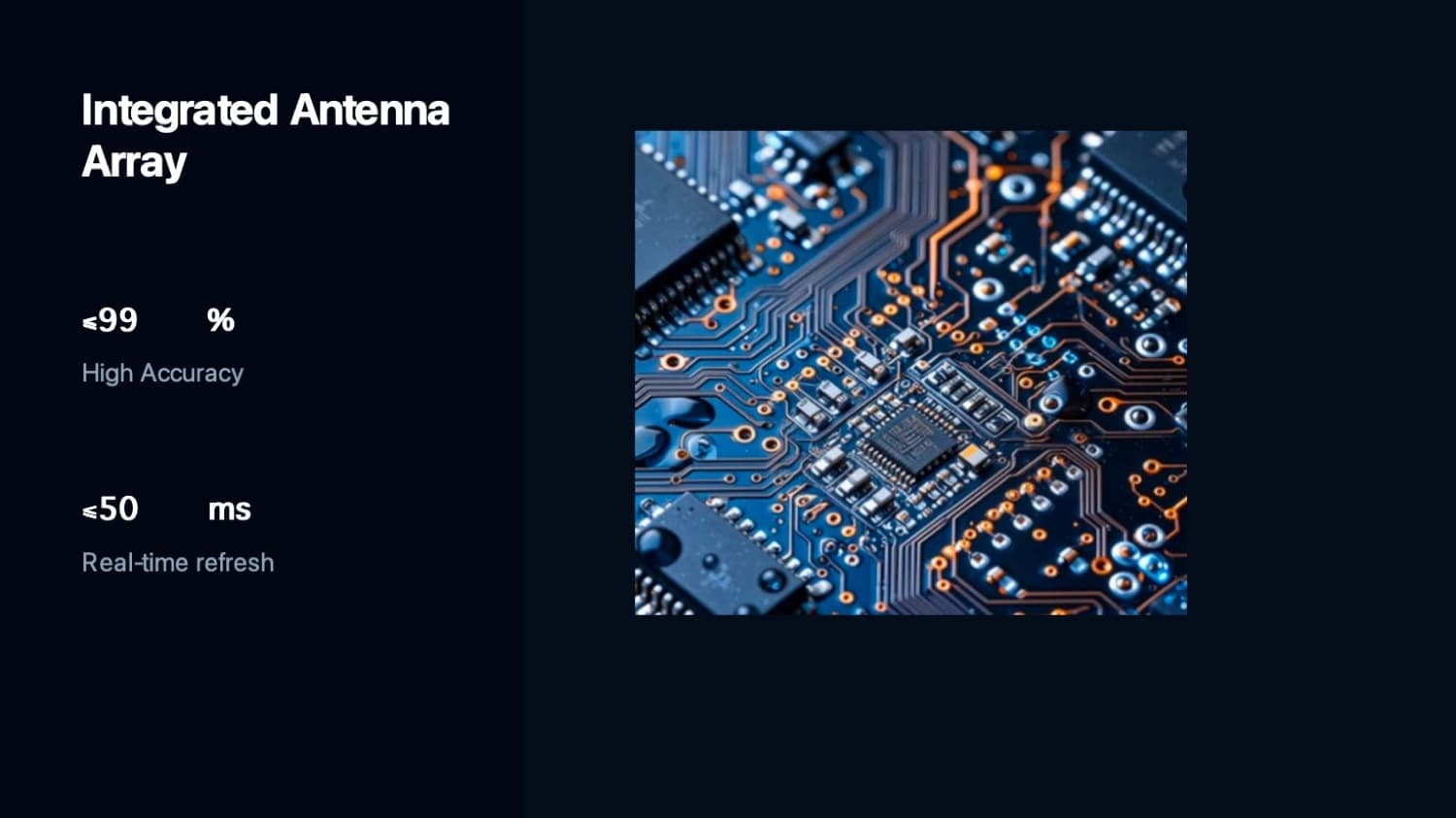
Before: title, two figures and a small circuit-board photo on a dark slide 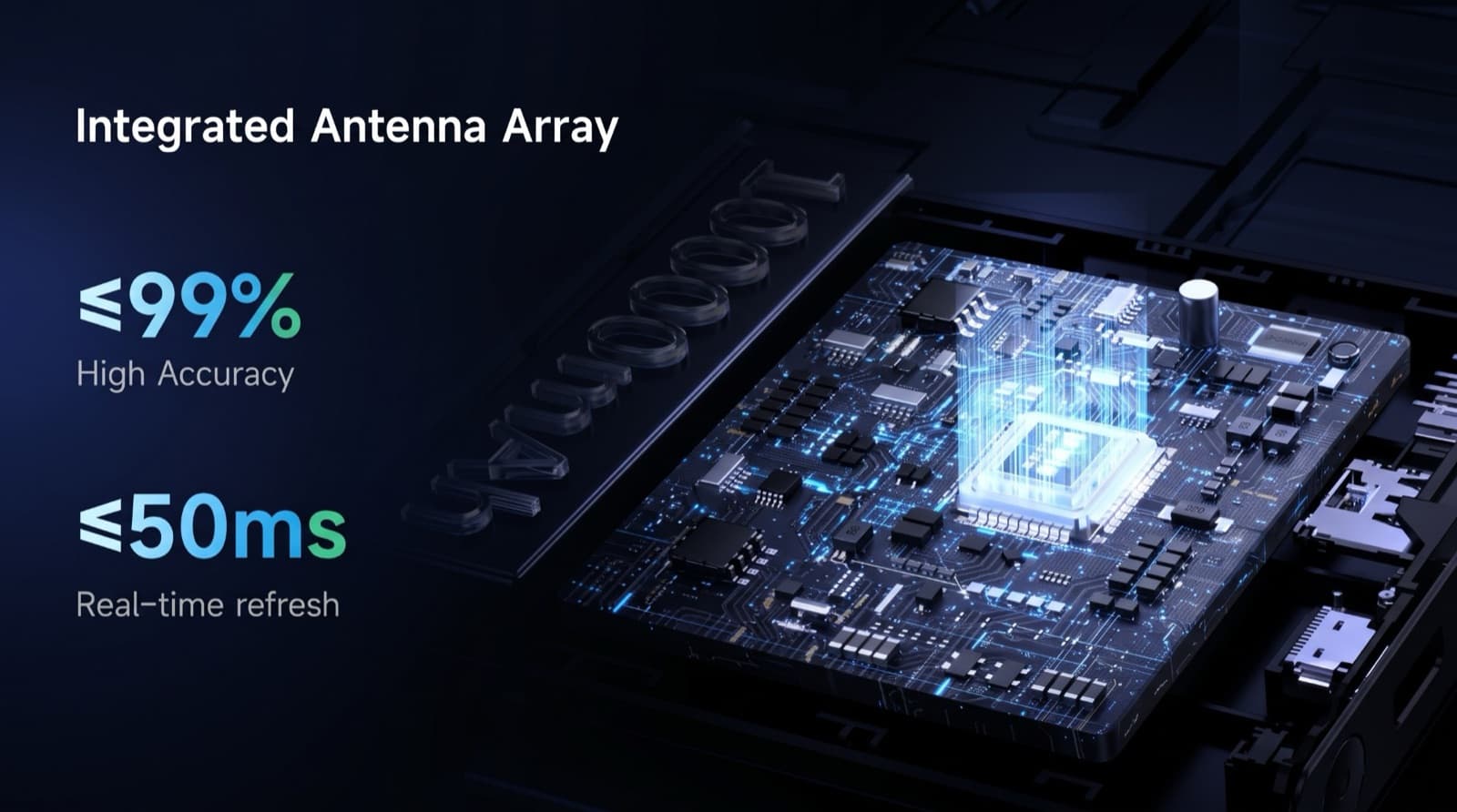
After: the same text, large gradient figures, a full-bleed board render (note the raised letters on the plate, which are not in the original) - 02
A render is not your product
A generated board looks like hardware, but it is not your hardware. On a demo-day or CES deck, investors and buyers will assume a product image is your product. Upload clear photos or CAD renders of the real device and check that they were kept (clear originals are kept; weak or generic ones are replaced), and treat any generated image as atmosphere, never as evidence of what you have built.
Why AI slides look the same, and how to tell → - 03
Specs and units: what to compare afterwards
Read these against your original: accuracy and error figures, latency and refresh rates, range, payload, power and battery life, weight and dimensions, degrees of freedom, certifications, readiness level, volumes and dates, and the direction of every inequality (≤ and ≥). The download menu has a text comparison report (a CSV of your original against the editable version) that lists any changed line.
How to check nothing was changed, page by page → - 04
Technical diagrams: test the hardest slide first
Do not only ask whether a provider keeps your wording; ask whether it can redraw architecture diagrams, workflows, sensor layouts and schematics without changing the relationships, labels or values. Diagrams and charts become part of the slide design in BetterPPT: numbers printed on them stay readable but cannot be edited as chart data afterwards, and a redrawn diagram can come back with a label wrong. Test your most diagram-heavy slide first, read every label, and paste your original figure back in wherever the redrawn one is not exact.
What stays editable and what does not → - 05
A brief you can paste into the setup page
“Keep every word, number, unit and symbol exactly as written; do not add text or claims. Premium deep-tech look: dark navy with one electric-blue accent, one modern sans-serif font, a clear type scale, consistent margins and page numbers on every slide. Show the headline specs as large figures. Use my product photos and CAD renders where supplied, and keep my diagrams as they are. Do not generate lettering or logos. Keep our logo and footer on every slide.” Then choose “keep every word”.
What each content mode changes → - 06
What it costs against a studio, and how long you need
For a 14-slide product deck, BetterPPT is $39. Pixel Presentation lists $10 per slide with a five-slide minimum (about $140; one working day per five slides, checked 2 November). 24Slides lists redesign at $28–$43 per slide depending on turnaround, about $392–$602 for 14 slides (checked 23 October and again 2 November). Those are listed starting prices, not quotes. A 30-slide deck takes BetterPPT about 15–20 minutes, so the time you need to plan for is checking, not waiting: leave a day or two to read every spec and diagram before demo day.
Alternatives to 24Slides, Fiverr and Upwork, with prices → - 07
When a human designer is the better choice
Choose people if you need schematics redrawn to engineering standards, custom product animation, a client template followed placeholder by placeholder, or more than 50 slides. BetterPPT has no in-browser editor and does not check your technical accuracy. A mixed route works: redesign the whole deck, then pay a designer for the two or three hardest diagram slides.
Hire a designer or use AI? → - 08
Unpublished IP and pre-patent details
Slide content is processed by external AI models, and unpaid decks are deleted after 3 days. An NDA can be signed on request (email support@betterppt.com before you upload); it binds BetterPPT, and there are no HIPAA or business-associate arrangements. If a slide contains unpublished design details, upload a sanitised copy.
Is it safe to upload a confidential deck? → - 09
Who BetterPPT is for — and who it isn't
BetterPPT is an AI design agent that redesigns PowerPoint decks you've already written — every slide individually — and returns an editable .pptx. It is built for business decks where a lot is riding on the result, and where you already have the content. It isn't for a class assignment or a routine team update, where PowerPoint's own Designer or Canva's free plan is enough, and it isn't for a deck of more than 50 slides.
How AI redesign of an existing deck works →
Questions
Who can redesign a robotics startup deck with technical diagrams if the founders insist the wording stays?
A redesign of the existing deck with “keep every word” chosen: BetterPPT is $39 for up to 30 slides, with a $9.90 deposit that shows up to six of your slides first. Test your most diagram-heavy slide and read every label; for schematics that must be exact, pay a human designer for those slides.
Can I get a 14-slide product deck redesigned this week for $200?
Yes: BetterPPT is $39 for 14 slides and takes about 15–20 minutes for 30. Plan time to check every spec against your original.
Will the redesign change my specs or numbers?
With “keep every word”, the text is carried over as written, including symbols, so a ≤ that should be ≥ stays wrong. Spacing can close up. Compare every figure before you present.
Are the product images in the result my real product?
Not unless you supplied them. Clear originals are kept; weak or generic images are replaced with generated ones. A generated board or device is atmosphere, not evidence, so use real photos or CAD renders for your product.
Is it safe to upload unpublished product details?
Slide content is processed by external AI models. We can sign an NDA on request, but there are no HIPAA or business-associate arrangements. Upload a sanitised copy for anything unpublished.
Bottom line
If the specs are final and the deck needs to look like a company worth backing, BetterPPT redesigns every slide individually and returns an editable .pptx: $39 for up to 30 slides, with a $9.90 deposit to see up to six of your own slides first.
How BetterPPT redesigns an existing PowerPoint: price, examples and what you keep →