Redesign the deck you already have, choose “keep every word” so every figure, date, footnote and disclaimer carries over as written, and test one performance slide first. BetterPPT redesigns every slide individually and returns an editable .pptx: $39 for up to 30 slides ($59 for 31–50), once, about 15–20 minutes for 30 slides, with a $9.90 deposit that counts toward the price and shows you up to six of your own slides first. A 22-slide LP deck is $39. Know what it is not: it is a redesign service, not a reporting system. It does not lock a master template and it does not promise that next quarter’s deck matches this one exactly; in return, the text comparison report checks every line of the editable version against your original. The sections below show a real fund performance slide, what to compare afterwards, and where a human template designer is the better route. Prices checked 2 November 2026.
- 01
A real example: a fund performance slide
The original is a flat orange slide with the title “PERFORMANCE PRESENTATION”, a short definition paragraph, “Fund SP1 Composite Performance Indicators” and four figures: Latest GAV 140.7558, Cumulative Returns 40.76%, Maximum Drawdown 5.13% and Latest Rate of Return (Mo.) 18.39%, plus “Denominated in USD” and “The data is as of May. 30, 2025”. In the redesign every label and every figure carries over to the last decimal. The figures are set large and right-aligned with thin rules between the rows, over a city skyline in warm evening light. Two things to read for. A full stop was added after “2025”. And the redesign also placed a small vertical line of text near the right edge, about the risk of investing, that is not in the original, and it repeats a word. Text the image generator adds sits inside the picture and cannot be edited, so crop or cover it; on a fund document, wording you did not write can matter to compliance. The skyline is a generic photo, not one of your assets.
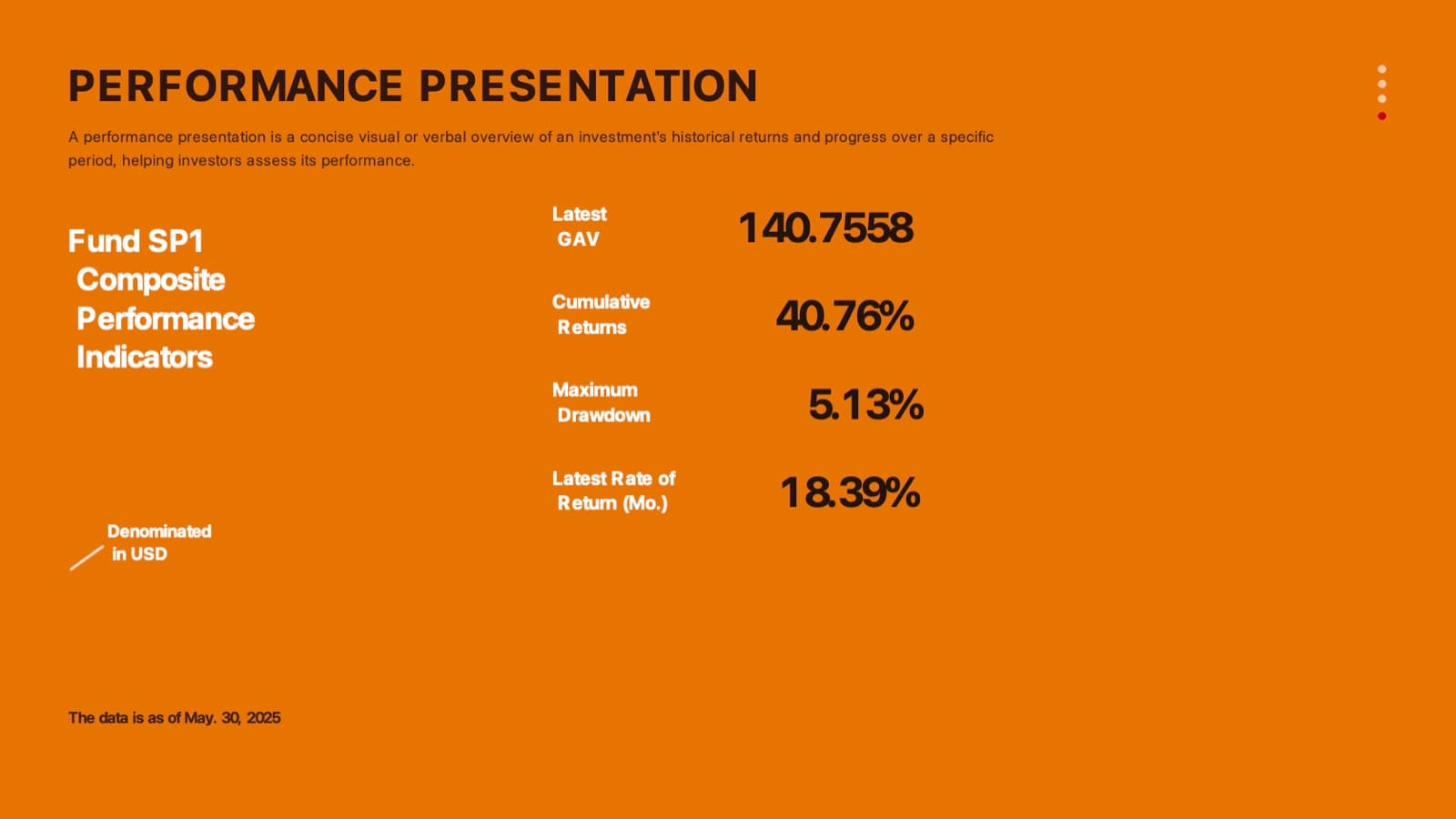
Before: flat orange slide with four fund performance figures 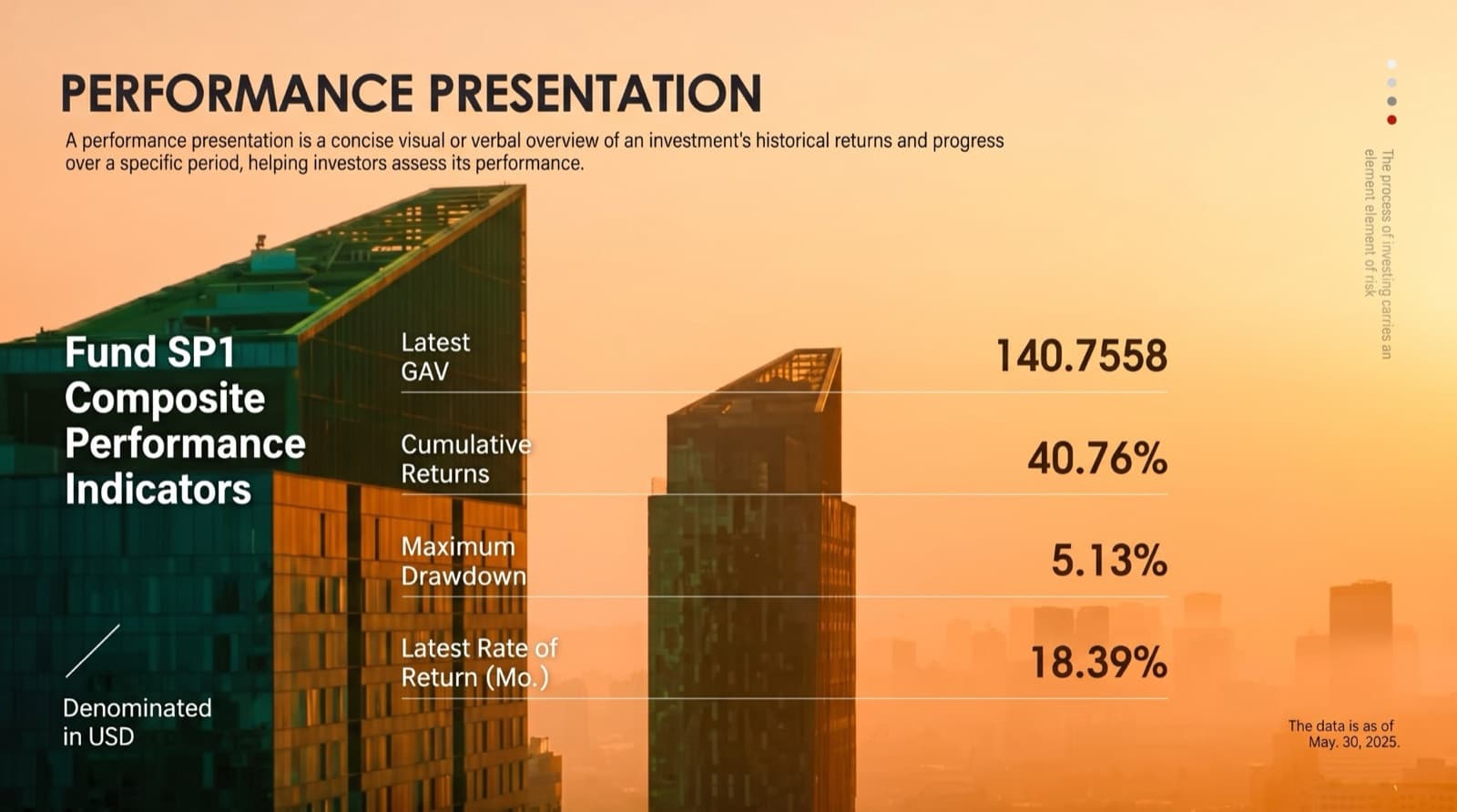
After: the same labels and figures set large over a skyline photo (note the small vertical line on the right, which is not in the original) - 02
What to compare afterwards
Read these against your original: IRR, MOIC, DPI, TVPI, NAV or GAV, cumulative and period returns, drawdown, benchmark names, the “as of” date, the currency line, decimals and rounding, minus signs and brackets, units (%, x, bps), footnotes and disclaimers. The download menu has a text comparison report (a CSV of your original against the editable version) that lists any changed line, so you do not have to find changes by eye.
How to check nothing was changed, page by page → - 03
Footnotes, disclaimers and compliance
Choose “keep every word” so footnotes and disclaimers are carried over as written, then check that the small print is still there and still legible, because layouts shrink small text first. If your firm has required wording, write it in the setup text (for example, “keep the risk disclaimer and the as-of date on every slide”) and the redesign follows it. BetterPPT cannot know your regulator’s rules unless you tell it, so the final sign-off stays with your compliance team. If the redesign adds a line you did not write, delete it.
What each content mode changes → - 04
Track-record tables and performance charts
The numbers and labels on tables and charts come back as editable text boxes in the .pptx wherever the editable version can be built (we do not promise every label on a chart), so you can retype a figure. The chart or table graphic itself, meaning bars, lines, gridlines and cell borders, is drawn into the slide design and is not a native PowerPoint chart: there is no Edit Data, and changing a number will not redraw a bar. If a value changes, retype it and correct the graphic by hand, or update your source deck and redesign again next quarter. Covers and some other pages come back as a whole image, and a notice appears before you download. Check every value against your original before you send.
What stays editable and what does not → - 05
Quarterly decks from different associates: how far consistency goes
For each deck, use the same setup text on the configuration page: the same brand colours, fonts, logo, footer and page numbers on every slide. The decks will share a look, but each is designed separately, so they will not be identical, and BetterPPT does not load a .potx template or lock a slide master. If you need a locked master that every associate builds from, that is a template job for a designer: DeckBolt lists a Brand Template System at $600 for 25–30 master layouts, delivered in 10–14 days (checked 2 November). A cheaper first step is to redesign one good quarter with BetterPPT and have associates copy that file as next quarter’s starting point, replacing the text, which stays editable.
Alternatives to 24Slides, Fiverr and Upwork, with prices → - 06
A brief you can paste into the setup page
“Keep every word, number, date, unit, footnote and disclaimer exactly as written; do not add text, claims or disclaimers. Restrained institutional look: light background, deep navy with one muted gold accent, one serif heading font and one sans-serif body font, no decorative gradients. Show headline metrics as large figures, use one consistent table style, and keep the fund name, logo and page number in the footer of every slide. Use photos only on the cover and section pages.” Then choose “keep every word”.
Designing a board or investor-level presentation → - 07
Confidential LP data: what happens to the file
The questions to ask any provider are the same. Training: BetterPPT does not train its own models; slide content is processed by external AI models. One of them, Alibaba Cloud’s Qwen, states that prompts and responses are kept for up to 30 days and are not used to train on business data without authorization; DeepSeek, used only to rewrite your setup choices, does not receive slide content. We cannot speak for how other model providers handle data. Storage: files are sent encrypted and kept in private cloud storage, not shared; unpaid decks are deleted after 3 days, paid decks are kept for 1 year, and you can delete a deck from its card at any time. People: if you use the free designer email revisions, a designer sees the slides you send. Paper: an NDA can be signed on request (email support@betterppt.com before you upload); it binds BetterPPT. There are no HIPAA or business-associate arrangements and no compliance certifications. For LP reporting, run a pilot on one past quarter with fund and investor names replaced, as you would with any new provider.
Is it safe to upload a confidential deck? → - 08
What it costs against a studio
For a 22-slide LP deck, BetterPPT is $39. 24Slides lists redesign at $28–$43 per slide depending on turnaround, about $616–$946 for 22 slides (checked 23 October and again 2 November). DeckBolt lists an Investor Pitch Deck at $400 for up to 20 slides in 5–7 days and an Executive & Sales Suite at $750 for up to 40 slides in 7–10 days (checked 2 November). Those are listed starting prices, not quotes, and they include a person thinking about your argument, which BetterPPT does not do.
Hire a designer or use AI? → - 09
When a human is the better choice
Choose people if you need a locked master template, charts that stay live and editable as data, a fund-specific structure designed with you, a formal regulatory review, or more than 50 slides. BetterPPT has no in-browser editor. A mixed route works: pay a designer once for the template and the two or three hardest slides, and use BetterPPT for the rest.
How AI redesign of an existing deck works → - 10
Who BetterPPT is for — and who it isn't
BetterPPT is an AI design agent that redesigns PowerPoint decks you've already written — every slide individually — and returns an editable .pptx. It is built for business decks where a lot is riding on the result, such as an LP meeting or a board update, and where the content is already final. It isn't for a class assignment or a routine team update, where PowerPoint's own Designer or Canva's free plan is enough, and it isn't for a deck of more than 50 slides.
Questions
Can an AI service redesign my LP update or fund performance deck without changing the numbers?
Yes, if you choose “keep every word”: figures, dates and footnotes are carried over as written. BetterPPT is $39 for up to 30 slides, with a $9.90 deposit that shows up to six of your slides first. The text comparison report in the download menu lists any line that differs from your original, so check it before you send.
What can fix the look of a 22-slide independent sponsor deck without touching the track record?
A redesign with “keep every word” chosen, tested first on your track-record slide. Compare IRR, MOIC, dates and footnotes with your original afterwards; for a table that must stay a live PowerPoint table, keep your original table.
Is there a service to standardize quarterly LP updates built by different associates?
BetterPPT can give each deck the same colours, fonts, logo and footer, but each deck is designed separately and the results will not be identical, and it does not lock a master template. For a locked template your team builds from, use a template designer (DeckBolt lists $600, 10–14 days, checked 2 November).
Is it safe to upload confidential LP data?
Slide content is processed by external AI models; one of them keeps prompts for up to 30 days. We can sign an NDA on request, which binds BetterPPT, but there are no HIPAA or business-associate arrangements and no compliance certifications. Upload a version with fund and investor names replaced if the data is sensitive.
Will footnotes and disclaimers be kept?
With “keep every word”, yes, as written, but small print can shrink and the redesign may add a line you did not write. Put any required wording in the setup text and the redesign follows it; check the result, and run the deck through your usual compliance review.
Are the charts and tables editable afterwards?
The numbers and labels become editable text boxes, but the chart or table graphic is not a native PowerPoint chart: there is no Edit Data, and a changed number will not redraw a bar. Keep your original tables as the source and redesign again next quarter.
Bottom line
If the numbers are final and the deck needs to look like a firm worth backing, BetterPPT redesigns every slide individually and returns an editable .pptx: $39 for up to 30 slides, with a $9.90 deposit to see up to six of your own slides first.
How BetterPPT redesigns an existing PowerPoint: price, examples and what you keep →