To make a board presentation look executive-level, design every slide so a director can read the decision in five seconds: put the conclusion in the headline instead of a topic label, pull the two or three numbers that matter out of the text and make them large, turn each table into one chart that makes one comparison, keep one restrained style from the first slide to the last, and move supporting detail to an appendix. Board members have read dozens of decks this quarter, so a quarterly update looks senior when it is quiet and decisive rather than dense. Below are the five fixes, with real slides before and after, and how to handle the numbers safely.
- 01
Write the decision or the finding in the headline
“Q3 Financial Results” tells a director nothing they didn't see on the agenda. “Revenue is on plan, but margin fell and we need approval to change pricing” is a slide. Write the one sentence you want the board to leave with, then build the page to prove it. Read the headlines alone from first to last: that should be your whole update. If you need a decision, say so on the slide where it is needed, not only at the end.
- 02
Make the two or three numbers that matter big
Executives scan for figures. When the key ones sit inside bullets, the slide reads like meeting notes. Take them out of the sentences, set them in large type with a short label, and let the remaining text shrink to a supporting line. In the example below, the figures were buried in five bullets; after the redesign, 11%, 1,200+ and 800+ lead the slide and the headline states the point.
Slides with too much text — how to fix them →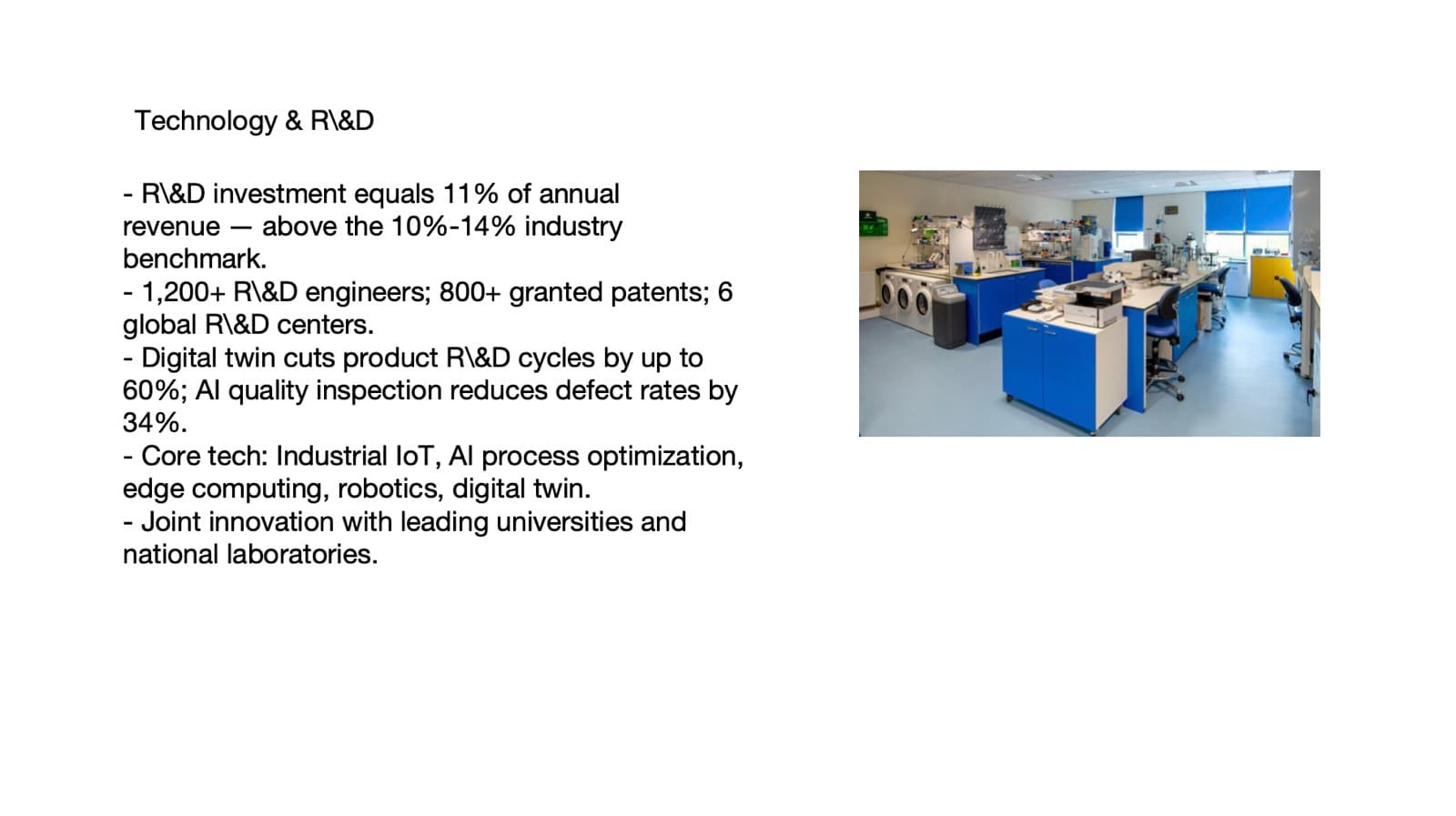
Before: five bullets, every figure inside a sentence 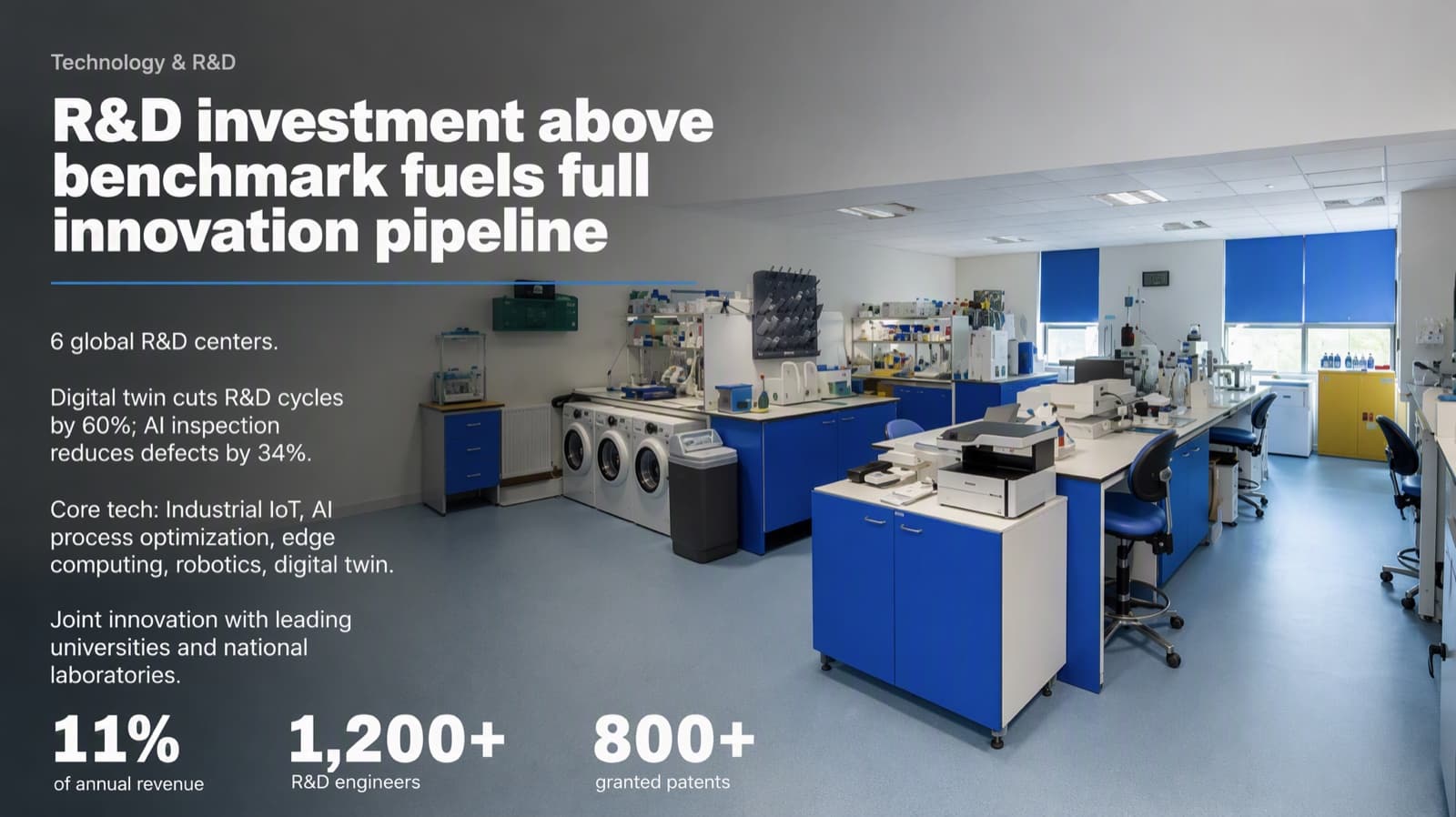
After: a conclusion headline with three figures as the focal point - 03
Replace tables with one chart that makes one comparison
A table makes the board do the analysis in the meeting. Ask what the data is saying, write that as the headline, and chart only that comparison. Below, a table of five countries' economic sentiment became a diverging bar: blue for positive, red for negative, one bar highlighted. All 20 figures match the original table. The headline, the order of the rows (sorted from least to most pessimistic) and the shortened labels (“Very strong” for “Very or extremely strong”) are ours, and “overwhelmingly” is a stronger reading than the data strictly proves — if your audience would challenge a word like that, soften it. Keep the full table in the appendix.
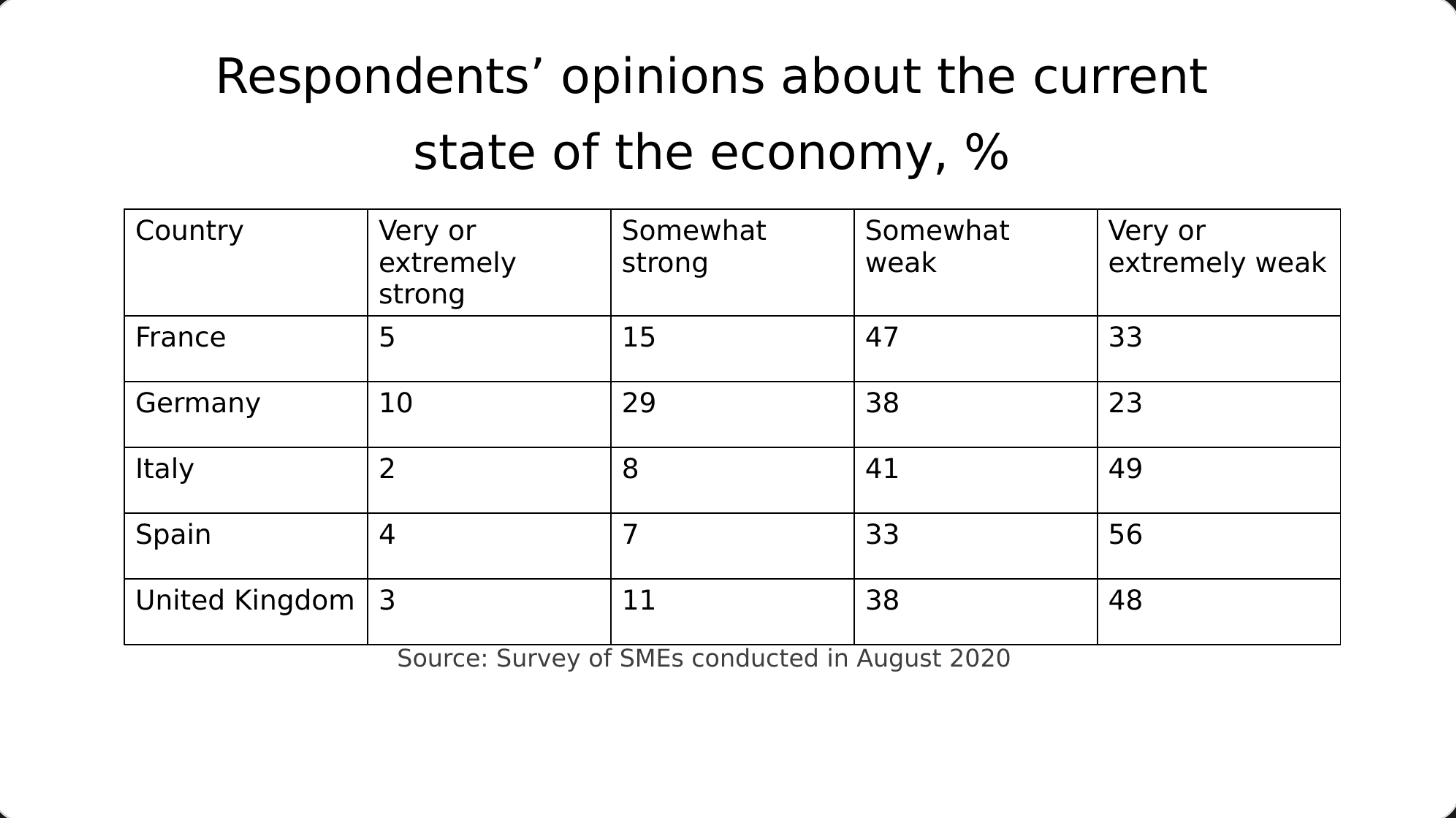
Before: a table of percentages, nothing stands out 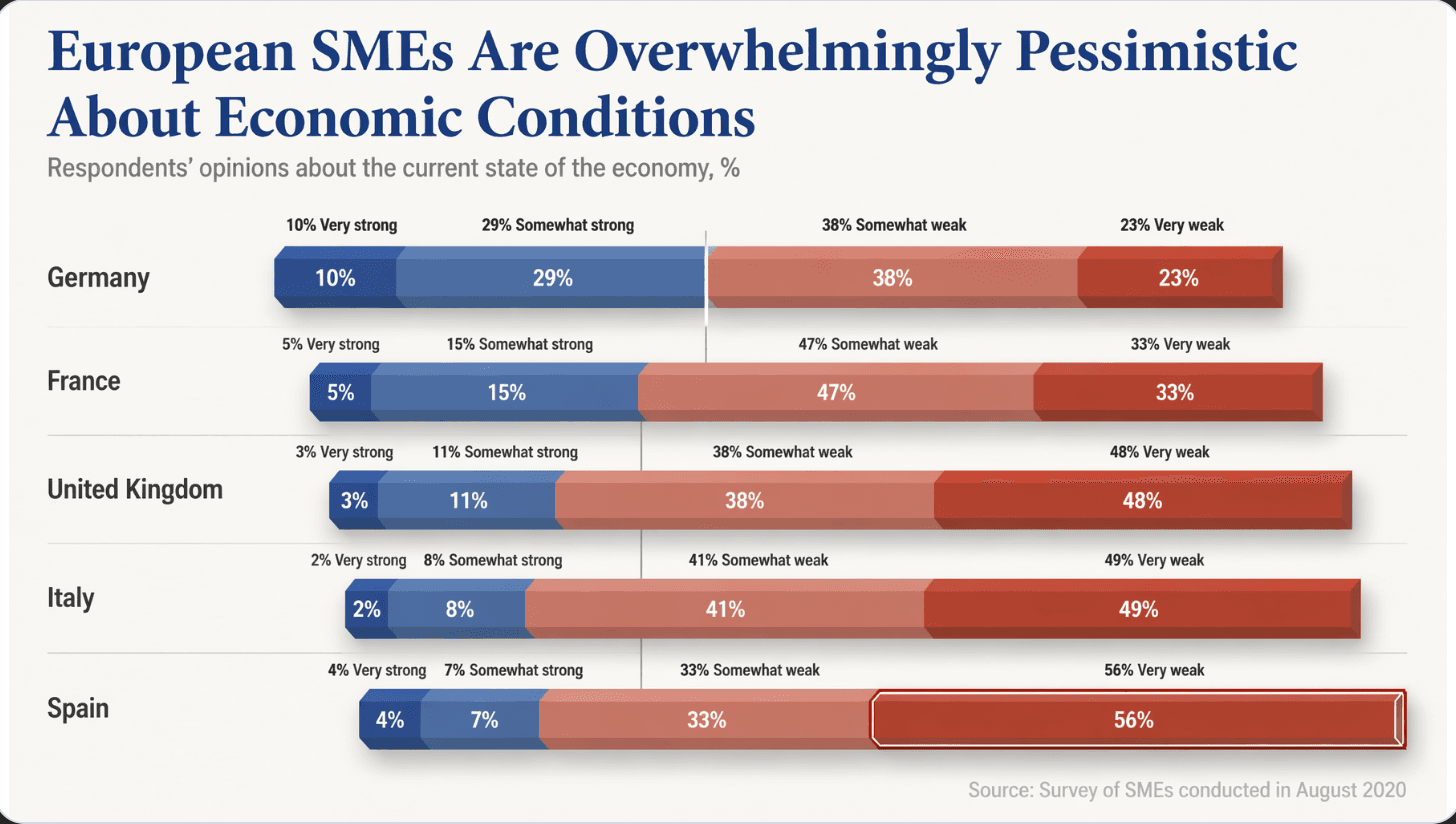
After: one diverging chart, Spain’s 56% “very weak” stands out at once - 04
Keep one quiet style from the first slide to the last
Executive-level usually means restrained: one font family, two or three sizes, one accent color reserved for the most important thing on each slide, and the same margins and title position throughout. Decks assembled from several people's slides look like several people made them. Consistency reads as control.
Why AI-generated slides all look the same → - 05
Put the supporting detail in an appendix
The main deck is what you present; the appendix is what you open when a director asks “how did you get that?” Move the full tables, the monthly breakdowns and the methodology there. A short main deck with a deep appendix looks more confident than a long one that tries to pre-answer every question.
Questions
How do I make a quarterly business review (QBR) deck less boring?
Change what each slide is for, not just how it looks: lead with the finding or decision in the headline, show one or two large numbers, and chart one comparison instead of pasting the table. A QBR is boring when every slide is a topic label over data; it improves when each slide makes a point.
How many slides should a board presentation have?
There is no standard number, and some boards set their own format or length. A common approach is a short main deck covering the decisions and the headline results, with detailed tables and backup in an appendix. Follow your board's or company secretary's requirements first.
Can an AI tool redesign my board deck without changing the numbers?
It can, if you control how much it may change the text. BetterPPT has three modes: keep every word, allow light editing, or allow restructuring. For financial or board material, choose keep every word, and check every figure against your source before you present — in the chart example above we compared all 20 numbers by hand.
What does BetterPPT cost, and what are its limits?
$39 for up to 30 slides and $59 for 31–50 slides, one-time with no subscription; a refundable $2.90 deposit lets you see up to six redesigned slides first. It costs more than subscription tools and has no in-browser editor — you edit the returned .pptx in PowerPoint. It accepts .pptx files up to 50 slides and 50 MB.
Bottom line
Start with the headlines: rewrite each one as the point you want the board to take away, then enlarge the numbers that prove it. If the whole deck needs it, BetterPPT redesigns every slide individually and returns an editable .pptx — you decide how much of your wording may change, from $39.