BetterPPT redesigns a solar or energy storage deck you have already written: every slide gets its own layout, and if you choose “keep every word” on the setup page your wording and figures are carried over and returned as an editable .pptx. A 30-slide deck takes about 15–20 minutes and costs $39 (up to 30 slides) or $59 (31–50), once, with no subscription; a $9.90 deposit counts toward the price and shows you up to six of your own slides redesigned before you pay the rest. Below is a real home energy storage product slide before and after, a checklist of the figures to compare afterwards, and a brief you can paste in for a PPA proposal, a bid or a public-meeting deck. Prices checked 2 November 2026.
- 01
A real example: a home energy storage product slide
The original is a dark slide with a title, one headline figure (999 kVA → 000 kVA, shown exactly as in the original), a line about an award, three short claims (Product, Service, Price) and two small photos floating on a flat background. In the redesign the house becomes a full-width night scene, the figure is set large, and the three claims become icon rows on a clean white panel, with a second interior scene below. We compared the text with the original: the title, the figure, the award line and all three claims carry over. Two tiny differences turned up: a comma after “battery” became a full stop, and a space went missing after “Design,” in the award line. Neither changes the meaning, but that is the kind of thing a word-for-word comparison catches, so compare before you send. We have not checked the claims on the slide (the award, the product statements); that is the owner’s to substantiate.
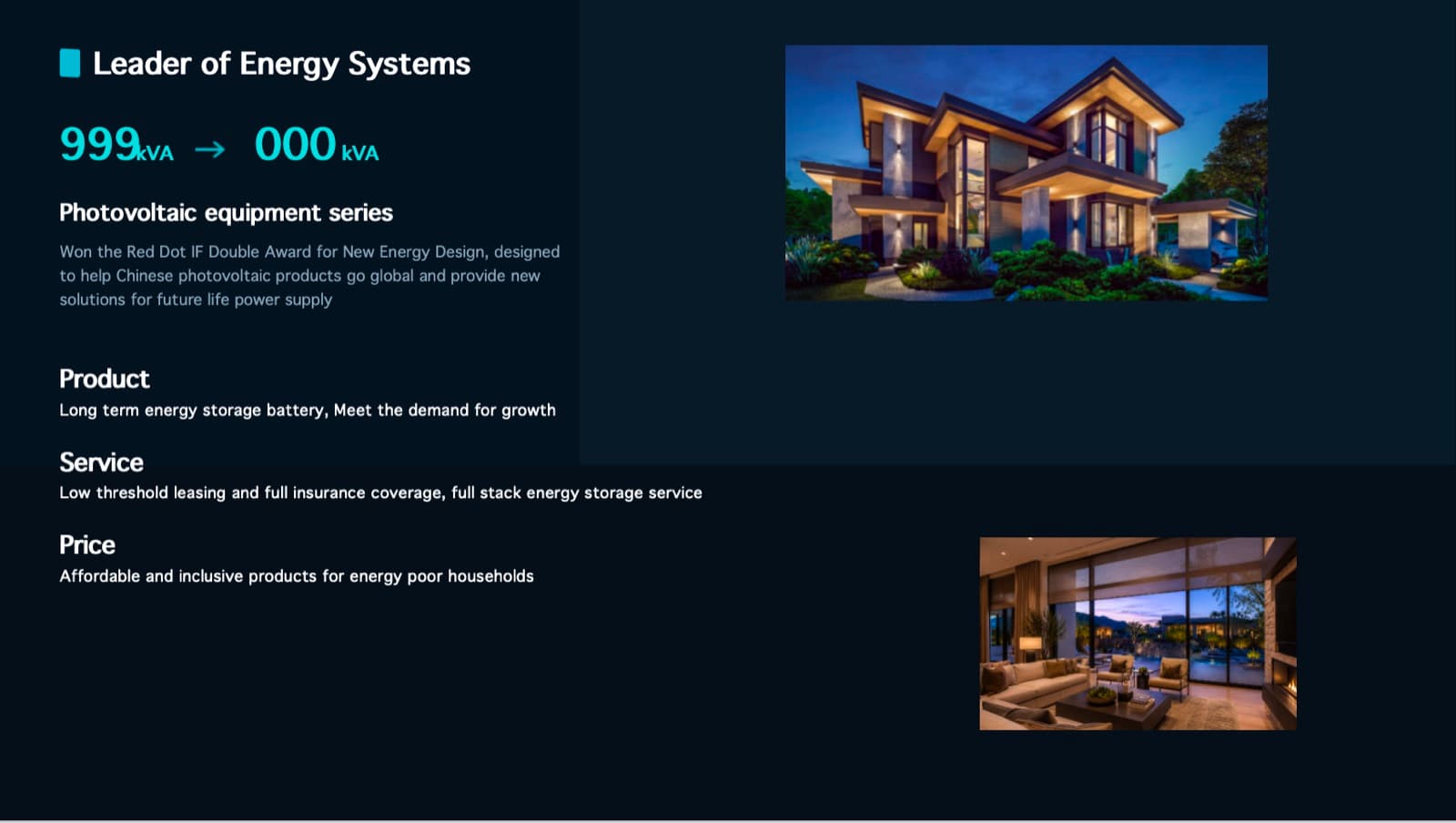
Before: a headline figure, three short claims and two small photos on a flat dark background 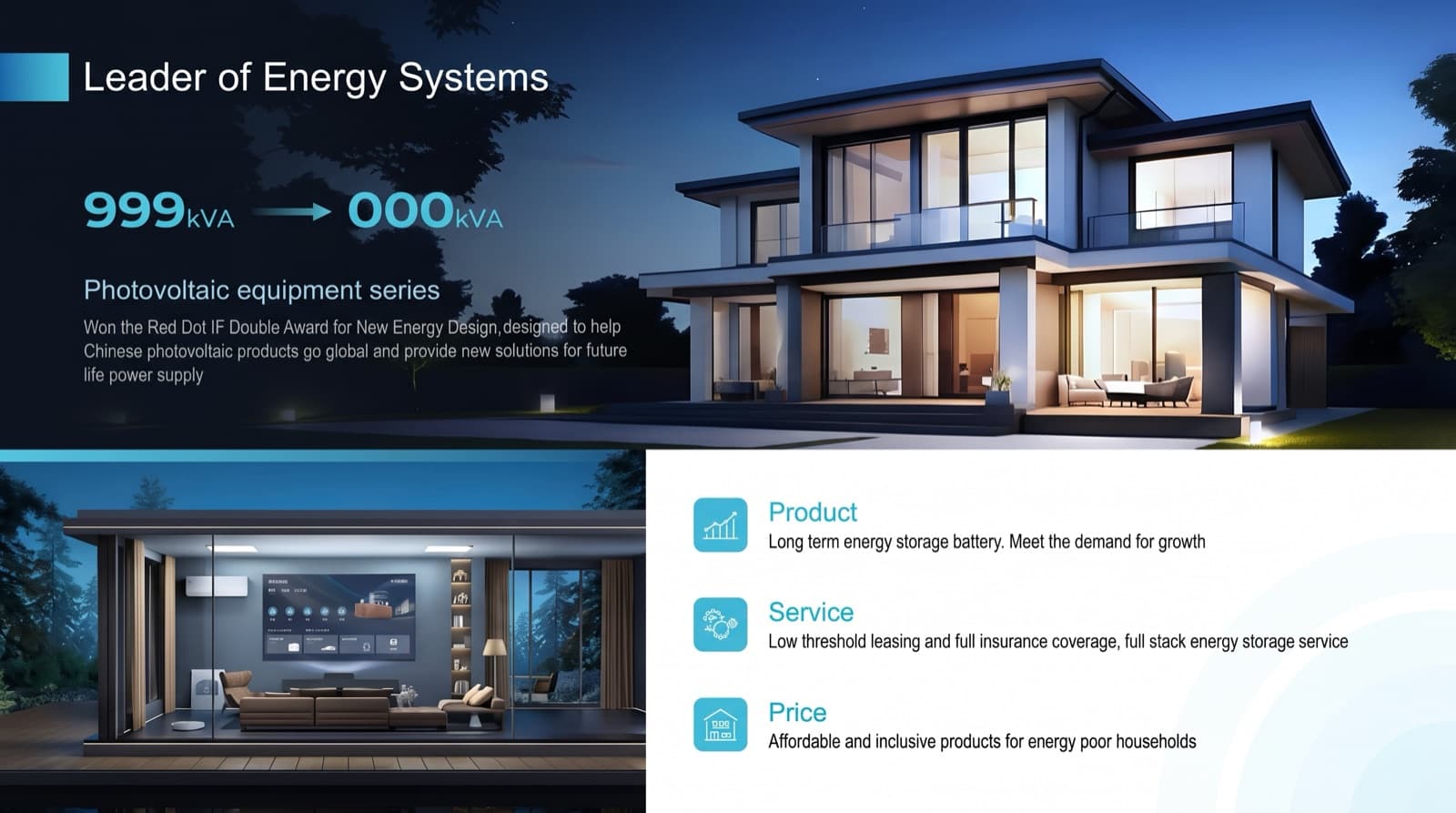
After: full-width night scene, large figure, three icon rows on a white panel; the text carries over - 02
Photos: keep your real project images where credibility matters
The pictures in the after slide are not the same crops as the originals: images are assessed one by one, good ones are kept and enhanced, and weak or generic ones are replaced with new images matched to the topic. A new house or living-room scene is fine on a consumer brand slide. For a bid or a PPA proposal, buyers look for your real sites and equipment, so upload clear originals of your projects, plant and hardware and check that they were kept. Do not rely on a generated picture to show a product screen, a nameplate or any figure: on the after slide the screen on the living-room wall carries text that cannot be read.
Why AI-made slides look the same, and how to tell → - 03
The figures to compare afterwards
Put the original and the result side by side and read these: capacity and energy (kW, kWh, MW, MWh, duration); electrical ratings (kVA, voltage, efficiency); warranty terms and cycle life; PPA rate, escalator and term; savings, payback and returns; dates for interconnection, permit conditions and commissioning; certifications and awards. The download menu also has a text comparison report (a CSV of your original against the editable version) so you can see changed lines at once.
How to check nothing was changed, page by page → - 04
A brief you can paste into the setup page
The setup page has a box for your own requirements. This one works for a developer, installer or manufacturer: “Keep every word, figure and unit exactly as written; do not invent data or claims. Premium energy-industry look: deep navy and white with one restrained green or teal accent, one modern sans-serif font, consistent headings, margins and page numbers on every slide. Show MW, MWh, rates and savings as large figures. Use my project and equipment photos where I have supplied them. Keep my logo and footer on every slide.” Then choose “keep every word” as the content mode.
What each content mode changes → - 05
PPA proposals built by several people
A 30-slide corporate PPA proposal assembled by three people usually has three fonts and three ways to show a price. Merge everyone’s slides into one file, upload it once and redesign it in one pass, so the rate table, the savings slide and the project timeline follow the same design. Then run the comparison above on the pricing and financial slides first.
Make decks from several people look consistent → - 06
Public-meeting and interconnection decks: readable first, data untouched
For a community or utility presentation the usual problem is density, not content. Choose “keep every word” so interconnection diagrams, capacity figures, timelines and permit conditions stay as written, and let the redesign fix hierarchy, type size and imagery for people who are not engineers. Charts, tables and maps become part of the slide picture: the numbers printed on them stay readable but you cannot edit chart data afterwards, and a redrawn map can come back with garbled labels. Read every label, or paste your original map slide back in.
What stays editable and what does not → - 07
When a human design team is the better choice
Choose people if you need bespoke animation, chart data that must stay editable in the room, drawings redrawn to a client’s standard, a client template followed placeholder by placeholder (BetterPPT does not load a .potx template or lock the master), or more than 50 slides. Also ask whether the buyer allows third-party AI tools on its documents. BetterPPT sends slide content to external AI models; an NDA can be signed on request (it binds BetterPPT), and there are no HIPAA or business-associate arrangements. For sensitive drawings, upload a sanitised copy.
Is it safe to upload a confidential deck? → - 08
What it costs against a human studio
For a 15-slide capabilities or product deck, BetterPPT is $39. 24Slides lists redesign at $28 per slide on a 72-hour turnaround (about $420 for 15 slides; its pricing page, checked 23 October and again 2 November). Pixel Presentation lists $10 per slide with a five-slide minimum (about $150; checked 27 October). Those are listed starting prices, not quotes for your deck, and a human team may be worth it for the reasons above. BetterPPT’s price is for the whole deck up to 30 slides, with no subscription.
What a pitch deck costs, provider by provider → - 09
What it costs, and how to try it
BetterPPT is $39 for up to 30 slides and $59 for 31–50, once, about 15–20 minutes for 30 slides. A $9.90 deposit counts toward the price and shows you up to six of your own slides before you pay the rest. If the deck contains project or customer details, we can sign an NDA on request: email support@betterppt.com before you upload.
See how it works → - 10
Who BetterPPT is for — and who it isn't
BetterPPT is an AI design agent that redesigns PowerPoint decks you've already written — every slide individually — and returns an editable .pptx. It is built for business decks where a lot is riding on the result, and where you already have the content. It isn't for a class assignment or a routine team update, where PowerPoint's own Designer or Canva's free plan is enough, and it isn't for a deck of more than 50 slides.
How AI redesign of an existing deck works →
Questions
Can AI redesign my solar PPA proposal without changing the rates or figures?
Choose “keep every word” on the setup page, then compare every rate, escalator, capacity figure and date with your original before you send it. In our example the text carried over, with two tiny punctuation differences, which a side-by-side comparison finds.
What is the best way to make a solar or battery storage presentation look professional?
Use one consistent design across all slides, show the headline figures (MW, MWh, rates, savings) in large type, use real project and equipment photos, and keep claims you can substantiate. An existing-deck redesign tool does the layout work; the numbers stay yours to verify.
Is the redesigned deck editable in PowerPoint?
The text is: it comes back as real text boxes in an editable .pptx. Charts, tables and photos become part of the slide picture, so you cannot edit chart data afterwards. Matching is close but not exact: fonts, sizes and positions are approximations.
How much does it cost to redesign an energy storage company deck?
$39 for up to 30 slides and $59 for 31–50, one-time, with no subscription. A $9.90 deposit counts toward the price and lets you see up to six redesigned slides first.
Can it make a battery storage public-meeting deck easier to read?
Yes: choose “keep every word” so permit data and technical figures stay as written, and the redesign works on hierarchy, type size and imagery. Check every figure and map label afterwards.
Is it safe to upload project data?
Slide content is processed by external AI models, and unpaid decks are deleted after 3 days. We can sign an NDA on request; email support@betterppt.com before you upload. For sensitive drawings, upload a sanitised copy.
Bottom line
If you have the figures and need the deck to look like a company worth buying from, BetterPPT redesigns every slide individually and returns an editable .pptx: $39 for up to 30 slides, with a $9.90 deposit to see up to six of your own slides first.
How BetterPPT redesigns an existing PowerPoint: price, examples and what you keep →