To make a promotion review presentation stand out, make every slide prove one result: write the headline as the outcome you achieved (6–12 words, not a topic like “Q3 projects”), pull the two or three numbers that show your impact out of the text and make them the largest thing on the slide, organize the deck as a growth story — scope, results, then evidence you already work at the next level — and keep one restrained style from start to finish. Then check every figure against your source: in a review, a number that is even slightly overstated hurts more than a plain slide.
- 01
Write each headline as a result, not a task
Reviewers skim titles first. “Customer onboarding project” describes what you were assigned; “Cut onboarding time from three weeks to nine days” tells them what you achieved. Our redesign rules keep a slide's main headline to 6–12 words (14 at most) and split anything longer into a headline and a subtitle. Read only your titles from first to last: they should already make the case for your promotion.
- 02
Give every slide three zones: headline, numbers, detail
Before choosing a layout, split each slide into a headline zone, a number zone and a body zone. The number zone holds the two or three figures that prove impact — revenue, time saved, customers, team size — set large with a short label. Everything else shrinks into the body zone, where each point gets a 5–7 word sub-headline that starts with a verb and ends with a result. In the example below, the figures were buried in five bullets; after the redesign they lead the slide.
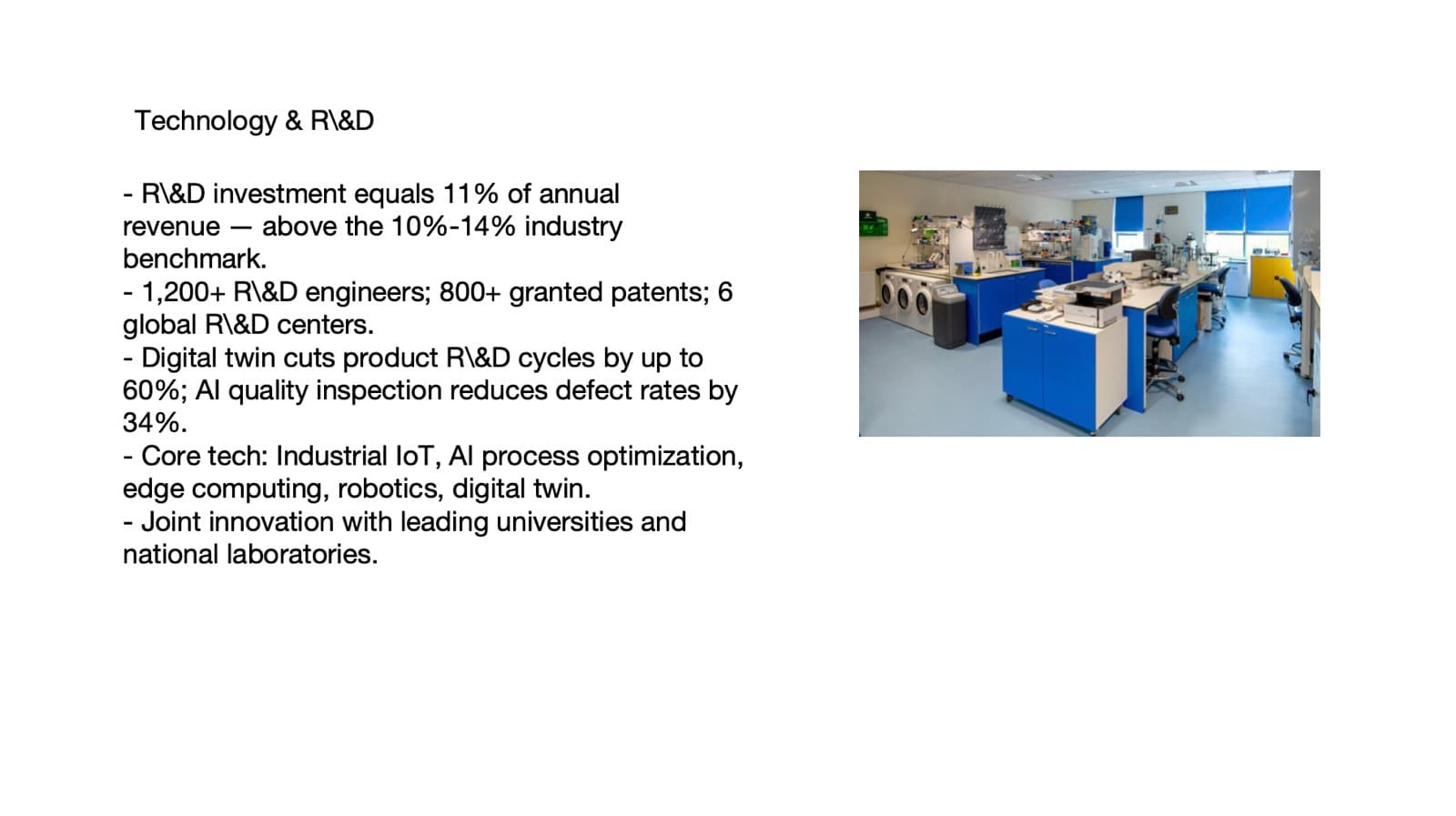
Before: five bullets, every figure inside a sentence 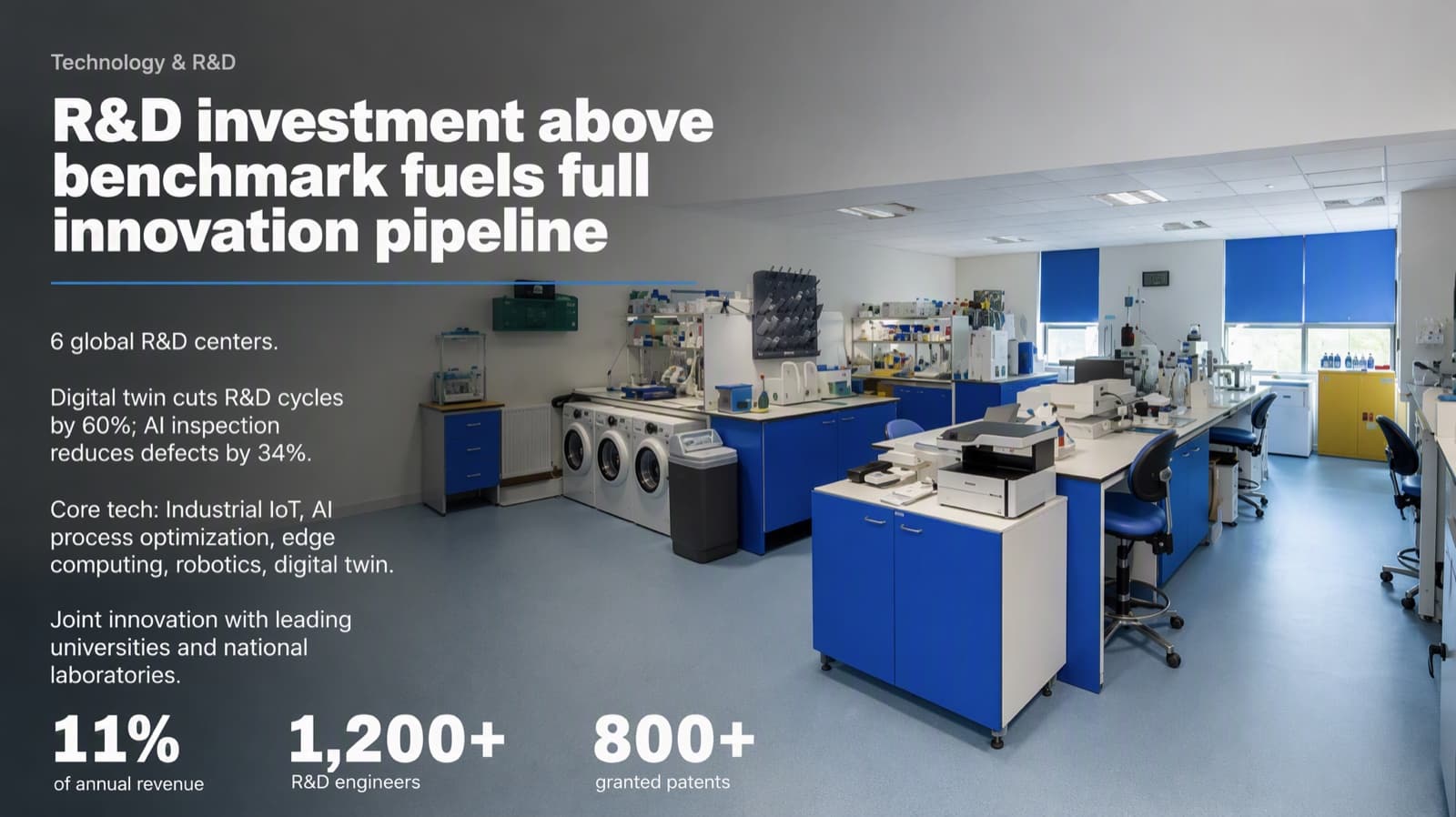
After: three figures lead the slide (restructuring mode — check every claim) - 03
Check every number — this is where AI tools can hurt you
The example above was redesigned in “allow restructuring” mode, which may shorten and reorganize text. It kept 1,200+, 800+, 11%, 60% and 34%, but “up to 60%” became “by 60%”, and an industry range was dropped. On a sales slide that is a wording change; in a promotion review it is an overstated claim with your name on it. For review material, choose keep every word, or at most light editing, and compare each figure and qualifier with your source before you present.
What changed in that example, line by line → - 04
Tell a growth story, then show the next level
A common order: your scope today and how it grew; three to five results, one per slide; then evidence that you already operate at the next level — leading people, owning a decision, influencing beyond your team. Keep the style restrained and consistent: one font family, two or three sizes, one accent color for the number that matters on each slide. If your company has a required template or format, follow it first.
Make a deck look executive-level → - 05
Who BetterPPT is for — and who it isn't
BetterPPT is an AI design agent that redesigns PowerPoint decks you've already written — every slide individually — and returns an editable .pptx. It's for decks where a lot is riding on it — investor meetings, client pitches, board updates, promotion reviews and conference talks — when your content is written and the slides just look plain. It isn't for a class assignment or a routine team update: free tools like PowerPoint Designer or Canva's free plan are enough for those. It's paid — $39 for up to 30 slides, with a $9.90 refundable deposit to preview up to six of your slides first — and it won't decide what you achieved: the story and the numbers are yours.
How AI redesign of an existing deck works →
Questions
How many slides should a promotion review presentation have?
There is no standard length, and many companies set their own format or time limit — follow that first. A common approach is one slide per major result, three to five results in total, plus a short opening on your scope and a closing on what you'll do at the next level.
How do I show my impact on a slide without bragging?
Let the numbers and the before-and-after do the talking: state the result in the headline, show the two or three figures that prove it, and credit the team where it's true. Specific, checkable results read as evidence; adjectives like “outstanding” read as self-promotion.
Can an AI tool redesign my review deck without changing my numbers?
Yes, if you control how much it may change. BetterPPT has three modes — keep every word, allow light editing, allow restructuring. For a promotion review choose keep every word, and still compare every figure and qualifier with your source: in our restructuring example, “up to 60%” became “by 60%”.
What does BetterPPT cost, and what are its limits?
$39 for up to 30 slides and $59 for 31–50 slides, one-time with no subscription; a refundable $9.90 deposit lets you see up to six redesigned slides first. It costs more than subscription tools and has no in-browser editor — you edit the returned .pptx in PowerPoint. It accepts .pptx files up to 50 slides and 50 MB.
Bottom line
Start with your titles: rewrite each one as the result you delivered, then make the numbers that prove it big. If the whole deck needs a redesign, BetterPPT redesigns every slide individually and returns an editable .pptx — choose keep every word for review material, and check every figure before you present.