TL;DR
Pick Wonderslide for a quick, low-cost refresh — and choose its “Preserve exact structure” mode if your numbers matter, because its default “Improve and refine” mode dropped most figures on our data-heavy slides. Pick BetterPPT for a client, investor or board deck where every slide should look individually designed and every figure must stay.
BetterPPT vs. Wonderslide
| BetterPPT | Wonderslide | |
|---|---|---|
| What it does | Designs each slide individually, with generated imagery | Applies a style preset with card layouts; adds AI illustrations on some slides |
| Your content | Kept — choose “exactly as written” or allow light edits | Default “Improve and refine” mode removed most figures in our test; “Preserve exact structure” kept them |
| Your photos | Re-composed and extended to fit the layout | Placed as-is in cards |
| Pricing | One-time, $39 up to 30 slides | $4.99 per deck; subscriptions $12.99–24.99/month |
| Time to result | About 15–20 minutes for 30 slides | About 5–6 minutes in our test |
| Output file | Editable .pptx + HD images | Free: watermarked PDF. Paid: editable PPTX + PDF |
Same slide, both tools
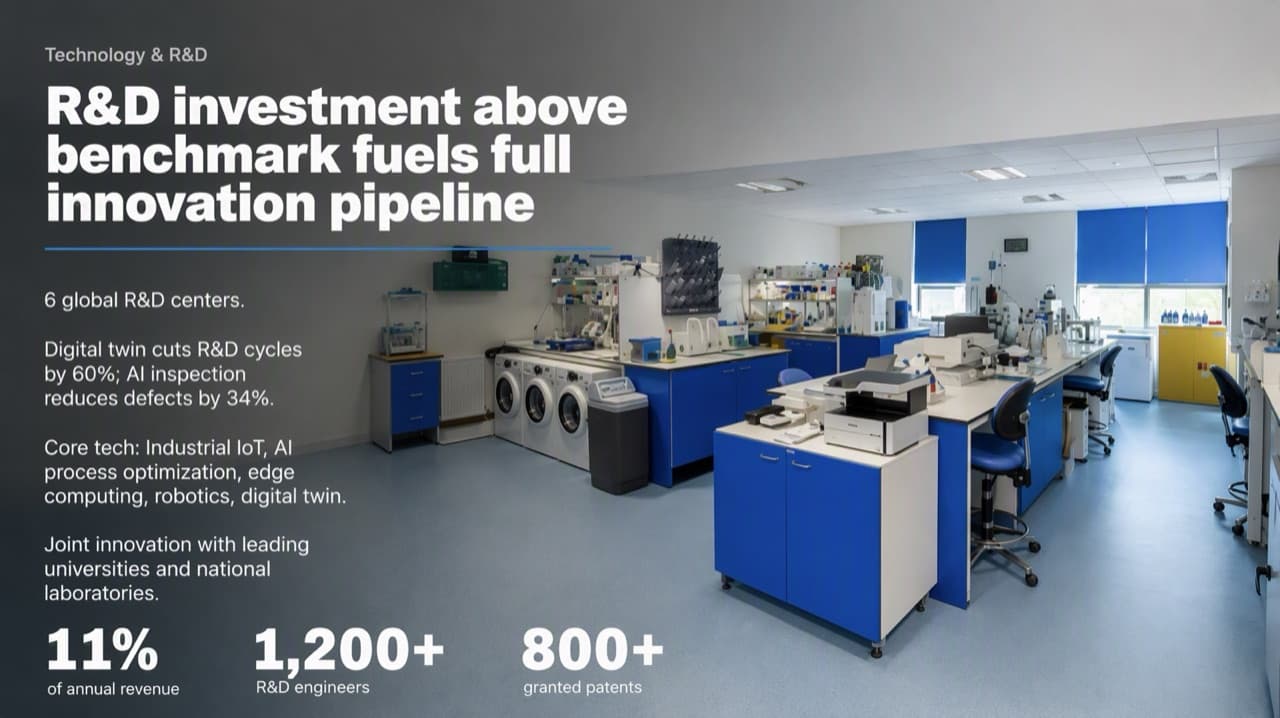
BetterPPT
Lab photo re-composed as the backdrop; 11%, 1,200+ and 800+ enlarged; every source figure kept.
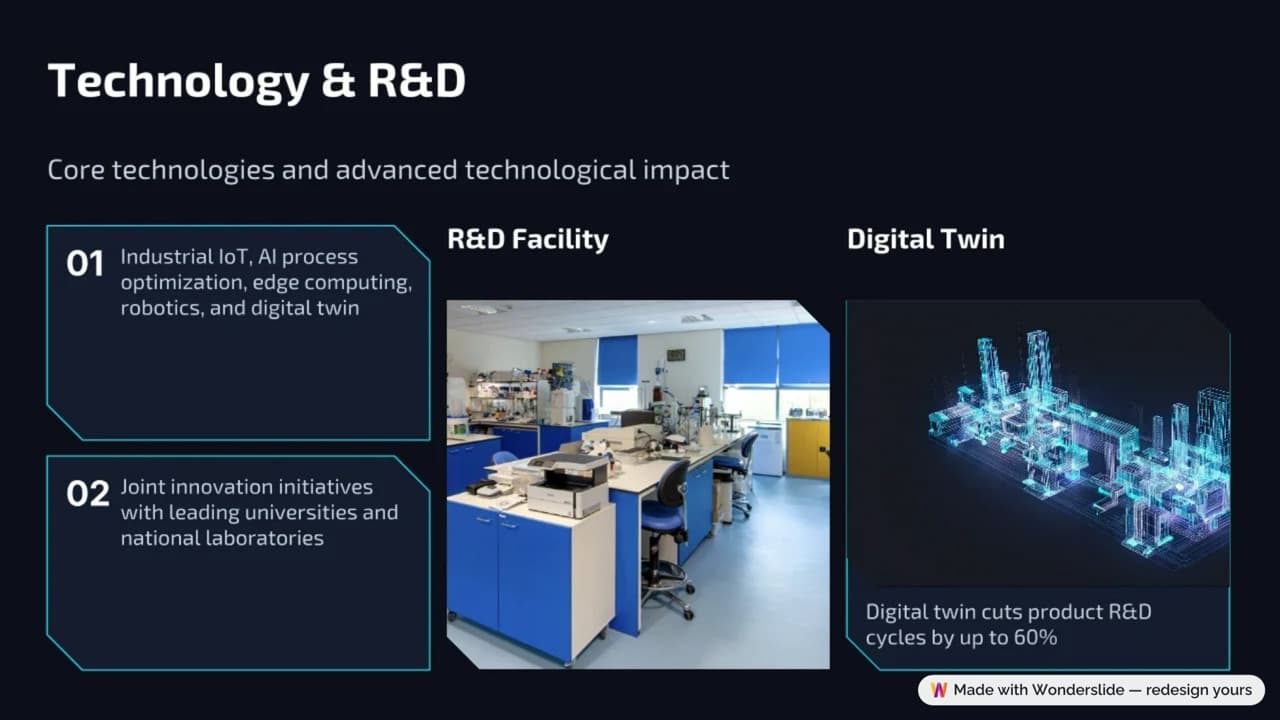
Wonderslide (“Improve and refine”)
Two cards and two images, including a new digital-twin illustration — but 11%, 1,200+, 800+, 6 R&D centers and 34% are gone.
Same 8-slide test deck, October 18, 2026. Wonderslide's free download is watermarked.
Which one should you use?
Choose BetterPPT if…
The deck is for clients, investors or leadership, the numbers must stay exactly as written, and your photos need work.
Choose Wonderslide if…
You want a fresh look for a few dollars and a few minutes, you're happy to check a watermarked preview first, and you'll pick “Preserve exact structure” when figures matter.
Why the results look different
Wonderslide applies one visual style across the deck and fills it with cards and illustrations, which is why it's fast and cheap; in its default mode it also condenses your text. BetterPPT designs each slide as a full composition around your content and photos, then rebuilds it as an editable PowerPoint — slower and more expensive, but nothing in your source has to give way to the layout.
Wonderslide vs. BetterPPT — questions people ask
Does Wonderslide keep my numbers?
In its “Preserve exact structure” mode, yes. In its default “Improve and refine” mode, our test slide lost most of its figures — 11% of revenue, 1,200+ engineers, 800+ patents, 6 R&D centers and 34% fewer defects — and the About Us slide lost 18,000+ employees and USD 4.2B revenue.
Is Wonderslide cheaper than BetterPPT?
Yes, by a lot: $4.99 per deck versus $39 for up to 30 slides. BetterPPT is priced against hiring a presentation designer rather than against other AI tools.
Does Wonderslide give you an editable PowerPoint?
On its paid options, yes (editable PPTX plus PDF). The free download is a watermarked PDF. BetterPPT includes an editable .pptx with every deck.