To make a pitch deck look professional before an investor meeting, fix the system before the details: give every slide one idea and a headline that states the takeaway, pull your strongest numbers out of the bullets and make them big, turn tables into charts that make one comparison, show your plan as a line rather than a grid, use real product and team photos, keep one type family and one accent color, and move supporting detail to an appendix. Investors move through decks quickly, so each slide should make its point at a glance. Here are the seven fixes in the order that changes the most, with real slides before and after.
- 01
One idea per slide, with a headline that states it
Replace topic labels like “Traction” or “Market” with the sentence you want the investor to remember, such as “Revenue grew 3× in the last 12 months” (use your own figure). If a slide needs two headlines, it's two slides. Read only the headlines from start to finish: they should tell the whole story on their own.
- 02
Put the numbers where the eye lands first
Founders often bury their best figures in the middle of a bullet. Pull the two or three numbers that matter — traction, market size, the ask — out of the sentences and make them the largest thing on the slide, with a short label underneath. On the slide below, the key figures were inside long bullets; after the redesign they're the first thing you read.
Pitch deck design service →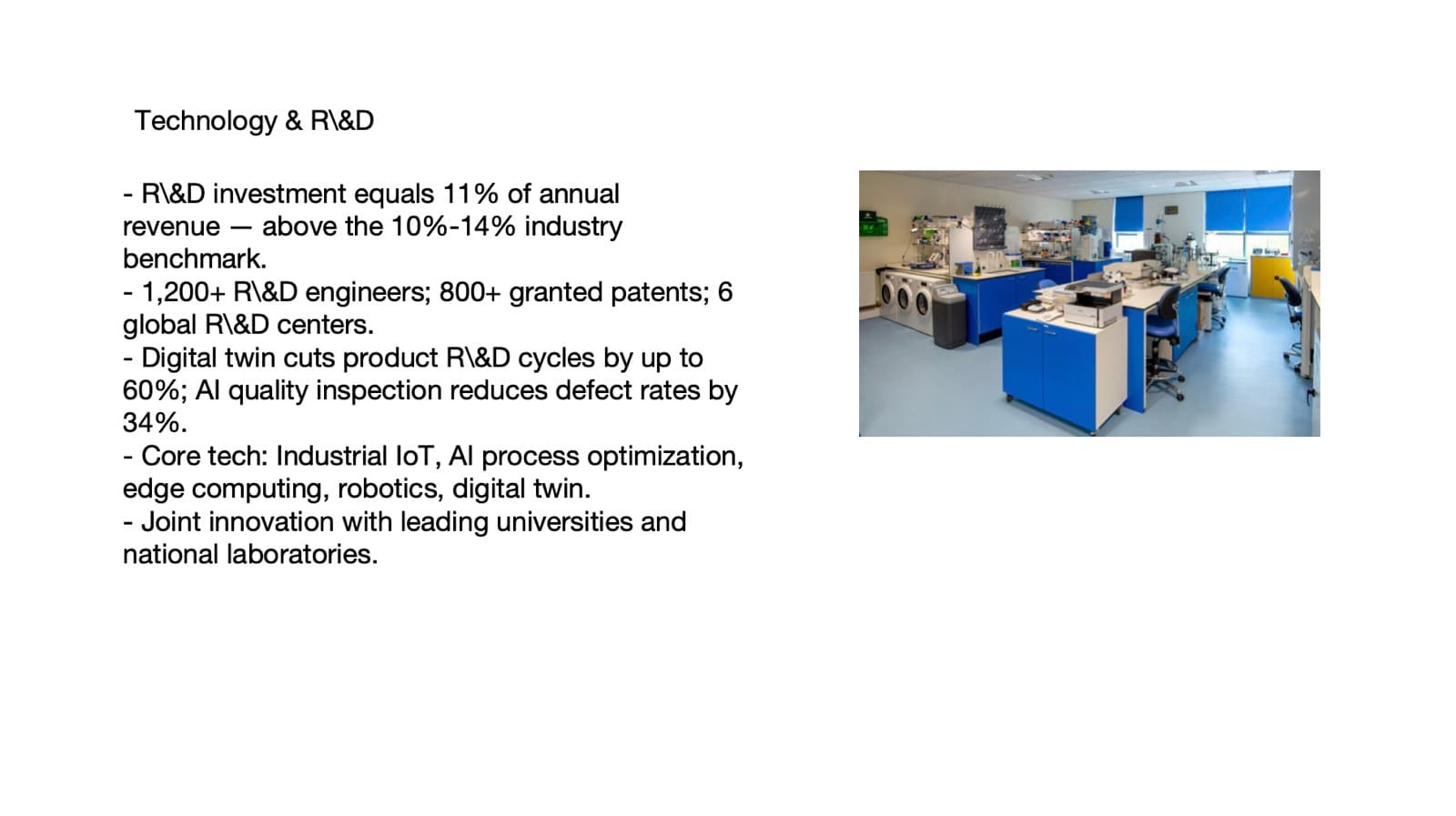
Before: figures buried in bullets 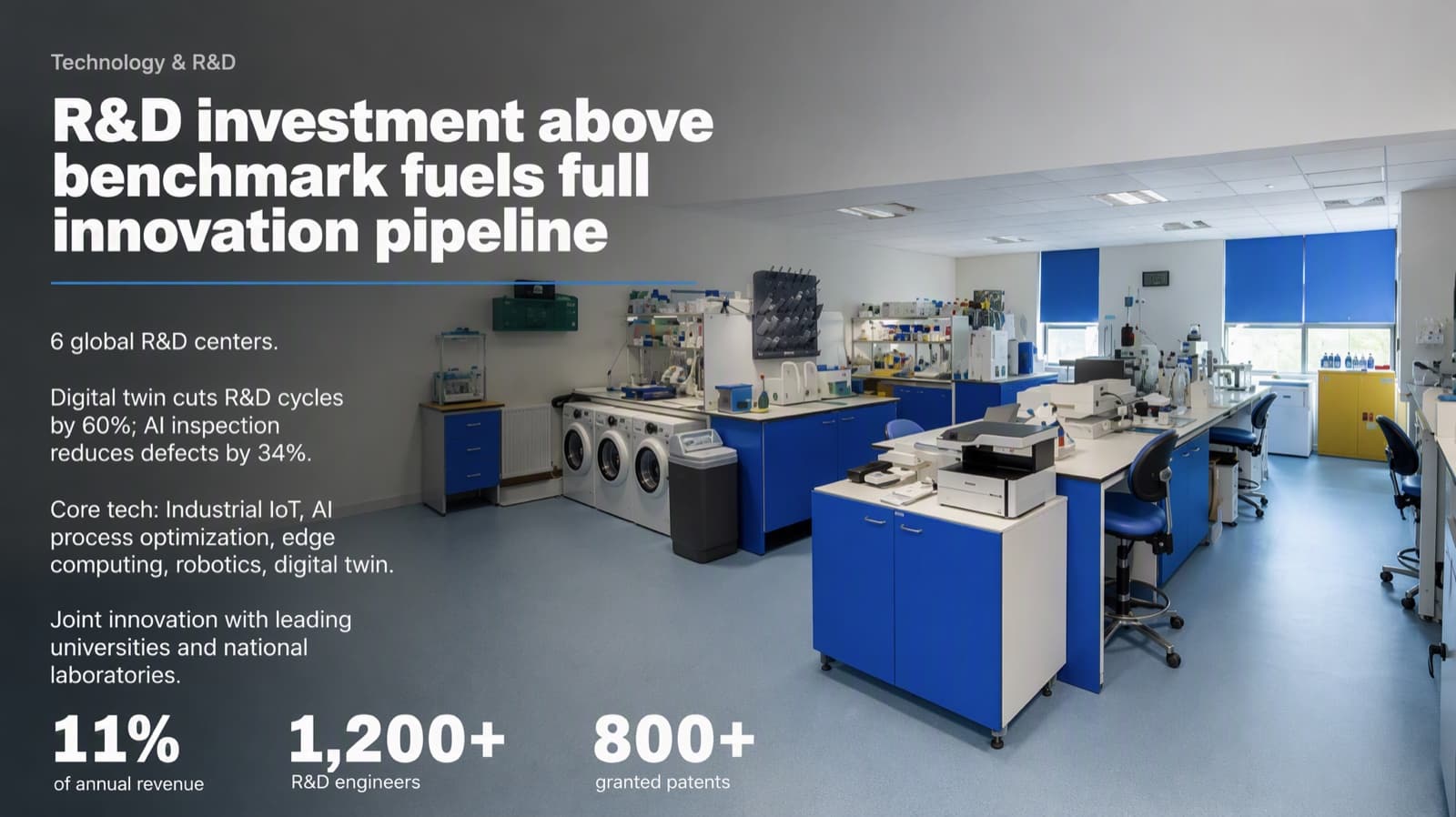
After: three figures lead the slide - 03
Turn tables into a chart that makes one comparison
A table makes the investor do the analysis. Decide the one comparison that matters — growth over time, you versus the alternatives, where the market is heading — and chart only that, with the takeaway in the headline. Keep the full table in the appendix for anyone who asks.
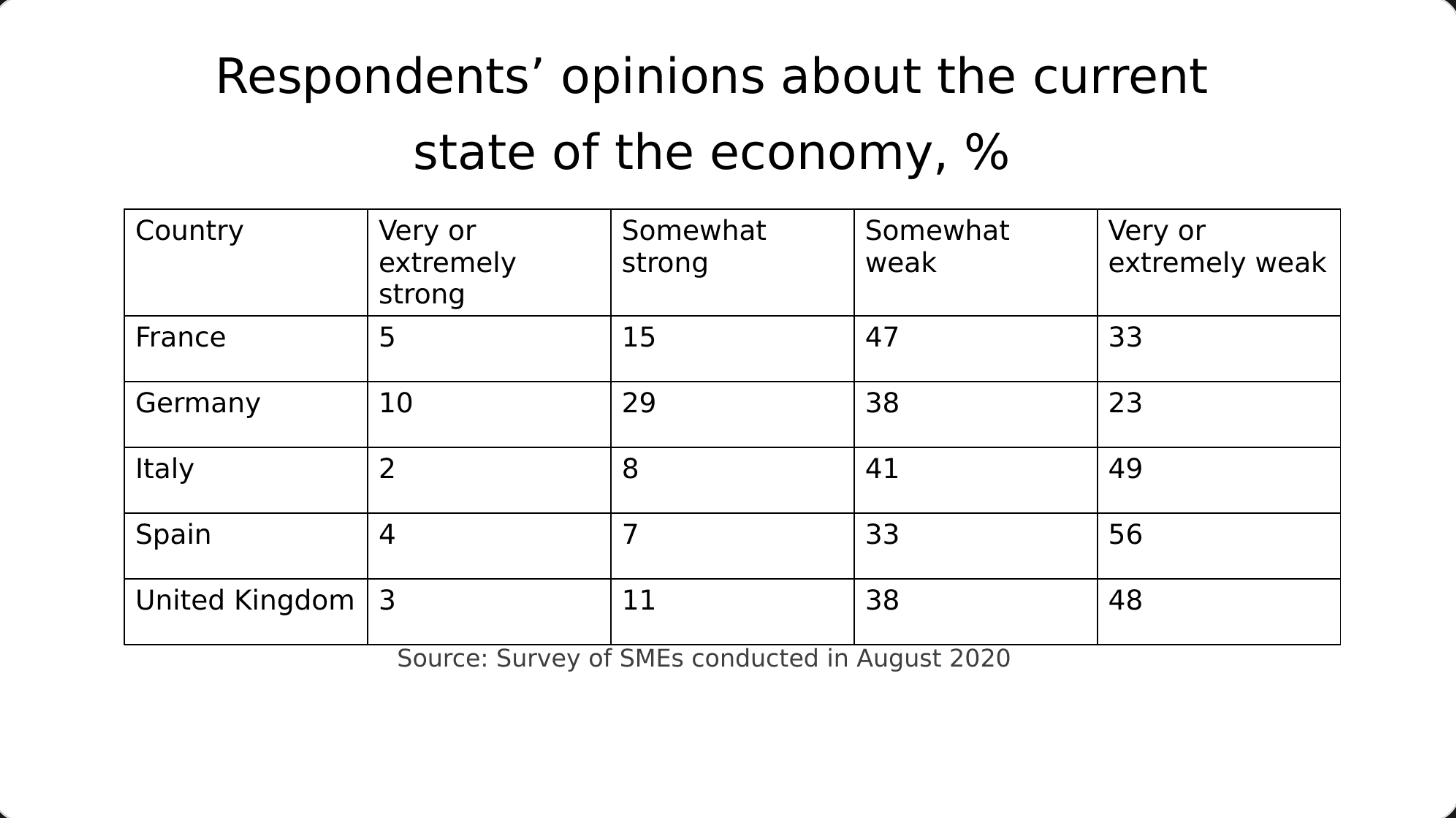
Before: a table of percentages 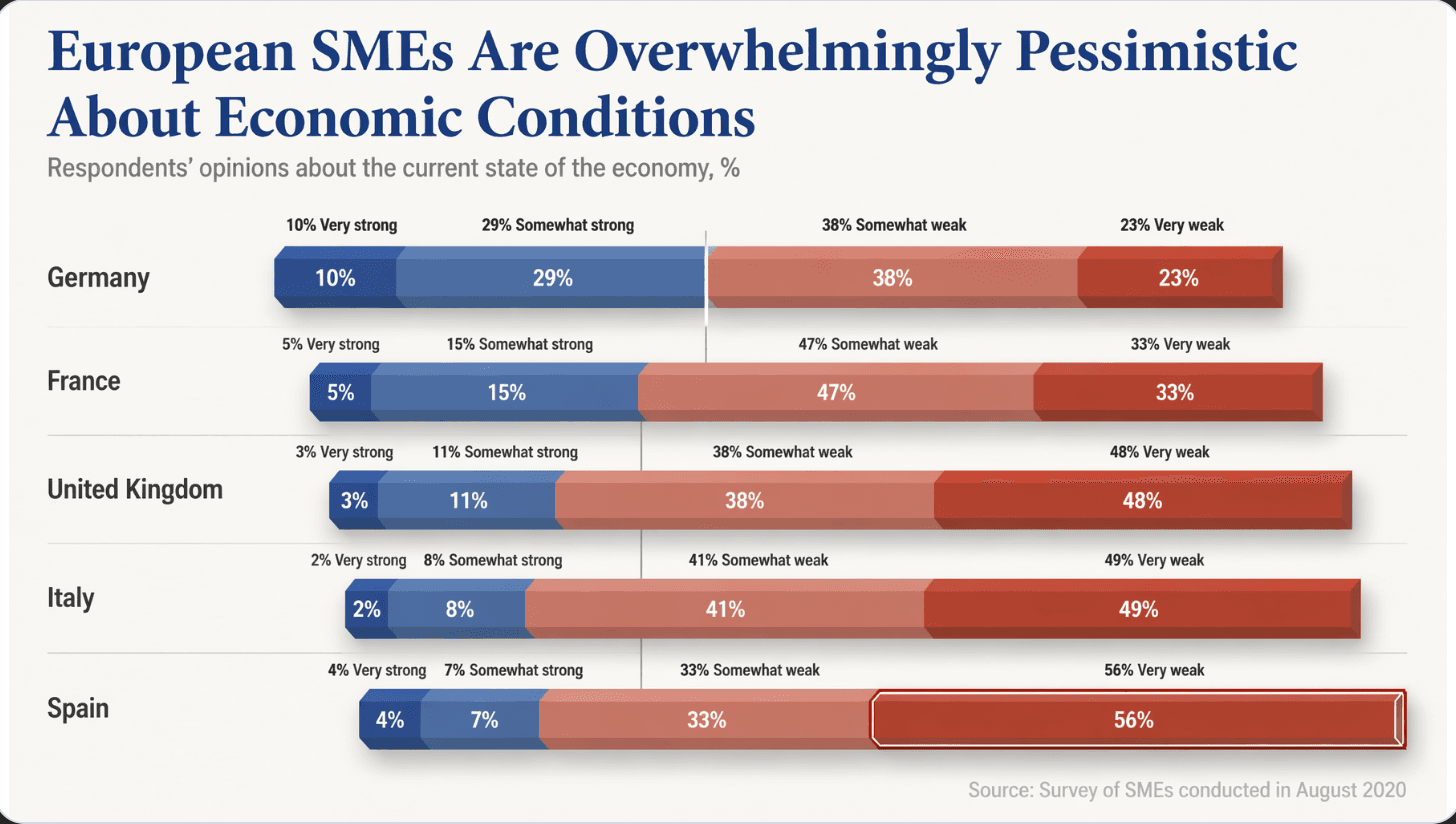
After: one chart, the pattern visible at once - 04
Show the plan as a line, not a grid
Milestones and use-of-funds plans are usually pasted in as tables. A single timeline with short labels shows sequence and momentum far better. Keep each phase to a few words on the slide and say the details out loud.
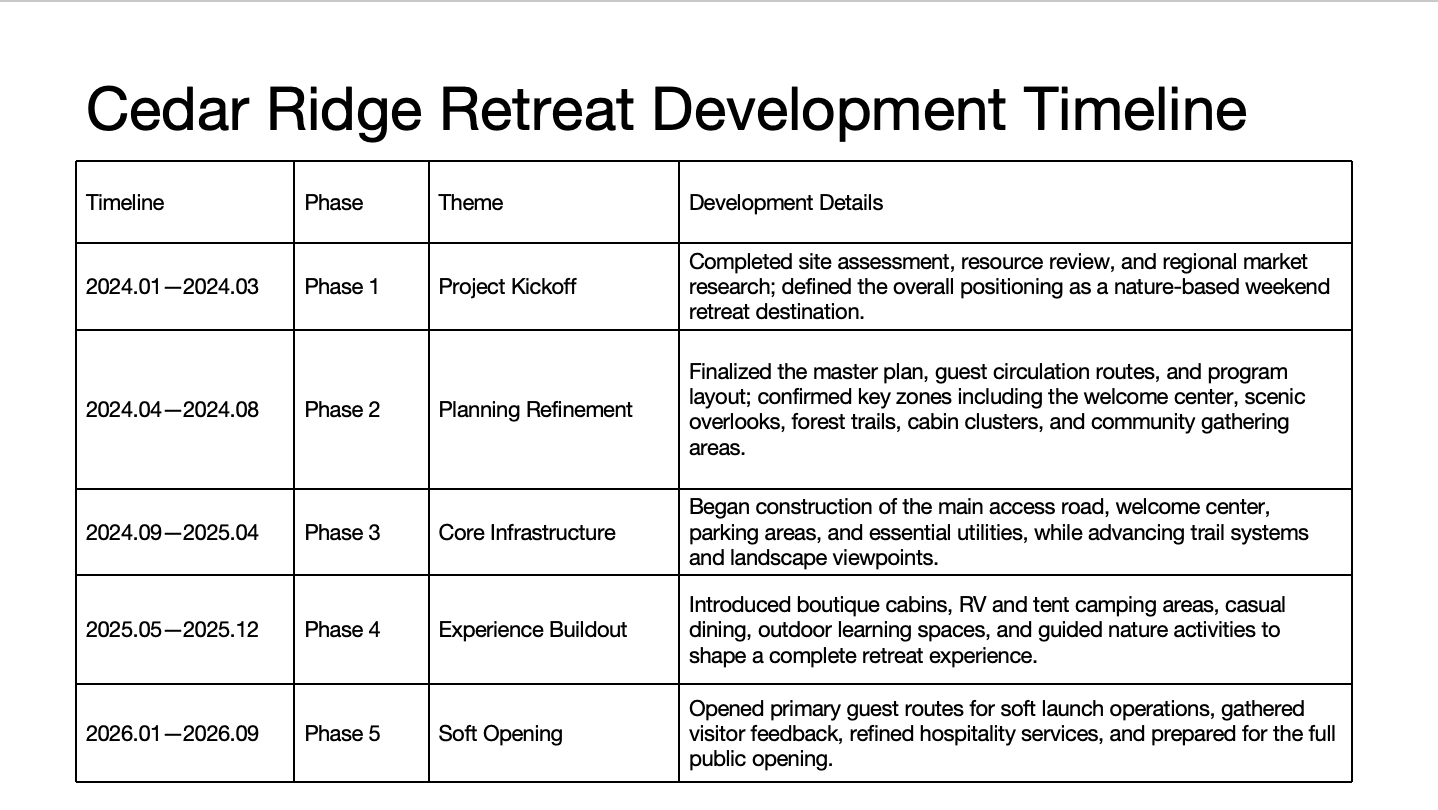
Before: a five-row table 
After: five phases on one line, details condensed - 05
Use real photos of your product and team
Stock images of handshakes and lightbulbs signal filler. A real product screenshot, a photo of your team or your customers using the product says more and looks more credible. Use one large photo per slide rather than several small ones, and keep the color treatment consistent across the deck.
- 06
One type family, one accent color, the same margins
Inconsistency is what makes a deck look homemade. Pick one font family with two or three sizes, one accent color used only for the most important element on each slide, and the same margins and title position throughout. This alone makes a deck look designed.
- 07
Move the detail to an appendix
Unit economics, cohort tables and the full financial model belong after the closing slide. The main deck carries the story; the appendix answers follow-up questions. Fewer, clearer slides look more confident than dense ones.
Why AI-generated slides all look the same →
Questions
What makes a pitch deck look unprofessional?
Usually the same few things: topic labels instead of takeaway headlines, key numbers buried in bullets, raw tables, stock photos, several fonts and colors, and too much text on every slide.
How many slides should a pitch deck have?
Commonly around 10 to 15 main slides — problem, solution, market, product, traction, business model, team, financials, the ask — with supporting detail in an appendix. Follow any length the investor or program asks for.
Should I hire a pitch deck designer?
If the story itself still needs work, a pitch consultant or agency can help with both. If the content is done and you only need it to look professional, a design service or tool is faster and cheaper. BetterPPT redesigns a finished deck in about 15–20 minutes for 30 slides, from $39.
Can I fix my pitch deck the night before the meeting?
Yes, if you limit yourself to design: headlines, enlarged numbers and one consistent style. If you use a tool that can edit text, choose the mode that keeps every word for financial slides and check every figure before you present.
Bottom line
Start with the first two fixes — takeaway headlines and big numbers. If the meeting is close, BetterPPT applies all seven to every slide of the deck you already wrote and returns an editable PowerPoint. You choose how much of the text may change: keep every word (best for financials), allow light editing, or allow restructuring of crowded slides.