With a client pitch a week away, don't rebuild the deck — polish the slides clients actually judge you on. First, rewrite every title as the point the client should take away. Second, fix three kinds of slides: who you are (team and credentials), your proof (results, figures, cases) and the ask (what happens next). Make each one scannable in five seconds — roles as short labels, results as two or three large numbers, one clear photo, one consistent style. Then spend real time checking: whoever or whatever redesigned the slides, re-read every name, job title, award, date and figure against your source before the meeting.
- 01
Spend the week on the slides clients judge, in this order
Day one: rewrite the titles so they read as a story on their own. Then the slides that carry the decision: who you are, your proof, and the ask. Then the cover and contents, which set the first impression. Leave everything else for last — a client forgives a plain appendix, not a confusing credentials slide. Keep the last day for checking, not designing.
- 02
Make your credentials slide readable in five seconds
A credentials slide answers “why trust this person?”. Put the role at the top, the strongest result as one large figure, and the honours as a tidy list with years — not a wall of text. In this bank advisor's introduction (in Chinese), the role, certifications, both unchanged award lines and the 800,000 sales figure carried over as written, and the figure became the focal point. But four of the six award names gained the words “provincial branch” (省分行) that weren't in the original, and one line that read “赛博行” was rewritten. On a credentials slide that is exactly the kind of error a client notices — check every honour word for word.

Before: role, honours, certifications and results spread across three panels 
After: one clear hierarchy — but four award names changed; check every line - 03
Turn team bios into roles, milestones and strengths
Clients scan team slides for “who will actually do the work”. A paragraph of biography hides that. Break it into the roles as short labels, two or three dated milestones, and three strengths in plain words. In this example, a dense bio became three role tags, two milestone lines and three capability lines. Two things changed that you'd need to fix: the original only dates joining the studio to 2021, but the award line was also labelled 2021; and the phrase “award-winning interaction designer” disappeared.

Before: a nine-line biography next to the photo 
After: roles, milestones and strengths — one year was added that the original didn't state - 04
Lead your proof slides with the numbers
Clients remember figures, not bullets. Pull the two or three numbers that prove your capability out of the sentences and set them large with short labels, with a headline that states the point. In this R&D slide, 11%, 1,200+ and 800+ now lead. It was redesigned in “allow restructuring” mode, which changed “up to 60%” to “by 60%” and dropped an industry range — fine to accept or undo, but only if you notice it.
What changed in that example, line by line →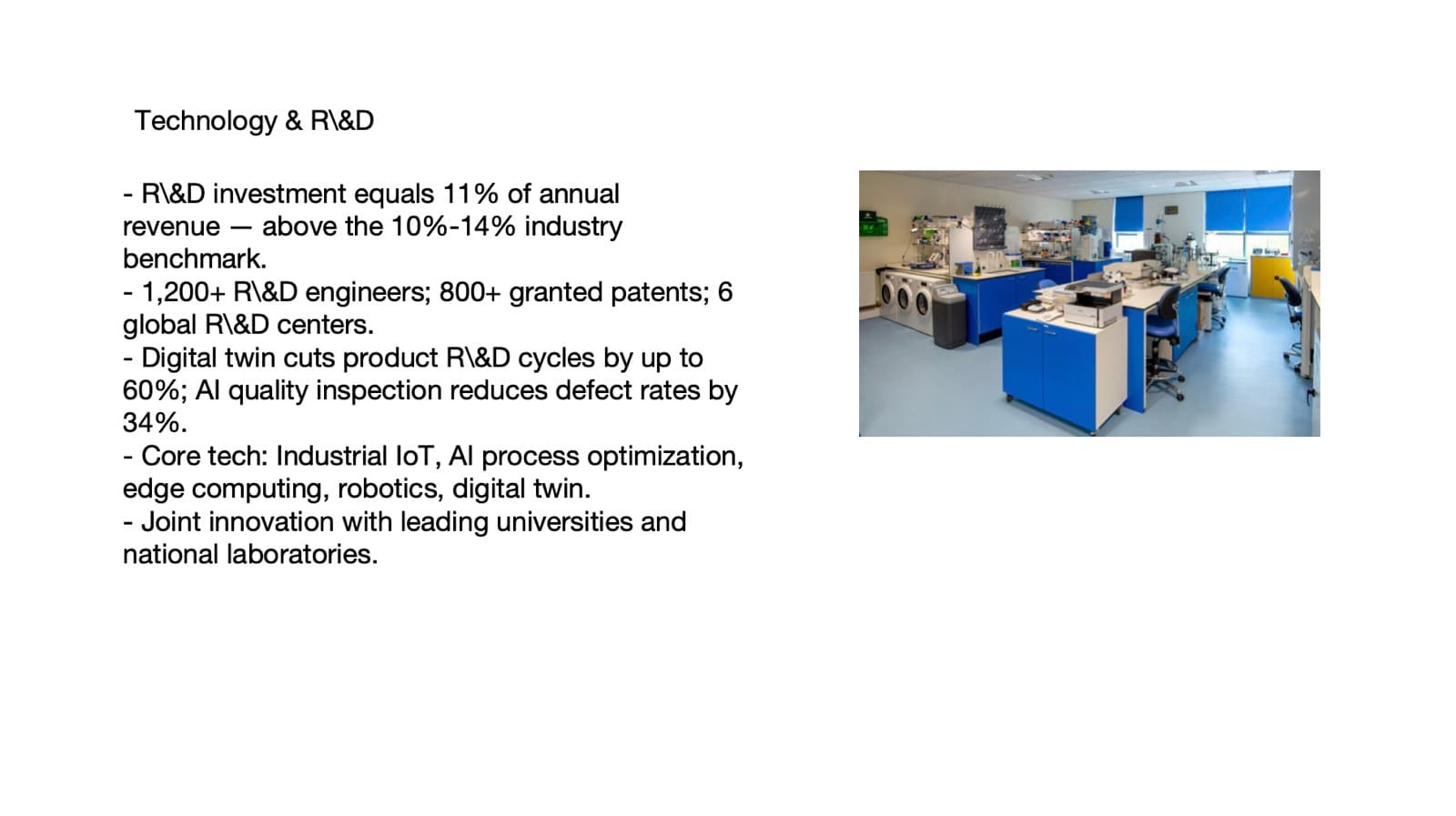
Before: five bullets, every figure inside a sentence 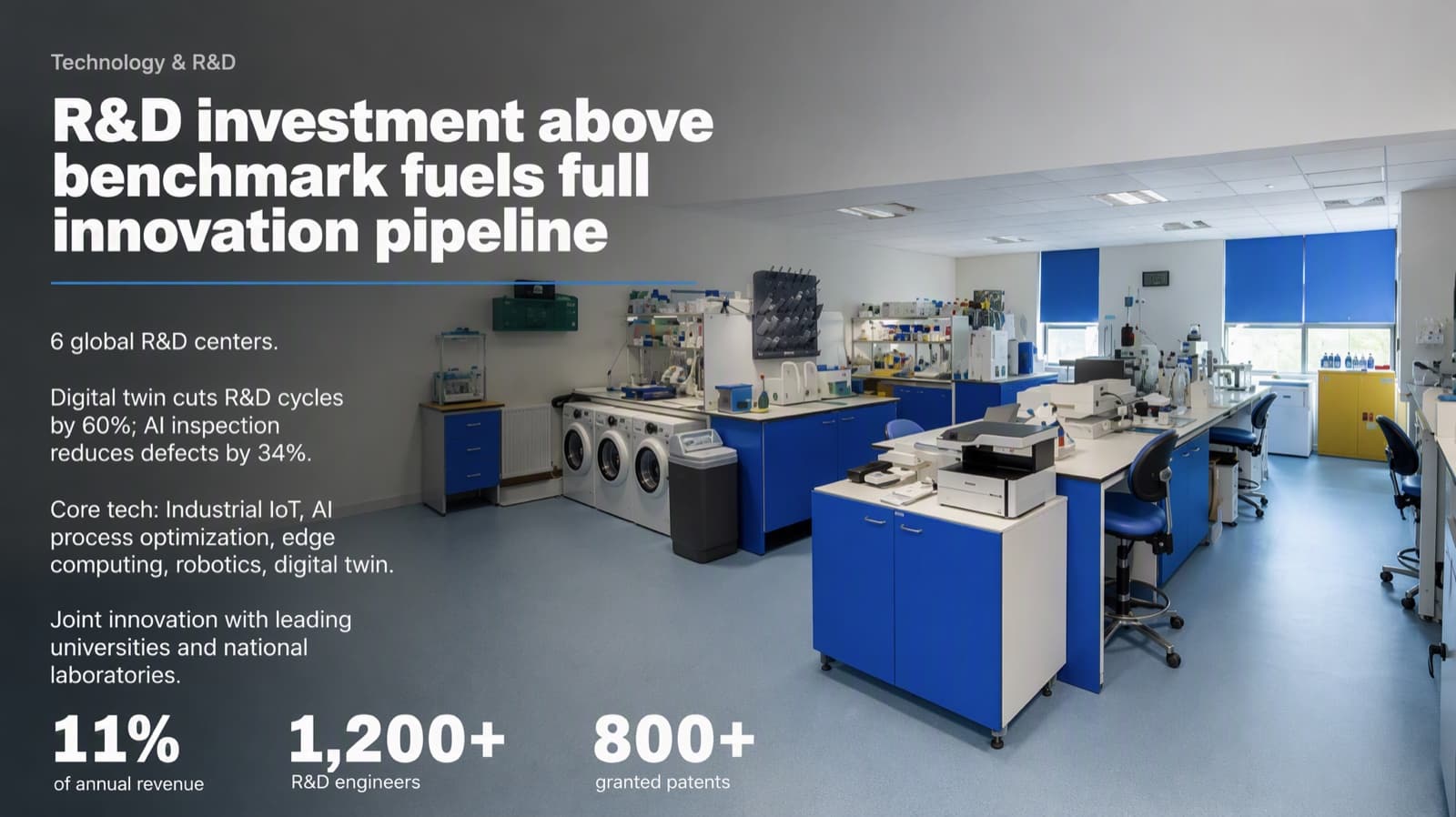
After: three figures lead the slide (restructuring mode — check every claim) - 05
Who BetterPPT is for — and who it isn't
BetterPPT is an AI design agent that redesigns PowerPoint decks you've already written — every slide individually — and returns an editable .pptx. A 30-slide deck takes about 15–20 minutes, which leaves the rest of your week for rehearsing and checking. It's for decks where a lot is riding on it — investor meetings, client pitches, board updates, promotion reviews and conference talks. It isn't for a class assignment or a routine team update: free tools like PowerPoint Designer or Canva's free plan are enough for those. It's paid — $39 for up to 30 slides, with a $9.90 refundable deposit to preview up to six of your slides first — and as the examples above show, you still need to read every slide before the meeting.
How AI redesign of an existing deck works →
Questions
How long before a client pitch should I start on the slides?
Give the content most of the time and the design a short, fixed window. A week is enough if the story is written: a day for titles, a few days for the key slides, and the last day for checking every name, title and number. If the story isn't written yet, start there — design can't fix it.
What slides matter most in a client pitch deck?
Usually three kinds: who you are (team and credentials), your proof (results, figures and similar cases) and the ask (scope, timeline, next step). Clients decide on those; the rest supports them.
Can AI redesign my pitch deck in time without introducing mistakes?
It can do the design in minutes, but you must check the result. Choose how much it may change — BetterPPT has keep every word, allow light editing and allow restructuring — and re-read every name, title, award, date and figure. In the examples above, award names gained words, a year was added and a qualifier changed.
What does BetterPPT cost, and what are its limits?
$39 for up to 30 slides and $59 for 31–50 slides, one-time with no subscription; a refundable $9.90 deposit lets you see up to six redesigned slides first. It costs more than subscription tools and has no in-browser editor — you edit the returned .pptx in PowerPoint. It accepts .pptx files up to 50 slides and 50 MB.
Bottom line
Rewrite your titles today, then fix the three slides your client will decide on. If the whole deck needs a redesign, BetterPPT redesigns every slide individually in minutes and returns an editable .pptx — use the time you save to check every name, title and number before the meeting.