A certificate page is there to prove something: that the product is certified, tested, approved. It usually arrives as scans dropped onto a slide at whatever size and crop they came in, so the page looks like a pile of paper and the viewer cannot tell which document matters. Below is a real before and after from an energy-storage company's product-certification page: four certificates and test reports, a title and a two-line caption. We blurred the certificate text and company names for privacy, because the point here is the layout, not the documents. This is one slide, not a comparison with other tools. BetterPPT is a different kind of tool: an AI-powered alternative to design services like 24Slides, which designs each slide of the deck you already wrote as a whole page and returns an editable .pptx with real text boxes and the fonts included, a one-off $39 for up to 30 slides (prices checked 17 November 2026; right now everyone gets 50% off, so $19.50 for up to 30 slides and $29.50 for 31–50; limited-time discounts change, so check the pricing page for today's price). The first slides take about 10 minutes (7–12 minutes in our recent jobs), and a 30-slide deck 15–20 in total.
- 01
Why certificate pages go wrong
The scans come in different sizes, crops and margins, some with a border and some with a shadow. Placed side by side they carry equal weight, so nothing leads. The text on a scan is unreadable at slide size anyway, so what the audience actually takes in is a count and an impression: how many documents, and do they look official. A pile of mismatched rectangles says "we had these lying around"; a deliberate arrangement says "these are the credentials".
- 02
A real before and after
In the original, four scans sit at four different sizes and crops across the page, with the title above and a two-line caption below. In the redesigned slide each document is set in the same clear frame on its own pedestal, the heights step across the page so the eye travels from one to the next, and a short label under each names the document. The slide title and the caption are unchanged, and the labels are taken from the certificates' own titles, so no new claim is added.
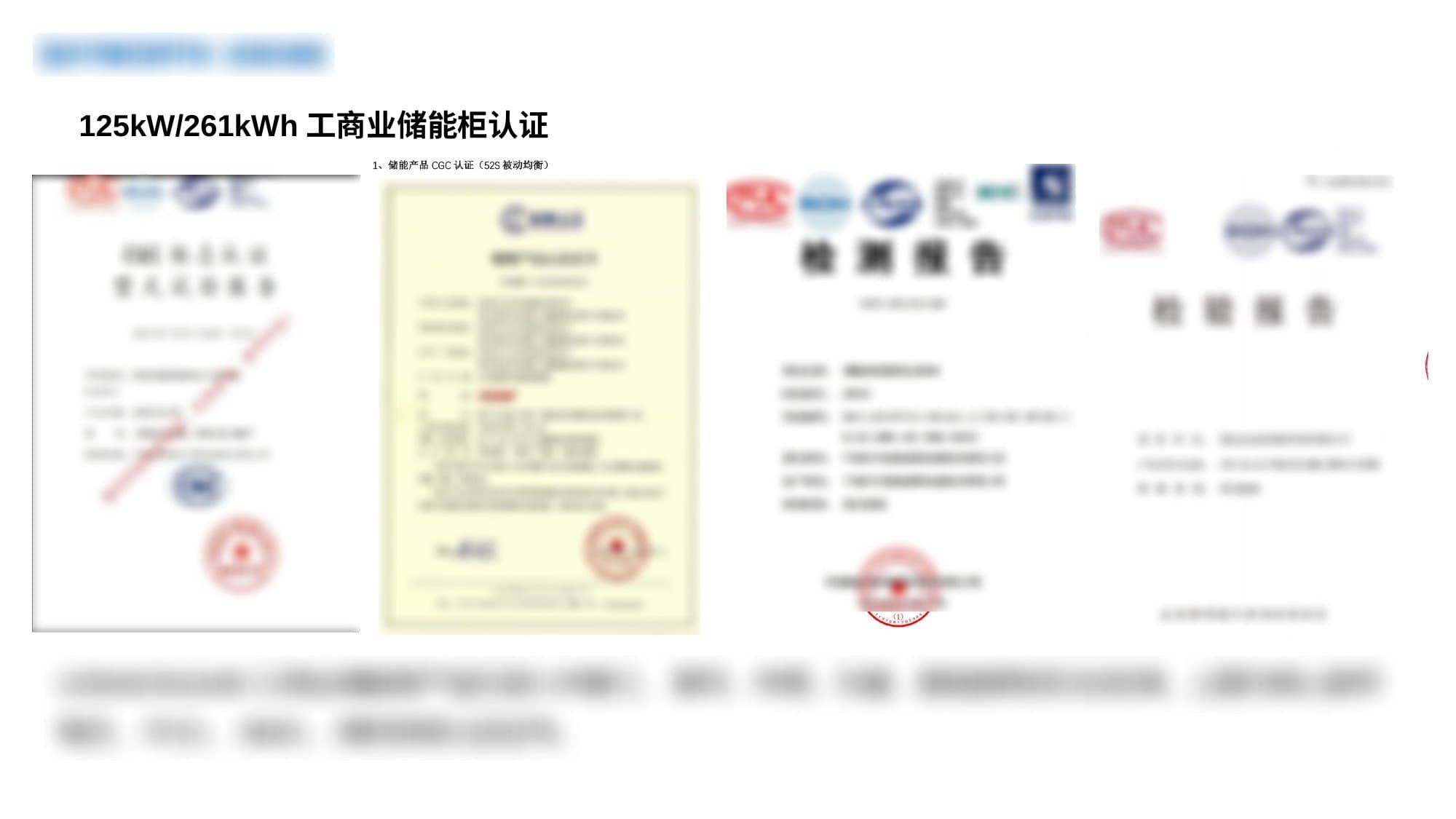
Original: four scans at different sizes and crops (text blurred for privacy) 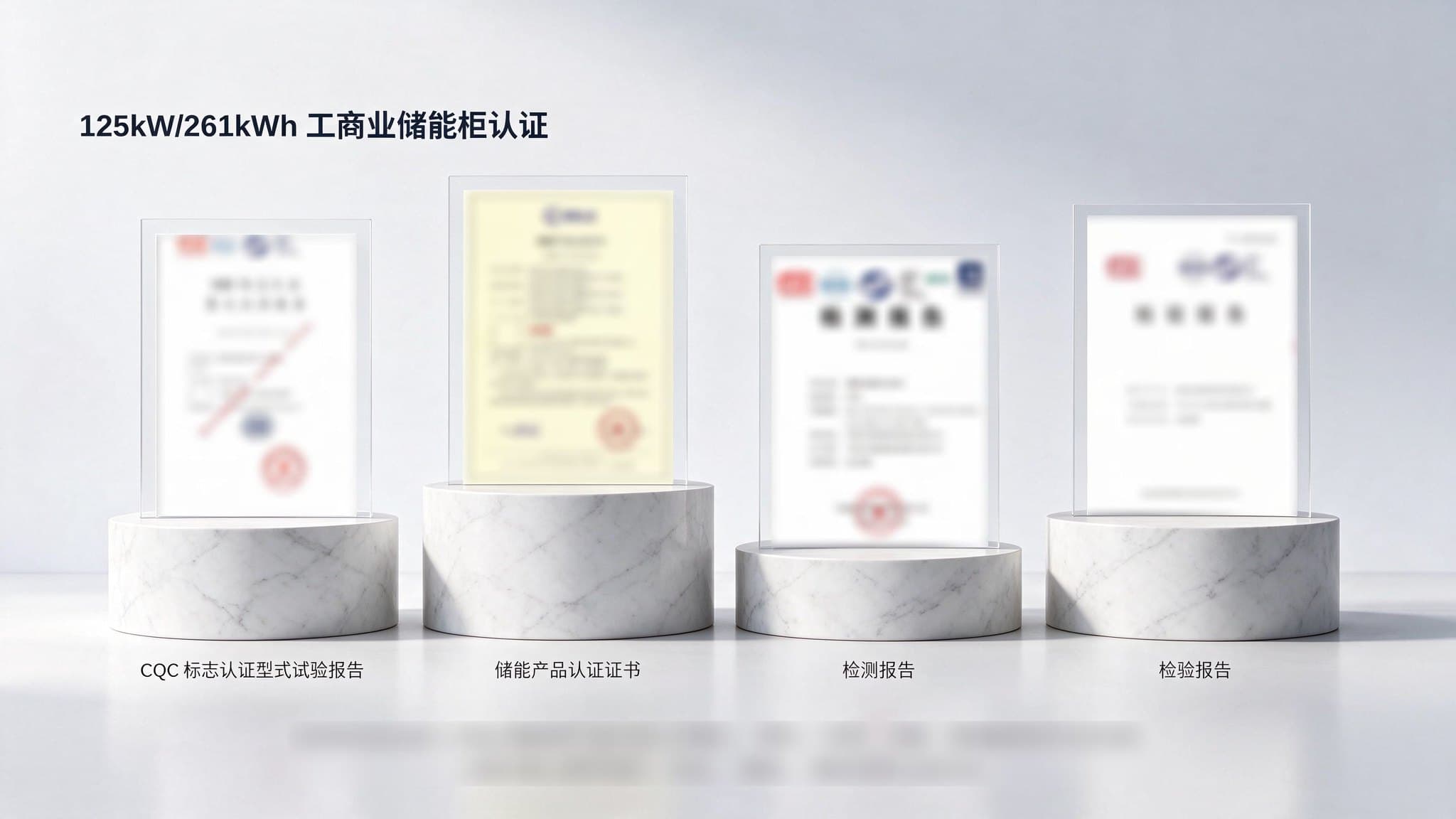
BetterPPT: each document framed on its own pedestal, with a short label (text blurred for privacy) - 03
What stays the same, and what to check
All four documents are still there and in the same order. BetterPPT only redesigns: no slide is deleted, and page count and order stay as they are. One thing to check: the documents are pictures, so before you present, compare the small print on each with your original files. Where the exact wording of a certificate matters, keep the original scans in an appendix slide and use the designed page as the summary.
- 04
How to judge any certificate or honor page
Ask five things. Can you tell at a glance how many documents there are and which ones lead? Do they all read as official documents, by shape and seal, even if the text is not readable? Is the caption the claim, and the page the proof of it? Are the documents treated the same way, in size, frame and spacing? And does the background stay out of the way? If two answers are no, the page needs a design decision, not more documents.
- 05
The same idea for other pages of many pictures
Awards, client logos, product photos and team portraits all have the same problem: many similar items that need to read as a set, with one or two that matter more. The approach is the same: give every item the same treatment so they read as a group, then let the arrangement, not extra text, say which ones lead.
Why AI slides turn lists into rows of cards → - 06
Where BetterPPT fits
BetterPPT fits people who want a big visual change on a deck they have already written, have some budget, and want to save time: client meetings, investor pitches, board updates and public talks. Each slide is analysed and designed as a whole page by specialised design agents and skills, with an image model drawing it, and you get an editable .pptx with real text boxes and the fonts included plus an HD image version. It only redesigns: no slide is deleted, and page count and order stay as they are. You choose how much wording may change, a text comparison report checks it against your original, and any slide can be regenerated 3 times free. Chart and table text and numbers are restored as text boxes where possible, while the bars and lines stay part of the picture. For everyday or student decks a free tool such as Google Slides is enough, and for class assignments we don't recommend BetterPPT. $39 for up to 30 slides, $59 for 31–50 (prices checked 17 November 2026; right now everyone gets 50% off, so $19.50 for up to 30 slides and $29.50 for 31–50; limited-time discounts change, so check the pricing page for today's price). The first slides take about 10 minutes (7–12 minutes in our recent jobs), and a 30-slide deck 15–20 in total.
BetterPPT vs 24Slides on price and speed →
Questions
How do I make certificates look good on a slide?
Give every certificate the same frame, size and spacing, arrange them so one or two lead, add a short label under each, and keep the caption as the claim. Do not rely on the scan text being readable.
Should the certificates be readable on the slide?
Usually not: at slide size the small print cannot be read, so the page works as a set of proof points. Put readable copies in an appendix if the wording matters.
Did the redesign change the wording on this certificate page?
The slide title and caption are unchanged. Short labels taken from each certificate's own title were added under the documents. You choose how much wording BetterPPT may change, and a text comparison report checks it against your original.
Will a redesign delete or reorder my slides?
No. BetterPPT only redesigns: no slide is deleted, and page count and order stay the same.
How fast is BetterPPT?
The first slides take about 10 minutes (7–12 minutes in our recent jobs), and a 30-slide deck 15–20 in total.
Bottom line
Credentials are only convincing when they look deliberate. If your finished deck's certificate, award or client pages are scans dropped onto the page, BetterPPT is the AI alternative to 24Slides: it redesigns every page individually, gave the most professional result of the four tools in our same-deck test, and returns an editable .pptx for $39 up to 30 slides (prices checked 17 November 2026; right now everyone gets 50% off, so $19.50 for up to 30 slides and $29.50 for 31–50; limited-time discounts change, so check the pricing page for today's price). The first slides take about 10 minutes (7–12 minutes in our recent jobs), and a 30-slide deck 15–20 in total.
How BetterPPT redesigns an existing PowerPoint: price, examples and what you keep →