Yes. BetterPPT redesigns a PowerPoint in the language you wrote it in and never translates it; a bilingual slide stays bilingual. Spanish, Portuguese, French and German decks follow the same path as English, with the text rebuilt as editable boxes. Korean decks have a real client example below, with Korean text recognition and a Korean font bundled into the file. Russian, Arabic and Japanese decks are redesigned too, but their text is not reliably rebuilt as editable boxes yet, so expect some pages back as designed pictures and check every line in the six-page preview before you pay. The price does not change with the language: $39 for up to 30 slides ($59 for 31–50), once, with a $9.90 deposit that counts toward the price. If you need a translation first, translate the deck in PowerPoint and then upload that version.
- 01
Your language stays your language
The slide text is drawn in the language of your original: BetterPPT does not translate, and it does not add decorative words in another language. Bilingual slides keep both languages. In the example, a Chinese and English property slide came back with every bilingual line kept.
The full property-leasing example →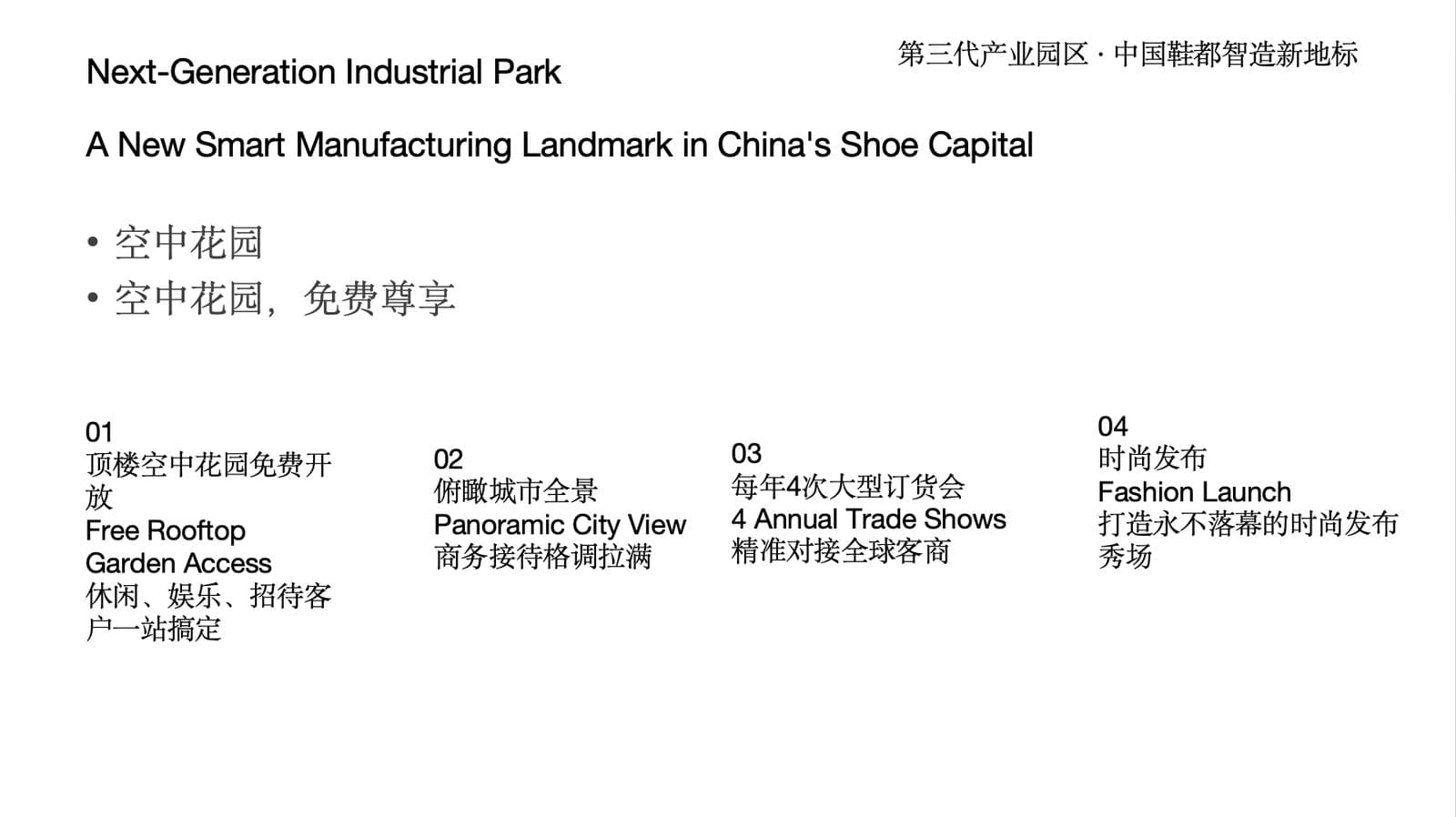
Before: a bilingual (Chinese and English) slide with plain paragraphs 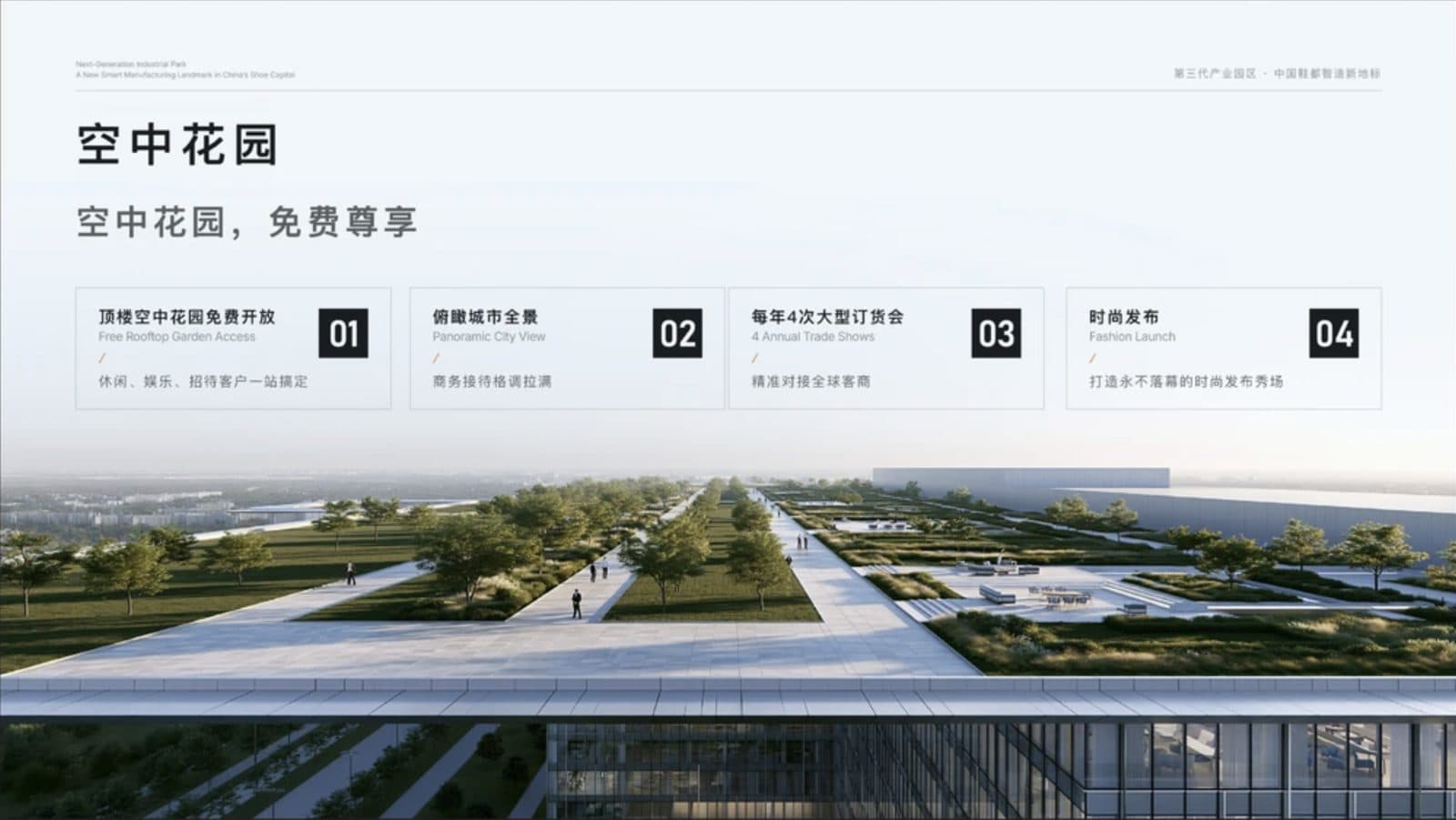
After: every bilingual line kept, laid out as four numbered cards - 02
Spanish, Portuguese, French and German: the same path as English
Decks in Latin-script languages are redesigned with the same method as English decks, with the text rebuilt as editable boxes where the editable version can be built. What to check afterwards is accents and special letters (á, ñ, ç, ã, ü, ß), because an image model can draw one wrongly, and number and date formats such as 1.250,50 and 03/11/2026, which must stay as you wrote them. The text comparison report in the download menu lists any line that differs from your original.
- 03
Korean: a real client deck, redesigned in Korean
A Korean construction contractor’s capability deck was redesigned in Korean. The project table keeps its five columns with one line per cell, and the diagram becomes one clear cycle. For Korean decks we use Korean text recognition when rebuilding the editable text and bundle a Korean font (Noto Sans KR) with the file, so Hangul displays correctly on a machine that does not have it. We also fixed a problem found with this client: Hancom’s viewer reported the file as damaged, and it now opens.
The full contractor example →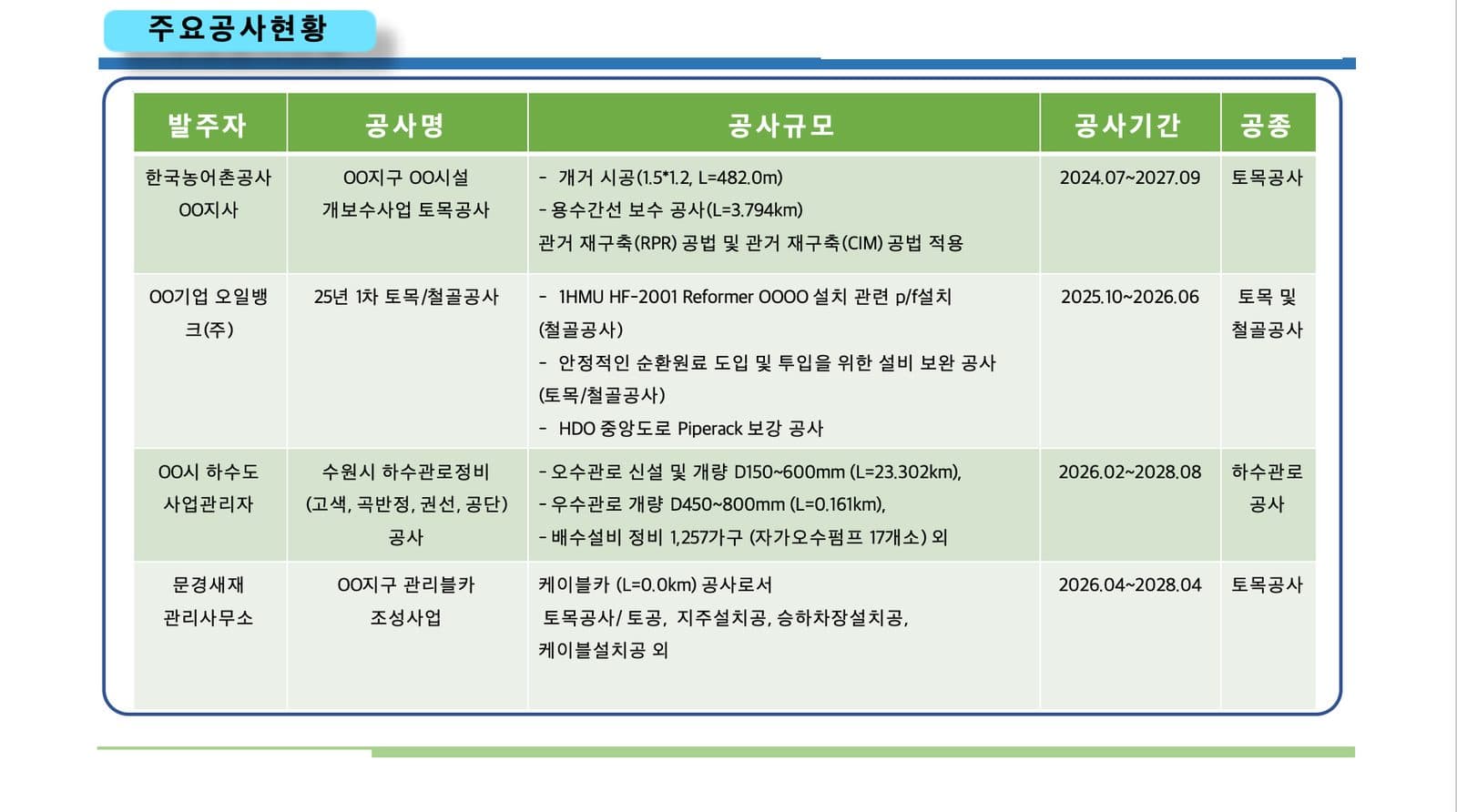
Before (Korean): a project table with long wrapped cells and a heavy header 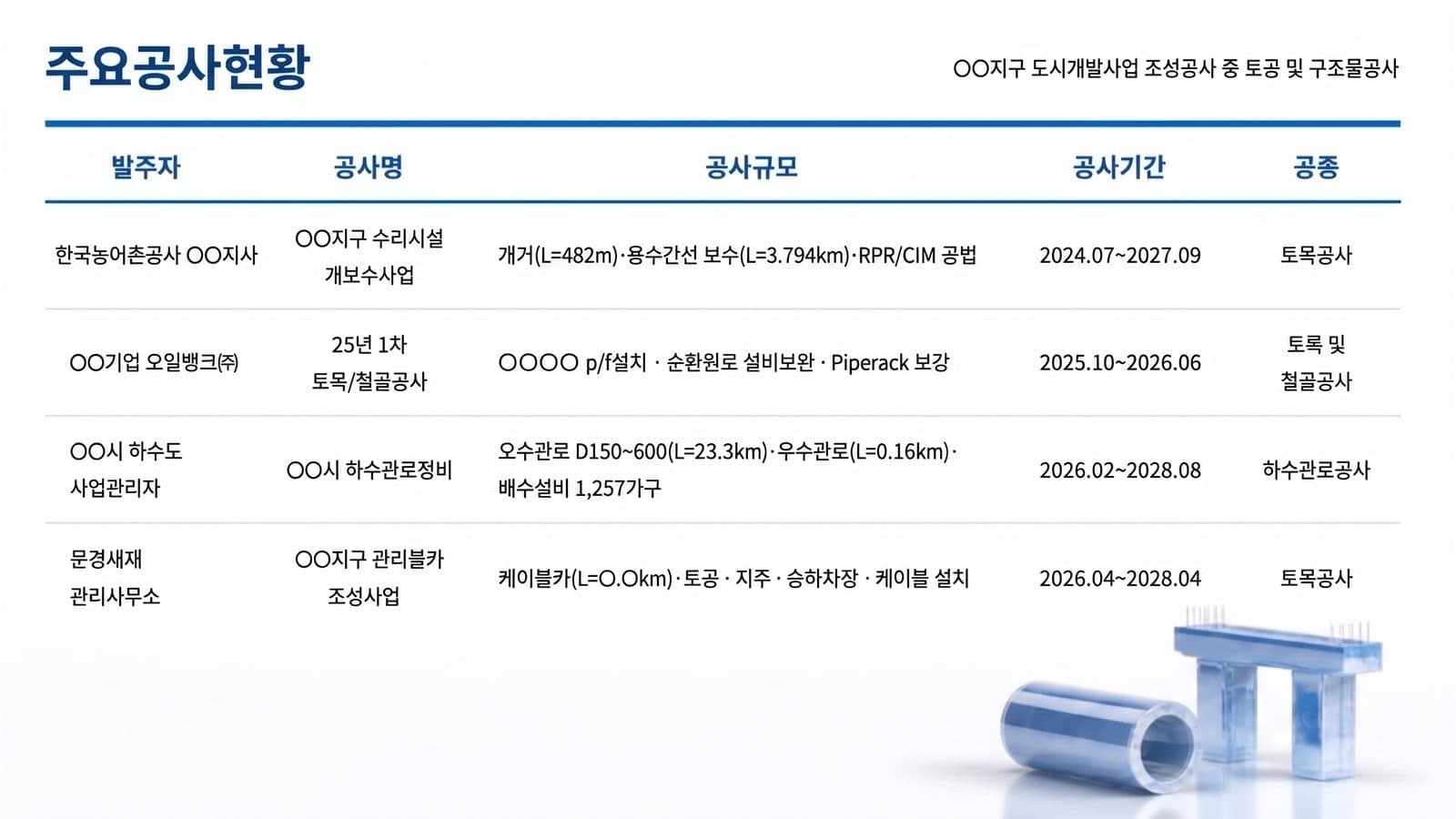
After: the same five columns in Korean, one line per cell 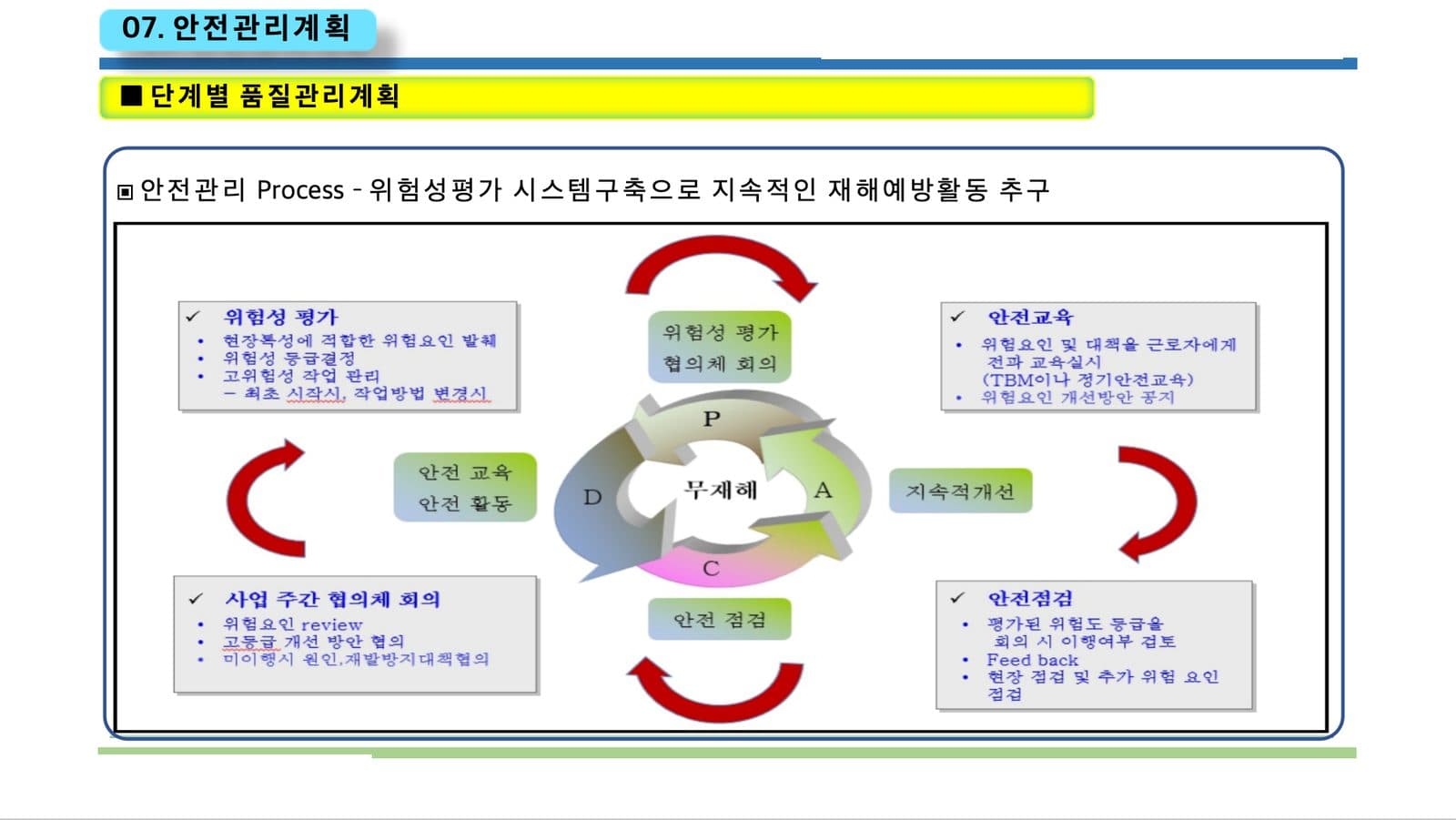
Before (Korean): a pasted diagram with small type 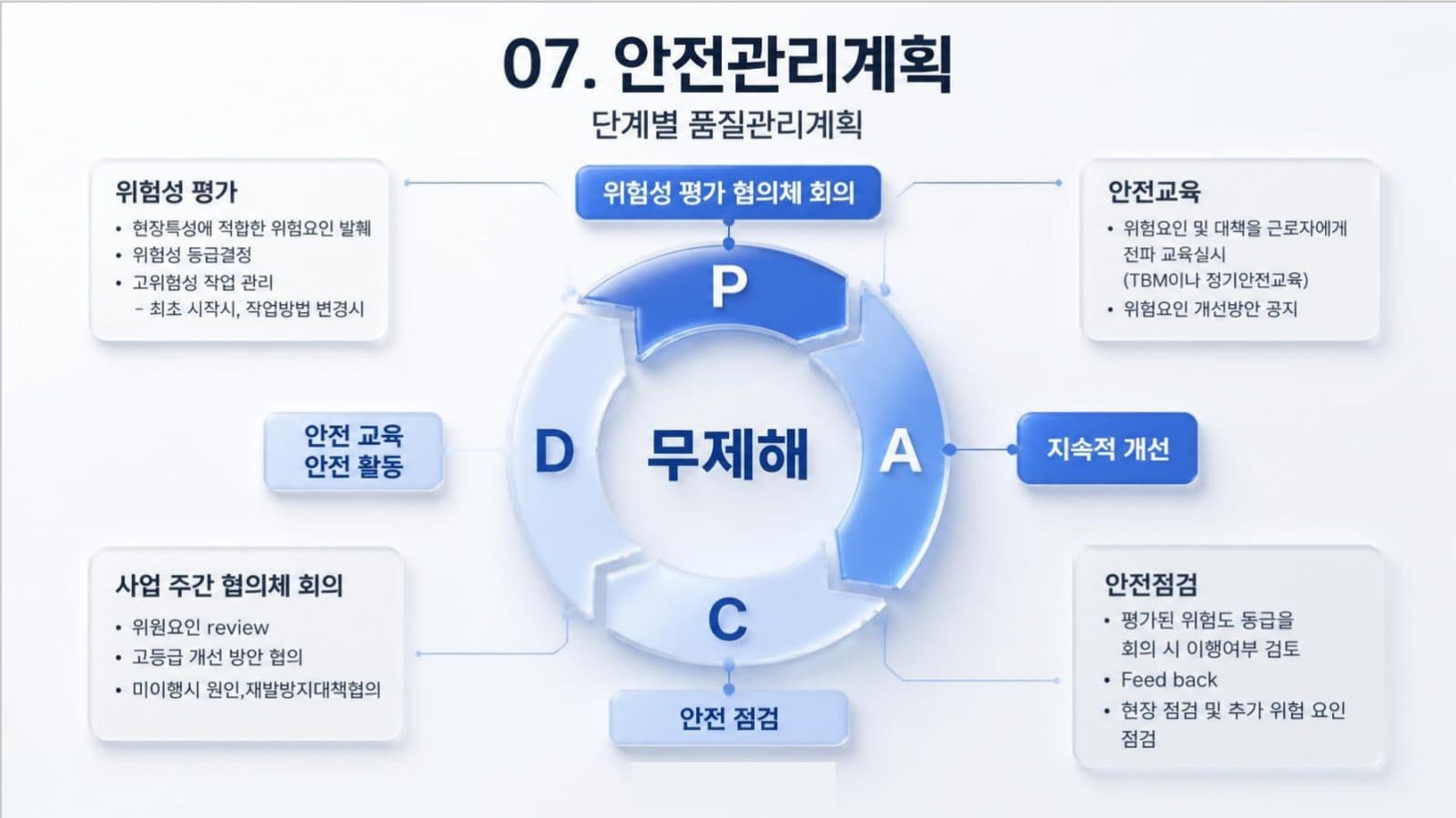
After: one clear cycle with each box beside its phase - 04
Arabic: right-to-left, and what to check
Arabic decks are redesigned, with the image model drawing the right-to-left text inside the slide. Arabic text is not yet reliably rebuilt as editable boxes (that needs Arabic fonts and right-to-left text layout that are not switched on automatically), so expect Arabic pages to come back largely as designed pictures, together with the high-resolution image version. Read every line of the six preview pages with an Arabic reader: letter shapes and connections, the direction of mixed lines that contain numbers or Latin words, punctuation at the line ends, and any diacritics. The website itself also runs in Arabic, laid out right-to-left.
- 05
Japanese: the hardest text for an image model
Japanese decks are redesigned in Japanese. Mixed kanji and kana in small type is the hardest text for an image model to draw, so check every line of the preview pages, especially small captions, table cells and long sentences, and compare names, numbers and dates with your original. Covers and closing slides with Japanese text come back as a whole picture. If a page has a wrong character, redo that page (single-page redo is free once the deck is unlocked) and check it again.
- 06
Russian and other Cyrillic decks
Cyrillic decks are redesigned and keep Russian text as written, but our font library has no Cyrillic families yet, so text rebuilt as editable boxes would fall back to a substitute font. For that reason Russian text is not rebuilt as editable boxes automatically; check the preview for letter shapes and look at the high-resolution image version if the editable file shows a substituted font.
- 07
Interface language and deck language are separate
The website runs in ten languages: English, Chinese, Russian, Spanish, Portuguese (Brazil), German, French, Japanese, Korean and Arabic (right-to-left). You can use the setup page in your own language while the deck stays in whichever language it was written in. The design notes on the result page follow the interface language, and the slide text follows the deck.
- 08
A mixed-language deck, names and terms
Choose “keep every word” if names, product terms or legal terms must not be touched, and say in the setup text which words stay untranslated (for example, brand names or a technical term in English inside a Spanish sentence). Check bilingual slides line by line, because the second language is the one most likely to be shortened.
What each content mode changes → - 09
Get a native reader to check the six preview pages
BetterPPT does not check whether your text is correct in any language, and it cannot judge your terminology. Pay the $9.90 deposit to see up to six of your own slides, and have someone who reads the language go through them for letters, numbers and names. That review is the cheapest protection you have.
How to check nothing was changed, page by page → - 10
Who BetterPPT is for, and when a free tool is enough
BetterPPT is an AI-powered alternative to design services like 24Slides: it redesigns the PowerPoint you've already written, every slide individually, and returns an editable .pptx. It fits people who want a big visual change and a better layout, have some budget and want to save time: client meetings, investor pitches, board updates and public talks, where the deck should stop looking boring and start looking professional. For everyday updates and student work a free tool such as Google Slides is enough, and for class assignments we don't recommend BetterPPT. $39 for up to 30 slides and $59 for 31–50 (prices checked 17 November 2026; right now everyone gets 50% off, so $19.50 for up to 30 slides and $29.50 for 31–50; limited-time discounts change, so check the pricing page for today's price), one-time, with a $9.90 deposit to preview up to six of your slides first. Practical limits: it takes decks of up to 50 slides; it keeps your deck's language and is not a translation tool.
How AI redesign of an existing deck works →
Questions
Can AI redesign a PowerPoint in Arabic without translating it?
Yes. BetterPPT keeps the language of your deck and does not translate it. Arabic text is drawn right-to-left, but it is not yet reliably rebuilt as editable text boxes, so expect many Arabic pages to come back as designed pictures; check every line in the six-page preview first.
Does BetterPPT support Japanese and Korean decks?
Yes. Korean has a real client example, with Korean text recognition and a bundled Korean font. Japanese decks are redesigned too; mixed kanji and kana in small type is hard for an image model to draw, so check each preview page carefully.
Does it work for Spanish and Portuguese decks?
Yes. Spanish, Portuguese, French and German decks follow the same path as English, with the text rebuilt as editable boxes. Check accents and number formats afterwards.
Will my text be editable in my own language?
It depends on the language: reliably for English and the other Latin-script languages, and for Korean; not reliably yet for Arabic, Russian and Japanese, where some pages come back as designed pictures. A high-resolution image version is always available.
Does BetterPPT translate my slides?
No. It keeps your language, and bilingual slides stay bilingual. If you need a translation, translate in PowerPoint first and upload that version.
Can I use the BetterPPT website in my language?
Yes. The site runs in ten languages, including Arabic laid out right-to-left. The deck language is independent of the interface language.
Bottom line
If your deck is written in Spanish, Portuguese, Korean, Arabic, Japanese or another language and has to look right for a client, a bid or an investor, BetterPPT redesigns every slide individually in its own language: $39 for up to 30 slides, with a $9.90 deposit to see up to six of your own slides first. What you get is the most professional result of the four tools in our same-deck test, a strict keep-every-word option, chat editing for any slide, and the first slides in about 10 minutes (7–12 minutes in our recent jobs).
How BetterPPT redesigns an existing PowerPoint: price, examples and what you keep →