Short answer: ChatGPT (free plan), Claude (Sonnet 5.5) and Gemini (Flash, in the Gemini app) can each redesign a short deck in one to two minutes and return an editable .pptx with every word and number intact, but with a one-line prompt the result is tidy and generic. Key findings from our test on 7 November 2026: (1) all three returned native PowerPoint files, with text in real text boxes and pictures as picture objects; (2) no words or numbers were changed on either slide; (3) the designs share common patterns: solid backgrounds, numbered cards, one stock photo or a few flat illustrations; (4) Gemini added an unrequested third slide listing the web addresses of its photos. In our experience, drawing the whole slide as an image first and then rebuilding it as editable text gives a better-looking result than assembling native shapes on a grid, but getting there by hand takes many rounds of conversation and a good eye. BetterPPT builds that workflow and its design rules into the product, so a finished deck is analysed, redesigned slide by slide and returned as an editable .pptx without the back and forth. This is one short test, not a blind rating, and we do not rank the tools from it.
- 01
Test record
Date: 7 November 2026. Input: a two-slide sample company deck (a cover with six text items and a contents page with eighteen), sent as a .pptx. Prompt, identical for each: “Redesign this deck so it looks professional. Do not change any words or numbers, can generate some pictures in the PPTX file.” One new conversation each, no follow-up messages. Gemini: the Gemini app, a presentation in Canvas, the Flash model at Medium thinking as shown in the screenshot. ChatGPT: the free plan. Claude: Sonnet 5.5 at Medium. Time: about one to two minutes each, from our own run. Outputs: we exported each .pptx and opened it to check its contents. Not done: no blind rating, no repeat runs, no follow-up prompts, no test of a longer deck. The BetterPPT slides further down are from our 18 October 2026 test of a full eight-slide sample deck, with the setup questions answered; they are not from this file or this prompt, and the original slides shown are from that earlier deck.
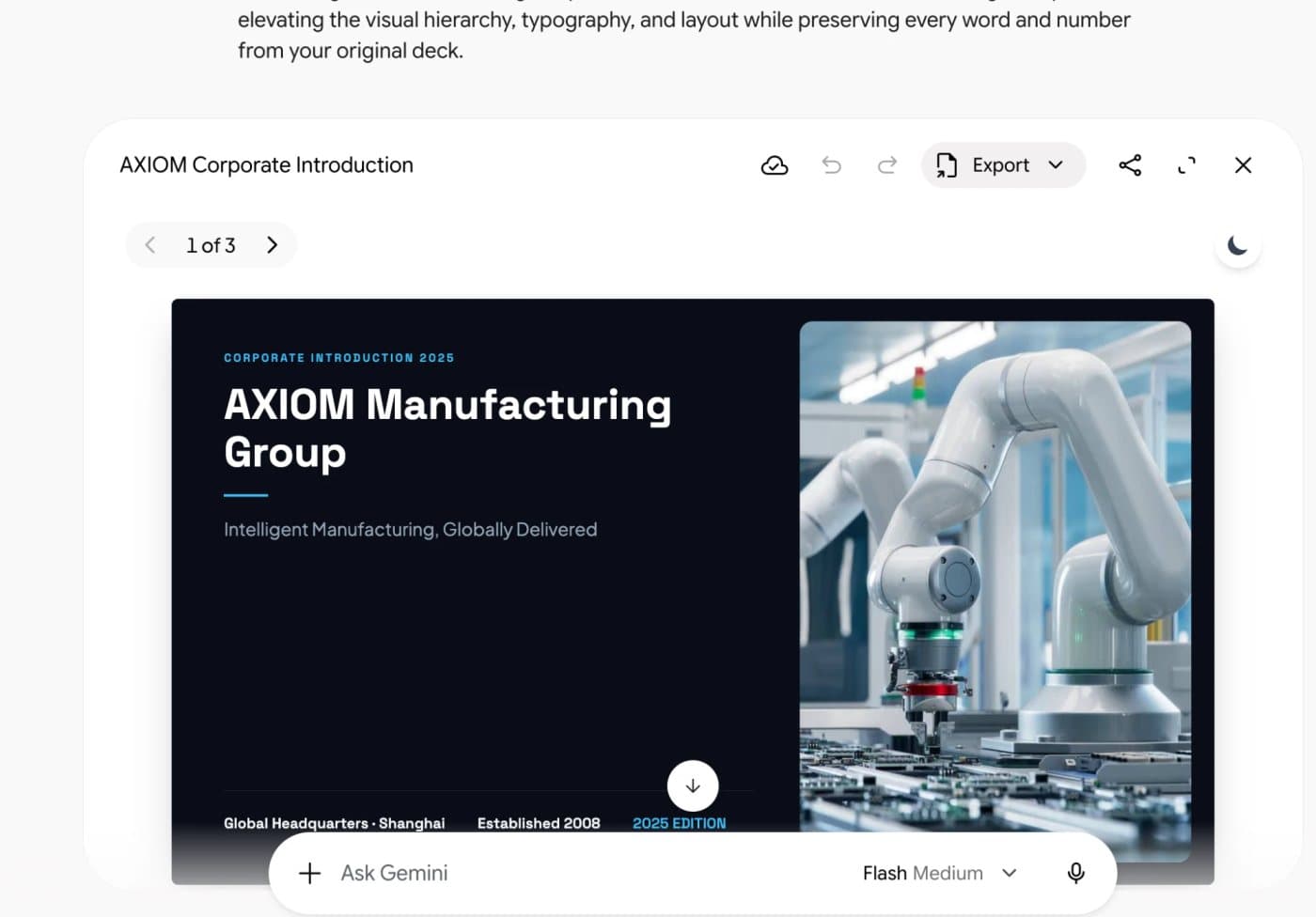
Gemini app: the Canvas presentation, Flash at Medium thinking 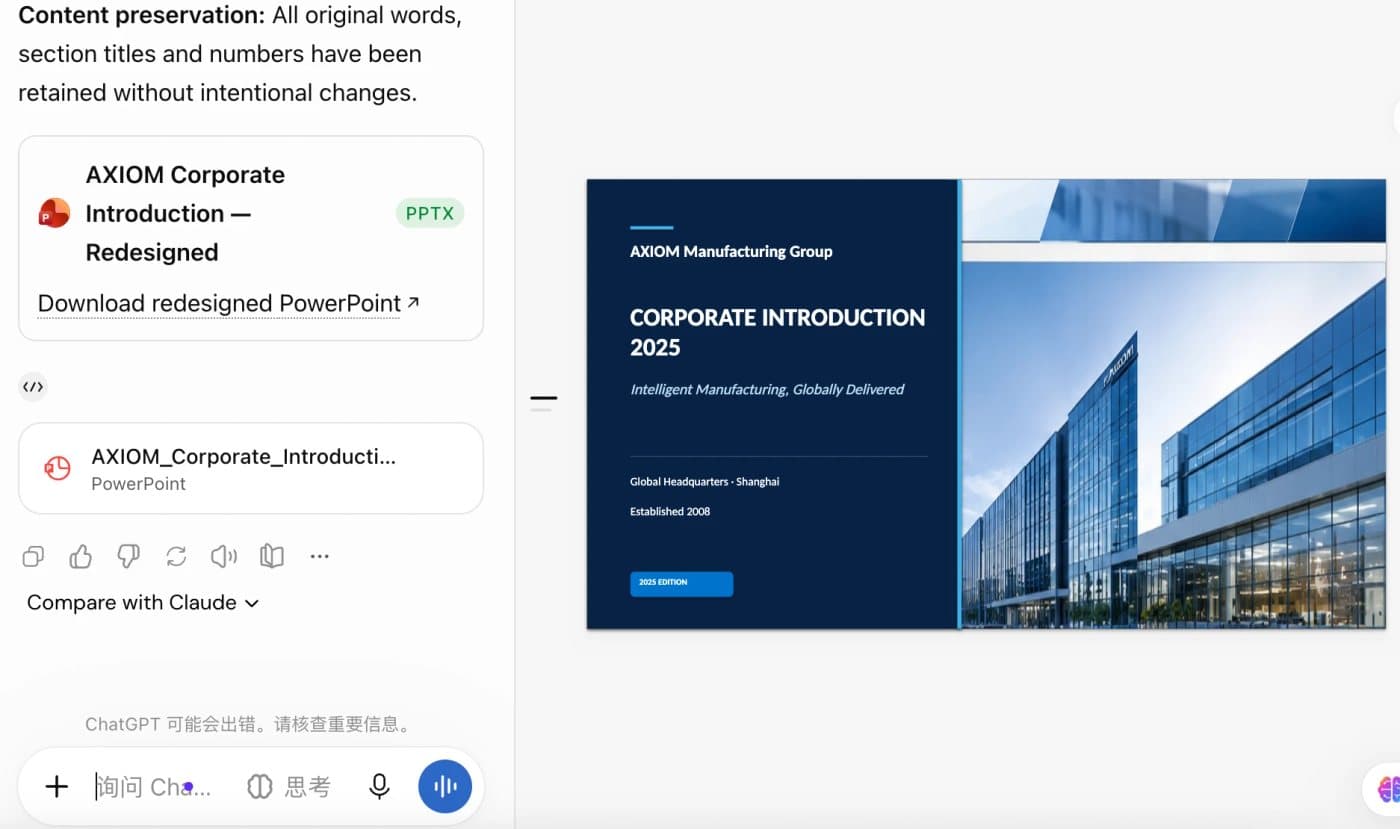
ChatGPT (free plan): the redesigned .pptx returned as a download 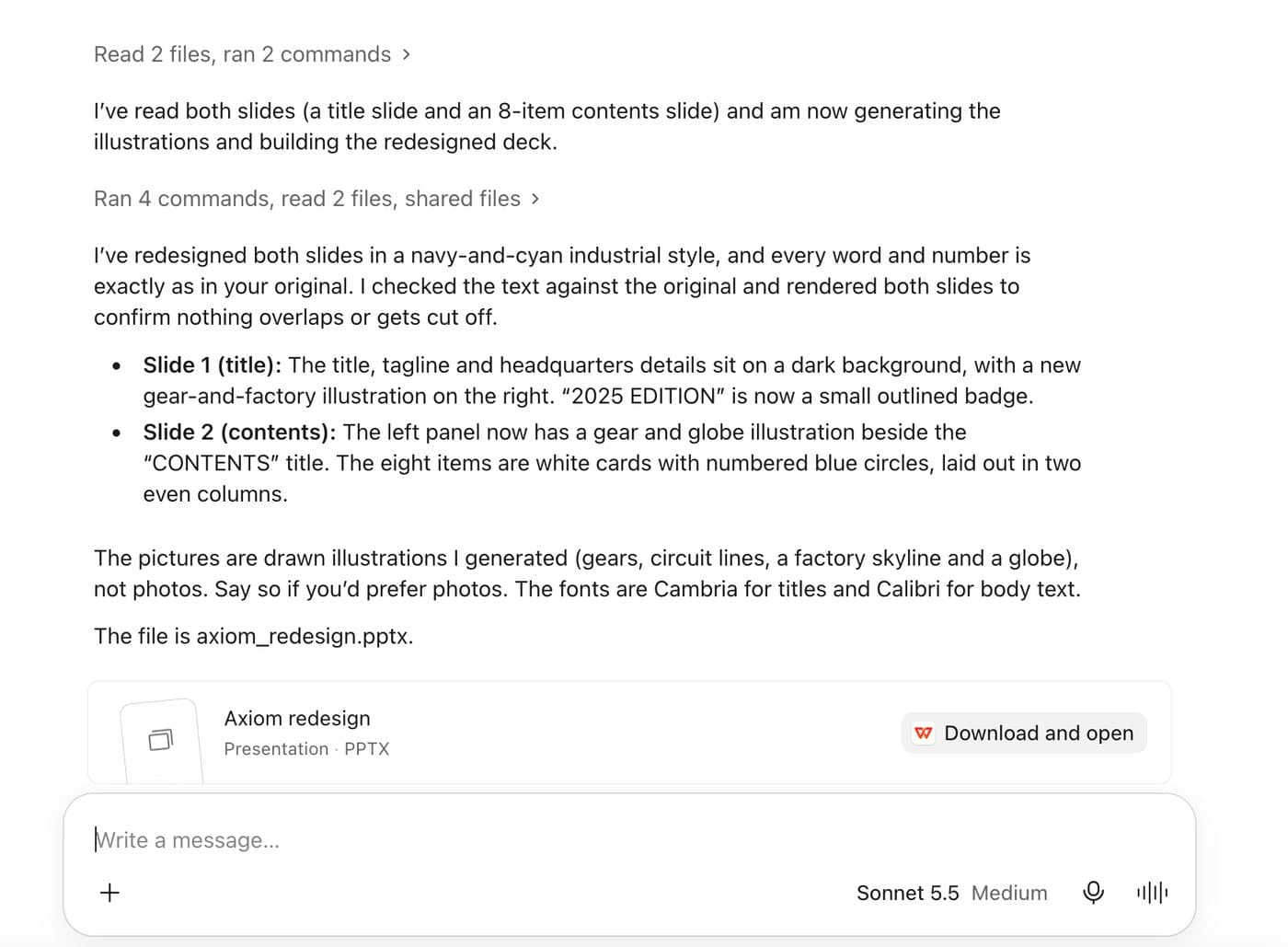
Claude: Sonnet 5.5 at Medium, building the deck and listing what it generated - 02
What came back: real, editable files, with every word intact
All three returned a native PowerPoint file. We unpacked them: the text is in text boxes and shapes you can click and retype, and the pictures are picture objects, not screenshots of a web page. The words on both slides survived in all three, including the two cover items “Established 2008” and “2025 EDITION” that were in our file; nothing was added to the text. Differences in the files: Gemini's deck has a third slide we did not ask for, titled “Image Sources”, which lists the web addresses of the photos it used, including other companies' websites, so check the licence of any photo before you present it. ChatGPT and Claude each returned the two slides. Claude said in its reply that the pictures are illustrations it generated (gears, circuit lines, a factory skyline and a globe), not photos.
- 03
The cover, side by side
Gemini: a near-black solid background, the text on the left, one stock photo of a white robot arm in a rounded frame on the right, and a large empty area in the lower left. ChatGPT: a navy panel with a small company name above a larger “CORPORATE INTRODUCTION 2025” line, a glass-building picture that looks soft at full size, and a blue rounded badge. Claude: a dark background with a large serif title and three flat gear illustrations with thin circuit lines, plus an outlined badge. BetterPPT (18 October run, a different file): a full-bleed factory scene with the company name as the headline. The original shown is the four-line cover of that earlier deck.
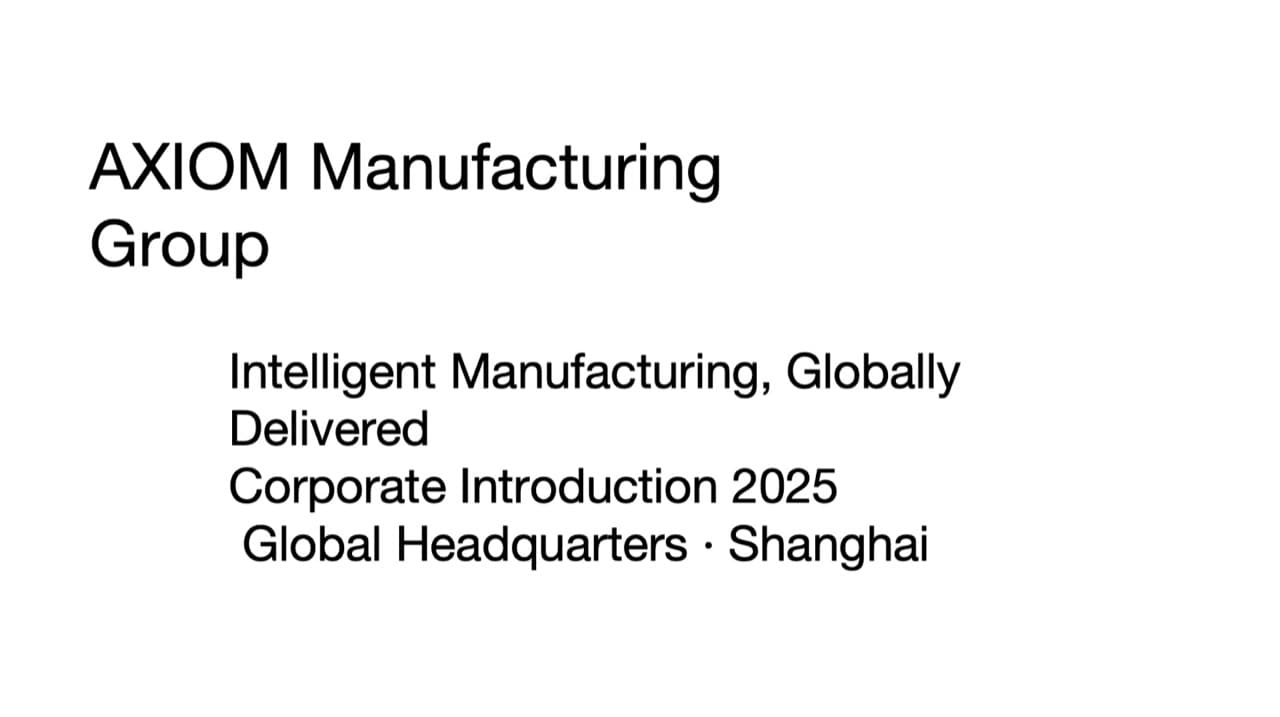
Original cover of the earlier test deck: four lines of text on white 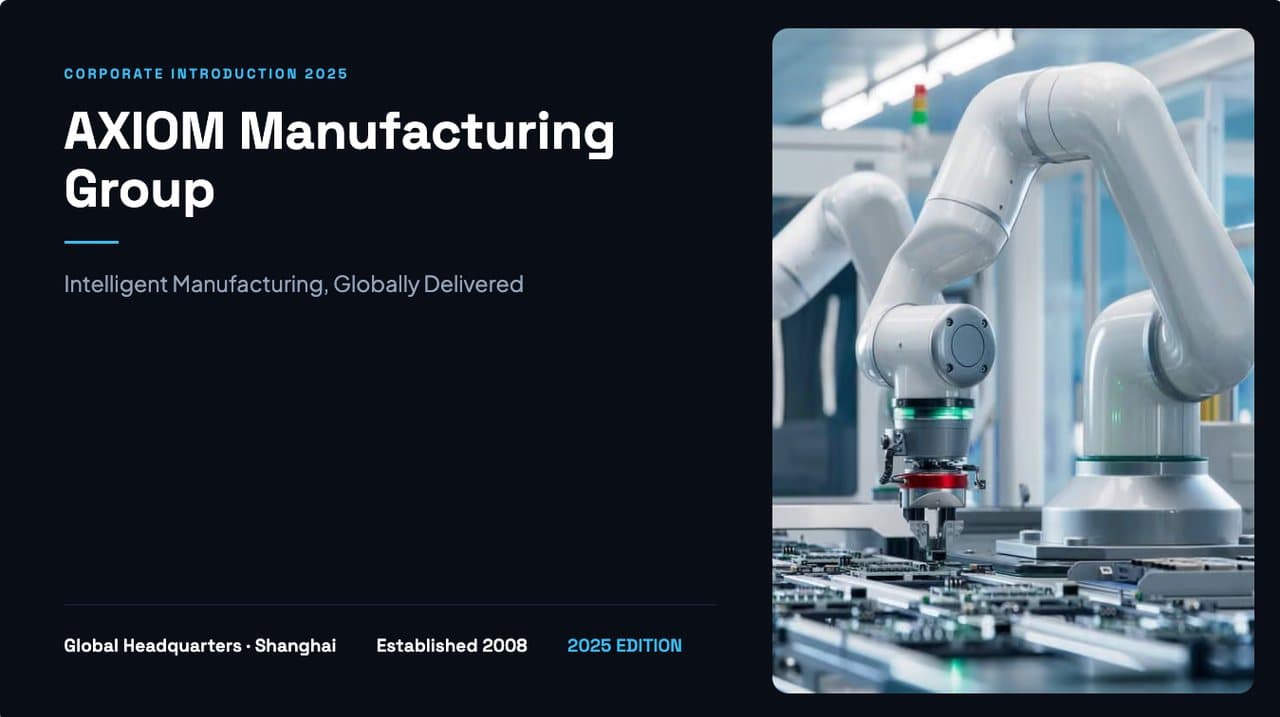
Gemini: dark solid background, one stock photo in a rounded frame 
ChatGPT (free): navy panel, building picture, rounded badge 
Claude: dark background, serif title, flat gear illustrations 
BetterPPT (18 October run, earlier deck): a full-bleed factory scene - 04
The contents slide, side by side
The original of the earlier deck is a navy sidebar with eight numbered tiles. ChatGPT's result stays very close to that layout: the navy sidebar and eight blue number tiles, lightly restyled, with no picture. Gemini: a pale background, a short title at top left with a large empty area under it, eight white rounded cards in two columns near the bottom, and a tall photo of robot arms on the right. Claude: a dark panel with two gears and a wireframe globe, and eight white cards with numbered blue circles. BetterPPT (18 October run): a full-bleed blue factory photo with eight large numbers and thin rules and no cards; it also added a wordmark and a page counter that were not in that original, so check what is new as well as what is missing.
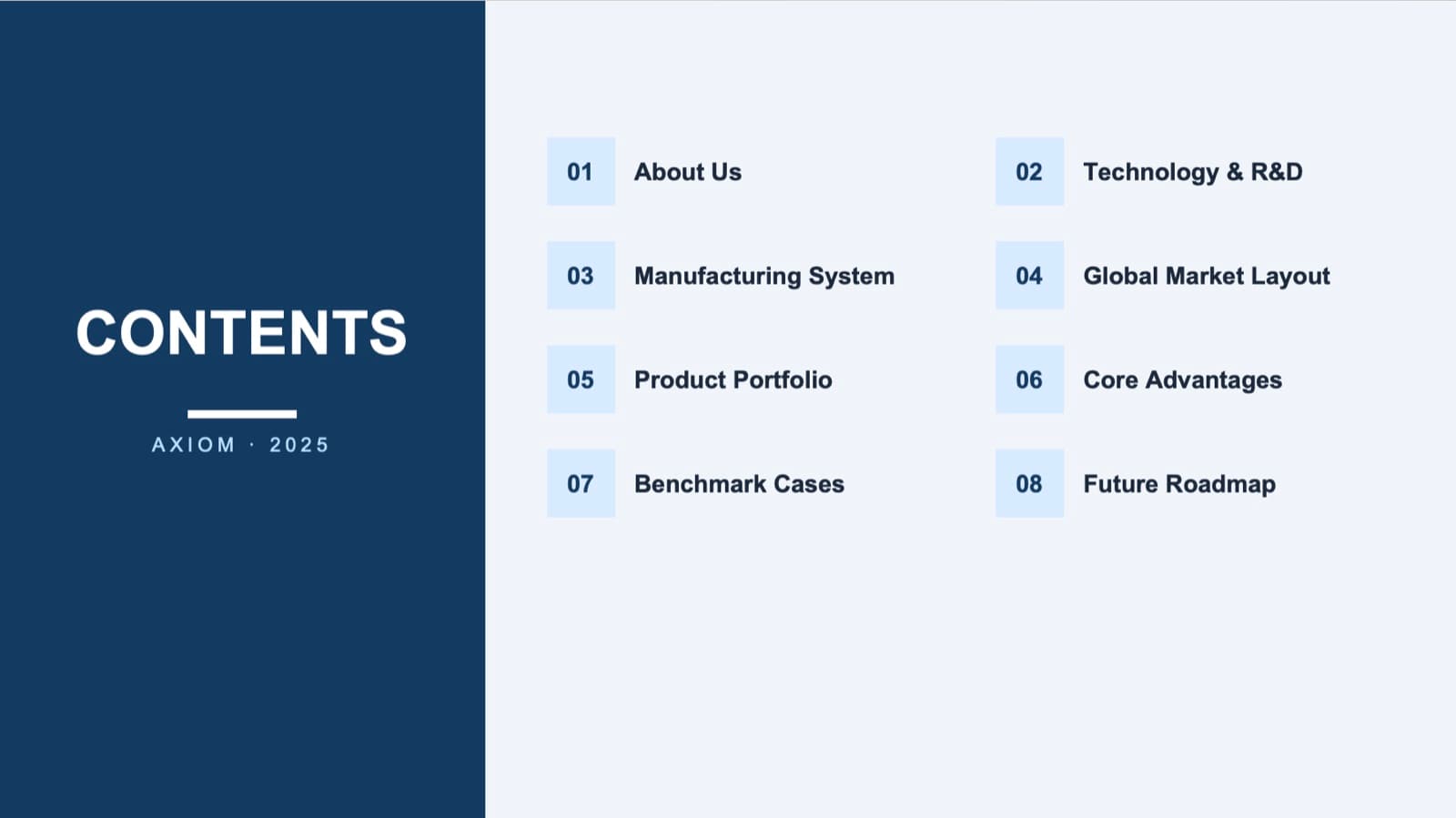
Original contents slide of the earlier deck: a navy sidebar and eight numbered tiles 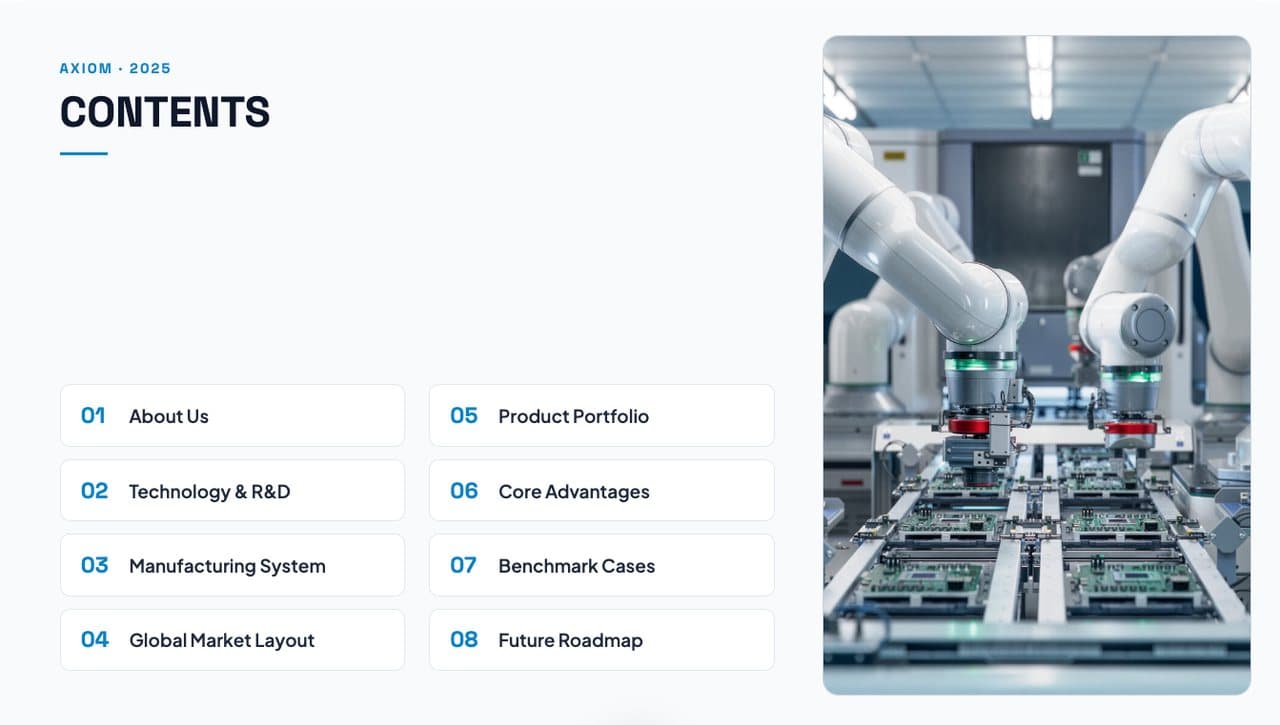
Gemini: pale background, eight rounded cards, a tall photo 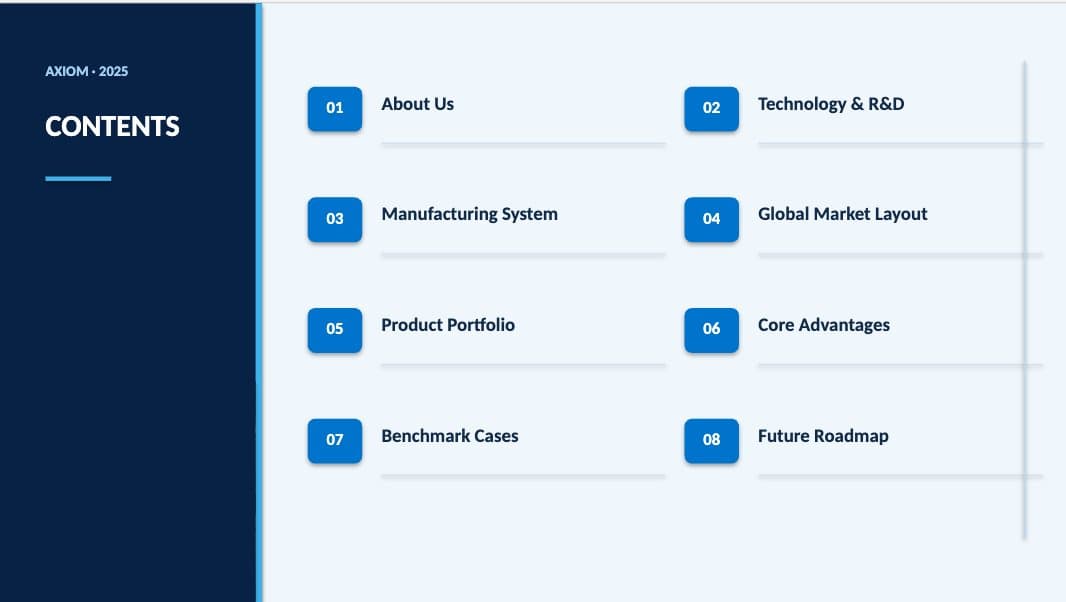
ChatGPT (free): close to the original, restyled tiles, no picture 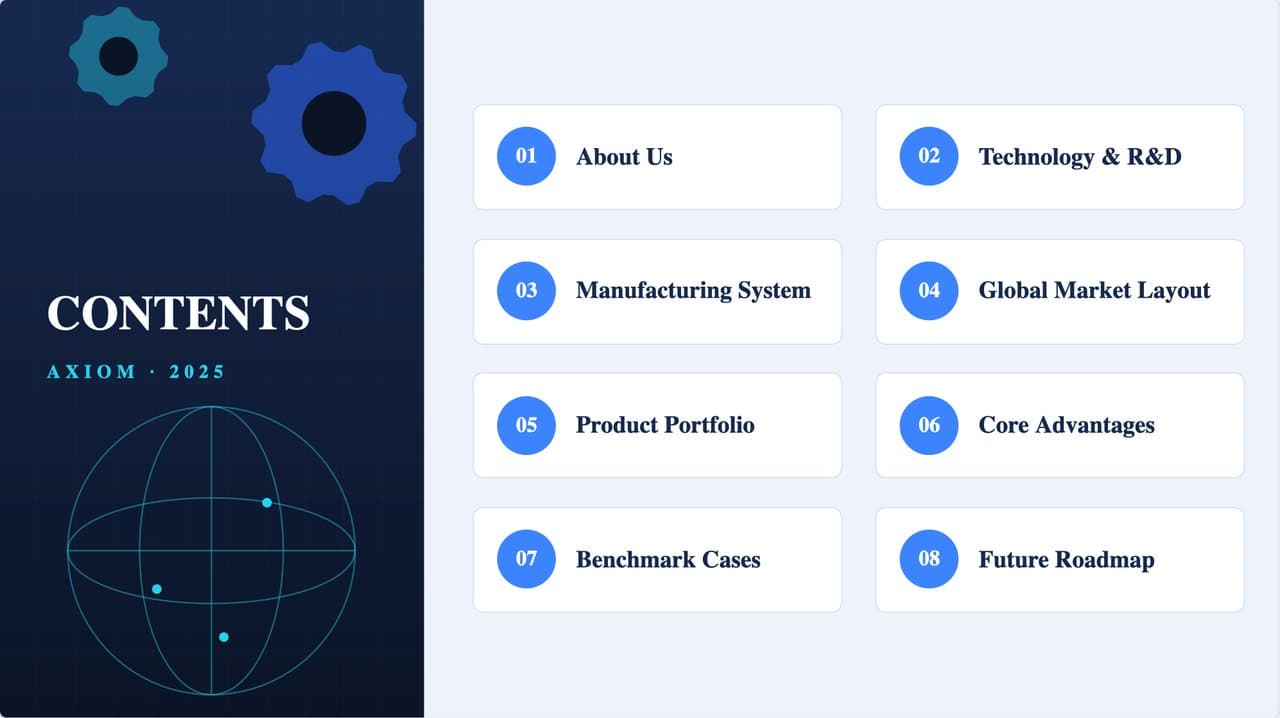
Claude: a dark panel with gears and a globe, eight white cards 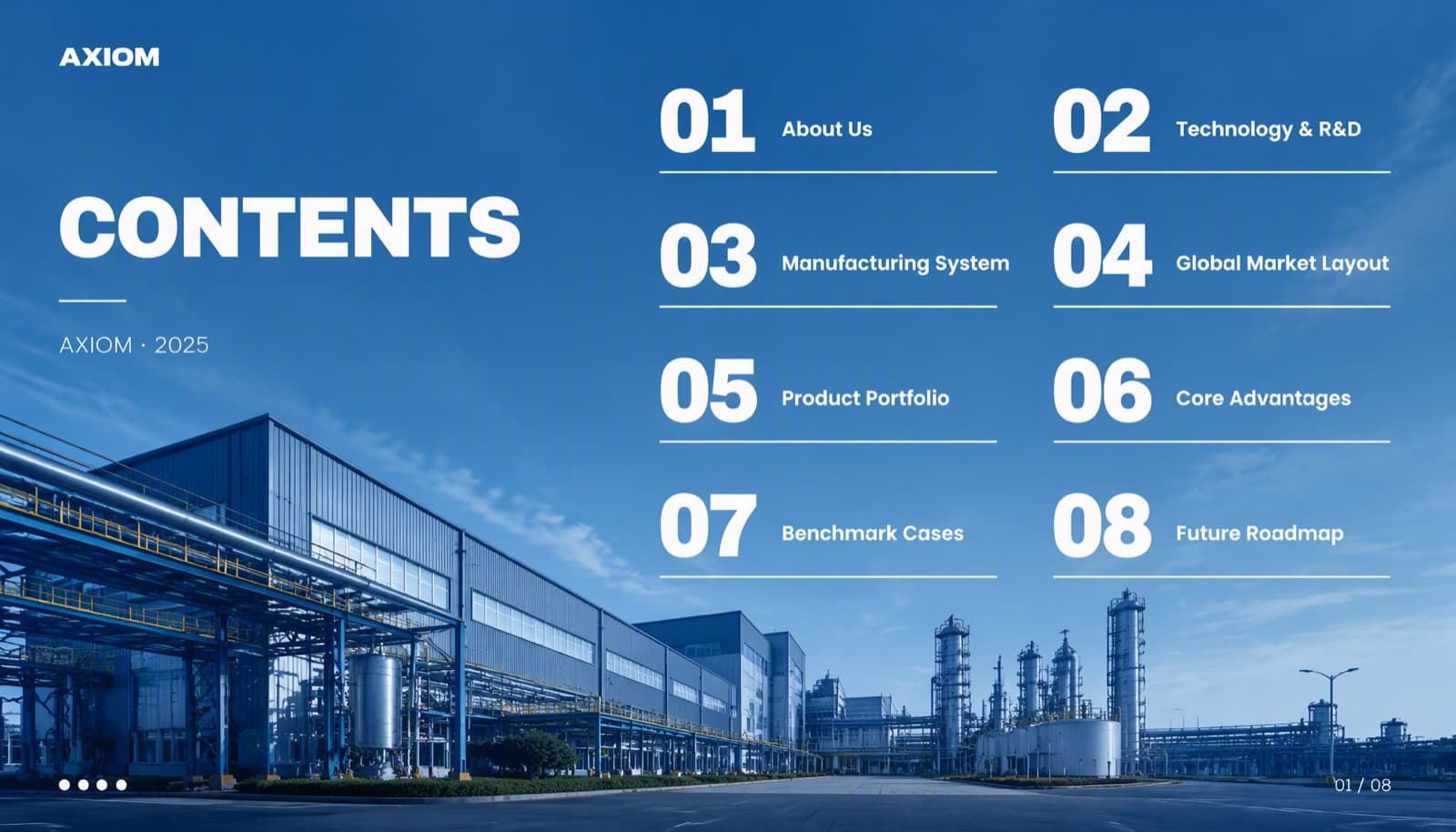
BetterPPT (18 October run, earlier deck): full-bleed photo, large numbers, no cards - 05
What to notice: the AI-smell check
Held against the patterns in our AI-smell guide, the three assistants' slides share several: numbered cards or tiles for the eight items, solid dark or pale backgrounds, a single photo or a few flat illustrations in a frame, and no depth or three-dimensional elements. The layouts are clean and the words are right, which is why the results look professional at a glance and still generic. This is our reading of one short test with a one-line prompt, and the assistants can do more with more instructions. Our judgement, in the images above, is that BetterPPT's slides, which use full-bleed photography and large numbers instead of cards, look more designed; a blind rating would be the proper test and we have not run one.
The six signs of AI smell, with before and afters → - 06
Why drawing the whole slide first can look better
A native layout tool places text boxes, shapes and pictures on a grid, one object at a time, so the background, the photo, the type and the spacing are separate decisions and tend to land on the same safe arrangement. An image model draws the whole slide as one picture: the background, the lighting, the photo's crop, the headline and the depth are composed together, which makes full-bleed scenes, layered depth, three-dimensional icons and scene-based diagrams possible. The picture is then turned back into an editable file by removing the text from it and placing real text boxes in the same positions. In our testing this route gives a better-looking result than the native route, and the cost is structural: charts and graphics become part of the picture, and you edit in PowerPoint.
Image-first, HTML-first and native: how the routes differ → - 07
The manual route: what it takes with a chatbot
People who get strong slides out of a chatbot usually work in stages, and ChatGPT's image generation makes this possible. 1) Describe the audience, the tone and the look you want. 2) Ask for several style directions as images, and choose one. 3) Ask for each slide in that style, one at a time, keeping the same type, colours and spacing across slides. 4) Check every generated picture for words and numbers that were drawn wrongly. 5) Rebuild the chosen pictures as an editable file: remove the text from the image and place real text boxes over it, by hand or with another tool. 6) Fix fonts, alignment and anything the image got wrong, and regenerate the weak slides. It works, but it takes many rounds of conversation, it depends on your own taste and design vocabulary, and it has to be repeated for every slide of the deck. That is where the time goes.
- 08
What BetterPPT builds into the workflow
We took that manual routine and the design rules we use on real client decks and made them the product. 1) An agent reads every slide of your finished deck: what it says, its role in the story and its hierarchy. 2) It judges each picture and element in the deck: a clear photo of yours is kept and enhanced, a weak or generic picture can be replaced, data is re-laid out, and drawings can be kept as supplied when you ask. 3) It sets one style for the whole deck, including the typefaces, chosen from a library of open-source fonts, so the slides share a type, colour and spacing system. 4) For each slide it writes the design brief with our rules built in: one dominant element, a headline several times the body size, real photography used large, a layout chosen from that slide's content, and the default cards-and-icons look avoided. 5) An image model draws each slide as a whole. 6) The text on the picture is erased and rebuilt as real text boxes in the .pptx, in the same typeface, size and weight as the design; the fonts it uses come in the download, installed once, and covers and closing slides in English-language decks are editable text too. A high-resolution image version is included as well. 7) You choose how much the wording may change (keep every word, light editing, restructuring), and a text comparison report lists every line that differs. After that you can regenerate any slide up to three times with a note. The taste and the layout judgement live in the system, so you do not have to brief it or iterate in a chat; what you save is the time.
Content modes, with real examples → - 09
What the built-in workflow doesn't do
Charts and other graphics are part of the picture, so you can retype a label but not use Edit Data. The editable file uses the typeface the design was built with, chosen by the style step from a library of open-source fonts, and keeps the design's size and weight; the fonts it uses come in the download and you install them once. Small differences in line ends or positions can remain, so check the result. Anything the image model adds inside the picture stays in the picture, and an image model can draw a word wrongly, so check the result against your original. Covers and closing slides in English and other Latin-script or Korean decks are editable text; a page with Chinese, Japanese, Arabic or Cyrillic text, a section divider, a full-bleed picture or a quote slide can still come back as part of the picture, with a notice before you download. A 30-slide deck takes about 15–20 minutes, and you edit in PowerPoint. It is not a tool for writing a deck from notes, and it takes decks of up to 50 slides.
- 10
How ChatGPT, Claude and Gemini compare in this test
ChatGPT, Claude and Gemini fit when you have no deck yet, or want to keep editing native charts and shapes in place. In this test they were fast and kept every word, and with more instructions they can get closer to what you want. For a finished deck whose slides will be judged on how they look, BetterPPT is the shorter route: every slide analysed and drawn individually, a strict keep-every-word option, no back and forth, and an editable .pptx.
How each one builds a PowerPoint → - 11
What BetterPPT costs
BetterPPT is priced per deck, once, with no subscription. The regular price is $39 for up to 30 slides and $59 for 31–50. Limited-time discounts change (prices checked 17 November 2026), so check the current price on the pricing page. A 30-slide deck takes about 15–20 minutes, which is minutes rather than the days a designer needs.
See how it works → - 12
How to repeat this test
Use the same slides and the same prompt for each assistant, one new conversation each, then open the .pptx files and compare: the focal point, how the photos are used, whether the layout follows the content, and every word and number against your original. Note the plan and model you used, because results change with both. Check the source and licence of any photo an assistant adds, and look for small items that were not in your original. Our earlier four-tool test, with its source deck and exports, is on GitHub.
Our four-tool same-deck test, with the source deck → - 13
Who BetterPPT is for, and when a free tool is enough
BetterPPT is an AI-powered alternative to design services like 24Slides: it redesigns the PowerPoint you've already written, every slide individually, and returns an editable .pptx. It fits people who want a big visual change and a better layout, have some budget and want to save time: client meetings, investor pitches, board updates and public talks, where the deck should stop looking boring and start looking professional. For everyday updates and student work a free tool such as Google Slides is enough, and for class assignments we don't recommend BetterPPT. $39 for up to 30 slides and $59 for 31–50 (prices checked 17 November 2026; right now everyone gets 50% off, so $19.50 for up to 30 slides and $29.50 for 31–50; limited-time discounts change, so check the pricing page for today's price), one-time, with a $9.90 deposit to preview up to six of your slides first. Practical limits: it takes decks of up to 50 slides; charts are redrawn as part of the page, with their text and numbers kept editable, rather than kept as native data-linked charts; it starts from content you have already written, not from notes.
How AI redesign of an existing deck works →
Questions
Can ChatGPT, Claude or Gemini redesign a PowerPoint in one prompt?
Yes. In our test each took about one to two minutes and returned an editable .pptx with every word on the two slides intact. The result looked tidy but generic: solid backgrounds, numbered cards, one stock photo or flat illustrations. Stronger results usually take several rounds of instructions.
Are the files from ChatGPT, Claude and Gemini really editable?
Yes. We opened the files: the text is in text boxes and shapes you can retype, and the pictures are picture objects. They are not screenshots of a web page.
Do they change my words or numbers?
Not in our test: every word and number on both slides came back unchanged, including two small cover items. You should still compare any redesign with your original, line by line.
Does Gemini use real photos in its slides?
In our test, Gemini used photos from other websites and added a third slide, “Image Sources”, listing their addresses. Check the licence of any photo before you present it.
Why can drawing the slide as an image first look better?
An image model composes the background, lighting, photo crop, headline and depth together, instead of placing separate objects on a grid, so it can make full-bleed scenes, layered depth and three-dimensional icons. The picture is then rebuilt as editable text boxes. The trade-offs are that charts become part of the picture, and you edit in PowerPoint.
Will the fonts in the editable file match the design?
The editable file uses the typeface the design was built with, chosen by the style step from a library of open-source fonts, and keeps the design's size and weight. The fonts it uses come in the download as a zip, with install instructions and licences, and you install them once. Small differences in line ends or positions can remain, so check the result.
Can I edit the cover and the closing slide?
In English and other Latin-script or Korean decks, yes: covers and closing slides are editable text. A page with Chinese, Japanese, Arabic or Cyrillic text, a logo wordmark, a section divider, a full-bleed picture or a quote slide can still come back as part of the picture, with a notice before you download.
How is BetterPPT different from asking an assistant to redesign my deck?
Doing it with an assistant usually means describing a style, generating options as images, picking one, repeating for every slide, checking the pictures for wrong words and rebuilding them as editable slides, over many rounds. BetterPPT builds that routine and our design rules in: an agent analyses each slide, judges each picture, sets one style for the deck, writes a design brief per slide, draws the slide, and rebuilds the text as editable boxes. You save the time and the back and forth.
How much does BetterPPT cost?
The regular price is $39 for up to 30 slides and $59 for 31–50, one-time with no subscription. Limited-time discounts change (prices checked 17 November 2026); check the current price on the pricing page.
Bottom line
If your deck is finished and you want it to look designed without briefing a designer or iterating in a chat, BetterPPT redesigns every slide individually and returns an editable .pptx, in minutes rather than days.
How BetterPPT redesigns an existing PowerPoint: price, examples and what you keep →