AI presentation tools build a slide in one of three ways. Web-first tools such as Gamma and Claude Design lay the slide out as a web page and convert it to .pptx when you export. Native tools such as Plus AI write real PowerPoint shapes, text and charts directly. BetterPPT is image-first: it analyses each slide of your existing deck, has an image model draw the finished slide (background, depth, illustrated icons and diagrams), then erases the text on that picture and puts it back as real, editable text boxes in a .pptx. Image-first gives the most visual range, because nothing is limited to what a layout engine or a shape library can draw. The price is that charts, diagrams and graphics are pictures, not PowerPoint objects, and fonts are approximated. Choose by what you need most: visual impact on a deck you already wrote, or the ability to edit every object. Facts about other tools come from their own documentation and were checked on 3 November 2026.
- 01
Three routes, one sentence each
Web-first: the slide is a web layout, edited in a browser and converted to PowerPoint on export (Gamma, Claude Design). Native: the tool writes real PowerPoint objects (Plus AI). Image-first: the slide is designed as a picture by an image model, and the text is rebuilt as editable text boxes on top (BetterPPT). None of these is the best in every case; each trades visual range against how much of the file stays a native object.
- 02
Web-first: what Gamma and Claude Design document
Gamma’s help centre says tables export as real, editable tables by default, Google Sheets charts export as static images, AI-generated images export as PNG files, frosted backgrounds and some effects use fallback styles, gradient headings may render differently, and the PowerPoint slide master appears blank. Gamma also generates pictures (its API documentation lists image models such as Flux, Imagen and GPT Image, each priced in credits per image), so these tools do produce images; the picture is an element placed inside a layout the app draws. Claude Design lists PPTX, PDF, HTML and Canva as export formats (The Decoder, 17 April 2026). A Claude Design deck we tested came back as one HTML file: every slide is an HTML section styled with CSS gradients and embedded web fonts, and the file contains no photographs. We have not tested its .pptx export.
- 03
Native: Plus AI writes PowerPoint objects
Plus AI says it builds native .pptx files with its own Open XML renderer and that its charts are native, editable PowerPoint charts (its own claim, checked 3 November 2026). A native route is the one to choose when you must click into every object, change chart data, or keep a conservative look that sits inside PowerPoint’s own shapes. In the same-deck test below it kept the wording and bullets closest to the original.
- 04
Image-first: what BetterPPT does, step by step
First, an AI reads each slide of your deck: what it says, its role in the story and its hierarchy. Second, an image model draws the redesigned slide as a whole, with its background, lighting, depth, illustrated icons and diagrams; setup options include styles such as soft clay, miniature scene and 3D Memphis. Third, the text on that picture is erased and placed back as real text boxes in the .pptx, so titles, bullets, labels and numbers can be retyped, and a high-resolution image version is available too. Because the image model draws the whole slide, effects that code-drawn layouts struggle with, such as 3D-style icons, textured depth and scene-based diagrams, are in range.
What stays editable and what does not → - 05
Same deck, four routes: a cover
The original is black text on white. Gamma set a text panel over a photo of a yellow robot arm. BetterPPT drew one dark, cinematic factory scene with a white arm and put the title and tagline on top; it also added a circular mark and small decorative labels that were not in the original, and you should delete any that is not true of your company. Plus AI used a native split layout with a navy panel and a large “2025”. The test deck is a made-up manufacturing company’s profile written by a person, run through each tool on 18 October 2026.
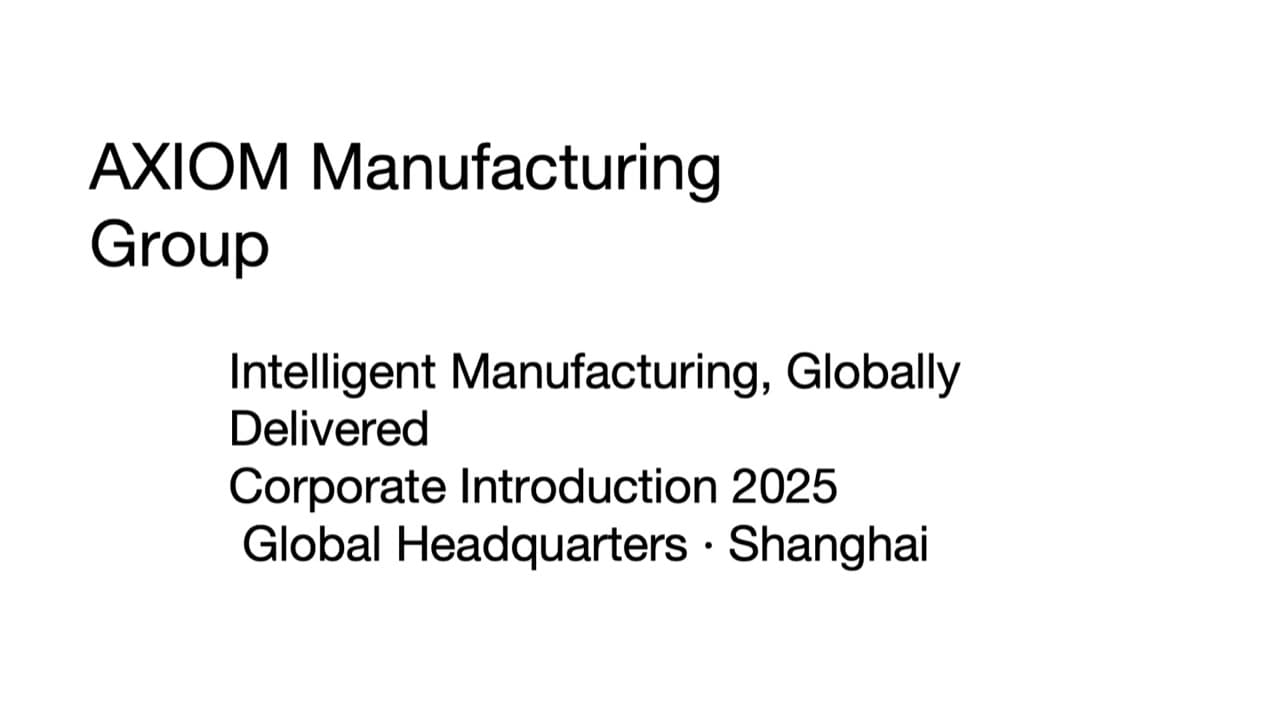
Original cover: black text on white 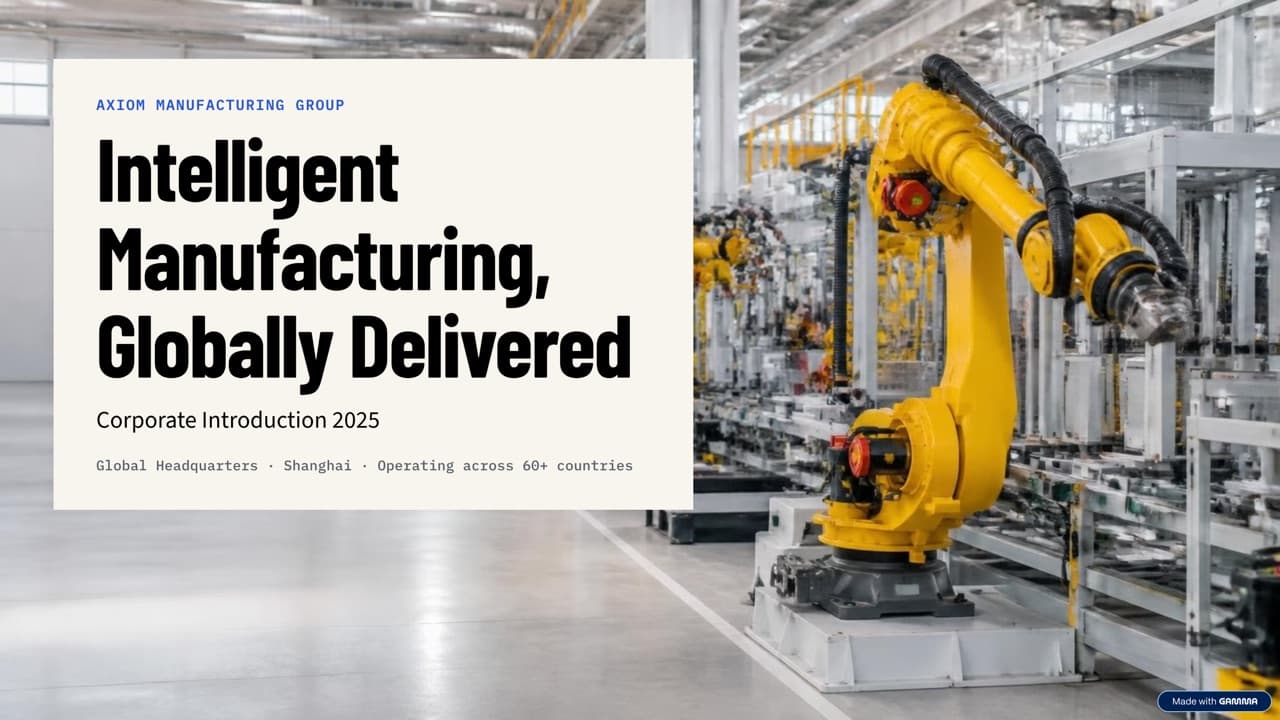
Gamma: a text panel over a photo 
BetterPPT: one image-model scene with the text rebuilt on top 
Plus AI: a native split layout - 06
Same deck, four routes: a text-and-figures slide
The original is a text block with a laboratory photo. Gamma wrote a new headline, pulled out two large figures and added a “So what” strip. BetterPPT made the laboratory photo the whole slide, wrote a new headline and set three figures large. Plus AI kept the bullets nearly as written in native text with a dark figures box. Gamma and BetterPPT both changed wording in this run; with BetterPPT you can choose “keep every word” when text must stay exactly as written.
The full four-tool test →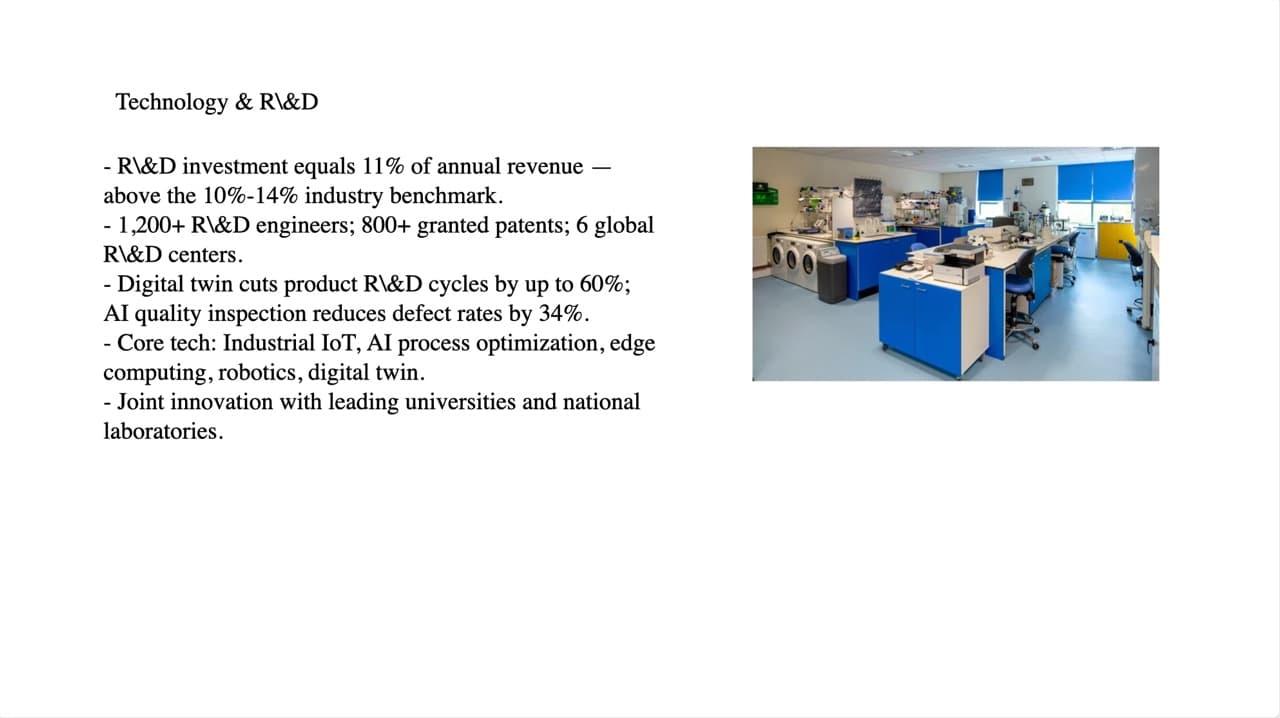
Original: a text block and a photo 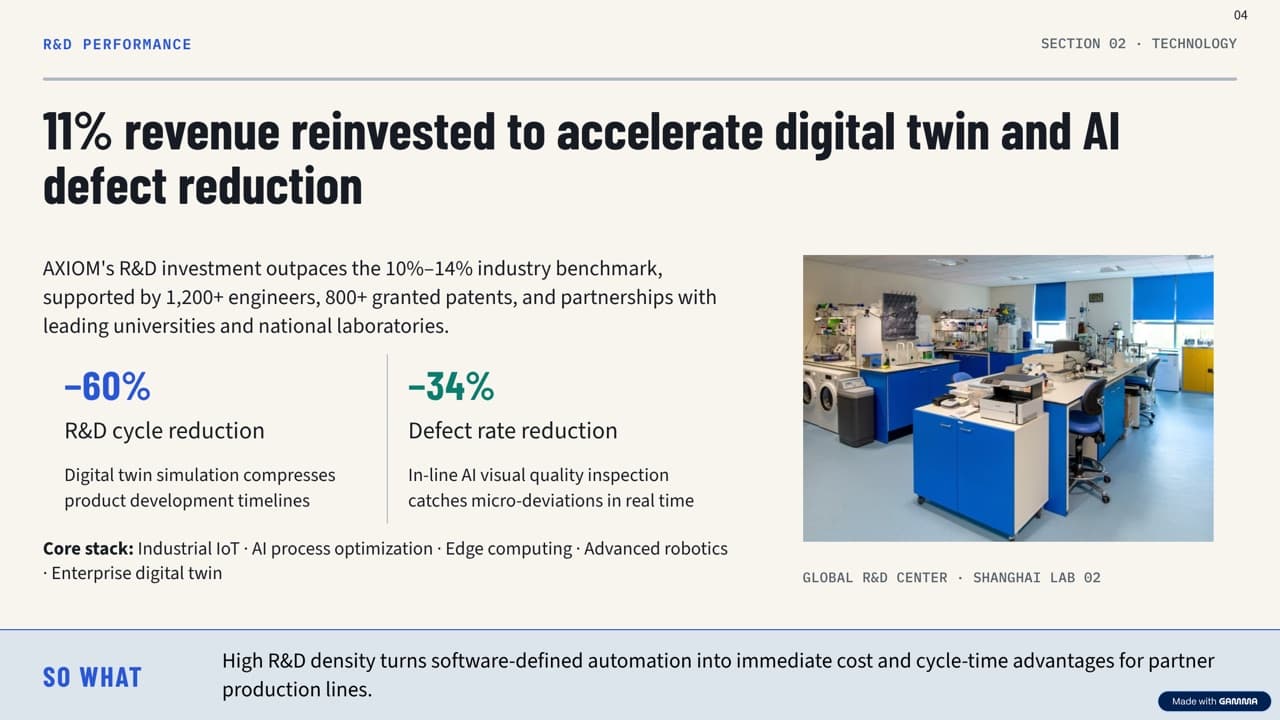
Gamma: new headline, two large figures, a summary strip 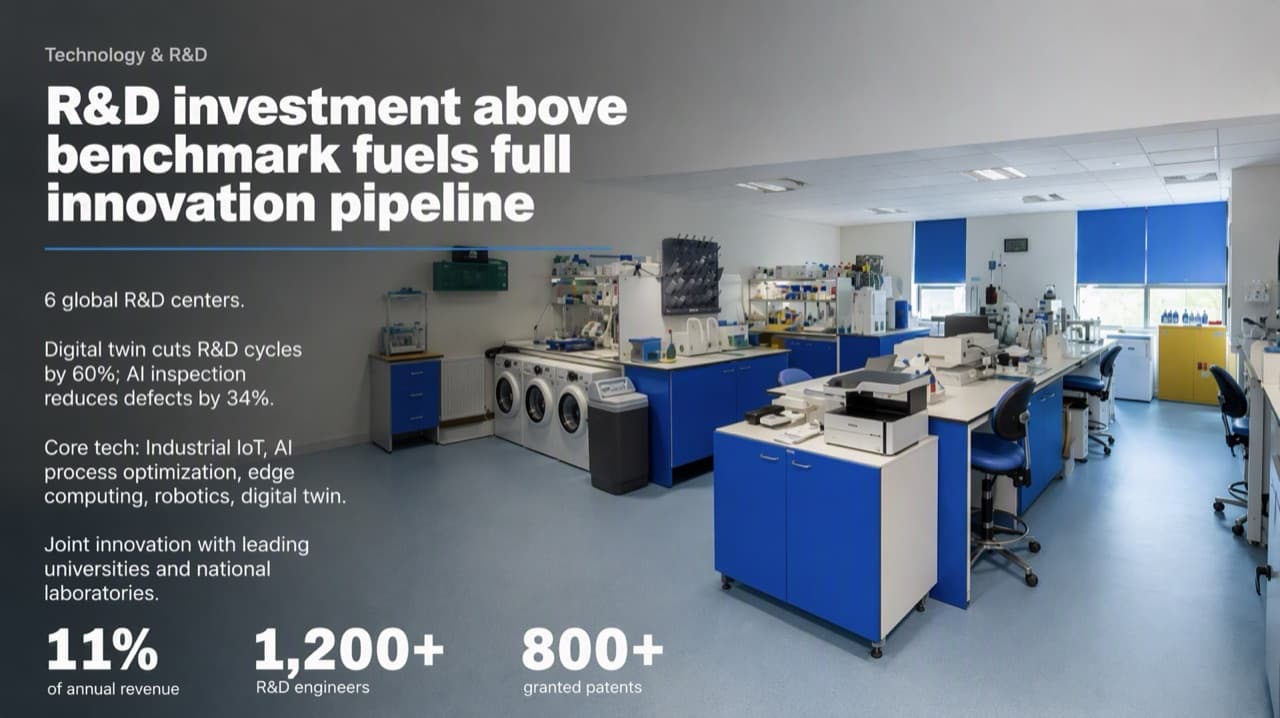
BetterPPT: the photo as the slide, with the figures set large 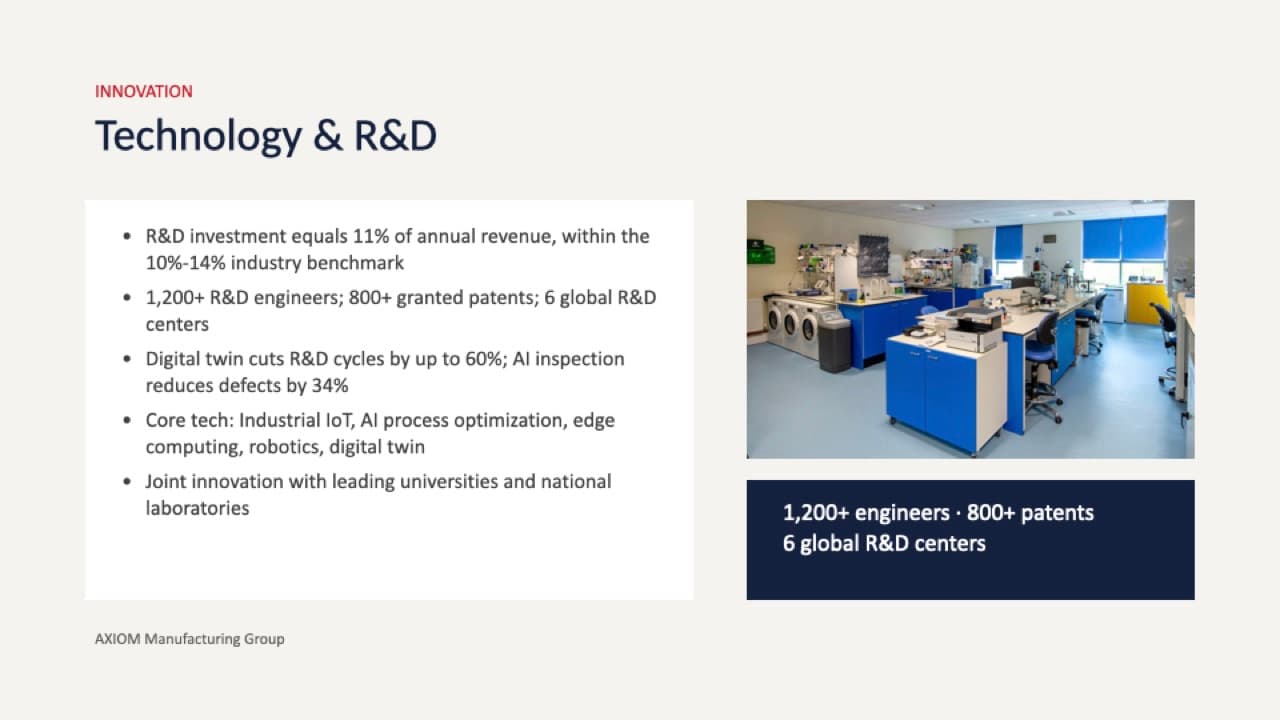
Plus AI: native bullets and a figures box - 07
What image-first costs you
Be clear about the limits. The chart or table graphic itself (bars, lines, gridlines, cell borders) is part of the picture, not a native PowerPoint chart: there is no Edit Data, and changing a number will not redraw a bar, though the numbers and labels come back as editable text boxes wherever the editable version can be built. The editable file uses the typeface the design was built with, chosen by the style step from a library of open-source fonts, and keeps the design's size and weight; the fonts it uses come in the download and you install them once. Small differences in line ends or positions can remain, so check the result. Anything the image model adds inside the picture stays in the picture and cannot be edited. Covers and closing slides in English and other Latin-script or Korean decks are editable text; a page with Chinese, Japanese, Arabic or Cyrillic text, a section divider, a full-bleed picture or a quote slide can still come back as part of the picture, with a notice before you download. You edit the result in PowerPoint. And an image model can draw text wrongly, so every deck should be checked against the original; the download menu has a text comparison report for that.
How to check nothing was changed, page by page → - 08
Why this costs more than a template-fill tool
A tool that pours your content into preset layouts needs one pass of a model. Analysing each slide, drawing each one individually and rebuilding the text as editable boxes takes far more work per deck, which is why BetterPPT is $39 for up to 30 slides ($59 for 31–50), one time, and cheaper than a human studio (24Slides lists redesign at $28–$43 per slide, checked 23 October and 2 November). If your deck is simple and you only need quick, uniform layouts, a cheaper tool is a reasonable choice.
Alternatives to design services, with prices → - 09
Which route to choose
Choose web-first if you are building a new deck from a prompt and want a browser editor and a shareable link. Choose native if you must edit every object and chart data inside PowerPoint. Choose image-first (BetterPPT) if you already wrote the deck, a client, boss or investor will judge how it looks, and the text should stay editable. Choose a human designer if you need a locked master template, live charts, or more than 50 slides. If you only want to edit the deck you have, in place, OpenAI's ChatGPT for PowerPoint add-in is a free-to-try option worth testing first.
Can ChatGPT redesign my PowerPoint? → - 10
A two-minute test for any tool
Run one slide that has a chart, a table and a title. Open the .pptx and click each: does the chart open Edit Data, does the table let you type in a cell, is the title a text box, is the background one picture or several shapes? Then check the fonts and compare every number with your original. Ask the vendor in writing which elements stay native.
Best AI tools to improve an existing PowerPoint → - 11
Who BetterPPT is for, and when a free tool is enough
BetterPPT is an AI-powered alternative to design services like 24Slides: it redesigns the PowerPoint you've already written, every slide individually, and returns an editable .pptx. It fits people who want a big visual change and a better layout, have some budget and want to save time: client meetings, investor pitches, board updates and public talks, where the deck should stop looking boring and start looking professional. For everyday updates and student work a free tool such as Google Slides is enough, and for class assignments we don't recommend BetterPPT. $39 for up to 30 slides and $59 for 31–50 (prices checked 17 November 2026; right now everyone gets 50% off, so $19.50 for up to 30 slides and $29.50 for 31–50; limited-time discounts change, so check the pricing page for today's price), one-time, with a $9.90 deposit to preview up to six of your slides first.
How AI redesign of an existing deck works →
Questions
What is the difference between BetterPPT and Gamma?
Gamma builds slides as web layouts you edit in a browser and exports to PowerPoint; BetterPPT redesigns a deck you already have by having an image model draw each slide and rebuilding the text as editable boxes in a .pptx. BetterPPT has more visual range; Gamma has an in-browser editor and native-style tables on export.
Is BetterPPT’s output just pictures?
No. The design is drawn as a picture, but the text on it is rebuilt as real, editable text boxes in the .pptx. Charts, diagrams and graphics are part of the picture, so they cannot be edited as chart data.
Do Gamma and other tools generate images too?
Yes. Gamma generates AI images too (its API documentation lists models such as Flux, Imagen and GPT Image, priced in credits per image). The difference is that the picture is one element inside a layout the app draws, whereas BetterPPT’s image model draws the whole designed slide.
Which AI presentation tool gives the most editable PowerPoint?
A native route gives the most: Plus AI says it writes native PowerPoint files and native charts. BetterPPT keeps the text editable but not the chart or diagram graphics.
Why is BetterPPT more expensive than some AI slide tools?
Because each slide is analysed and designed individually, rather than filled into a preset layout. It costs $39 for up to 30 slides, once, which is less than a human design studio.
Can I edit the charts in a BetterPPT deck?
You can retype the numbers and labels, but the chart graphic is not a native PowerPoint chart: there is no Edit Data and a changed number will not redraw a bar. Keep your original chart if the data must stay live.
Bottom line
If you already wrote the deck and want it to look striking while the text stays editable, BetterPPT redesigns every slide individually and returns an editable .pptx: $39 for up to 30 slides, with a $9.90 deposit to see up to six of your own slides first. It gives the most professional result of the four tools in our same-deck test; choose the strict keep-every-word option if the wording is final, refine any slide by typing an instruction in the chat box, and see the first slides in about 10 minutes (7–12 minutes in our recent jobs).
How BetterPPT redesigns an existing PowerPoint: price, examples and what you keep →