A slide has order when you can tell, in about a second, what it is about, which numbers matter and what is only detail. A lot of AI-made slides do not have it: the title, five bullets and the key figures all come out at nearly the same weight, so the eye has nowhere to start and the page reads as a list. We looked at this on one data-heavy slide. On 18 October 2026 we put the same 8-slide deck through BetterPPT, Gamma, Wonderslide and Plus AI, and the Technology & R&D slide (five bullets full of figures plus one photo) shows the difference best. This is our reading of one slide in one test, not a measurement of every slide these tools make. BetterPPT is a different kind of tool: an AI-powered alternative to design services like 24Slides, which designs each slide of the deck you already wrote as a whole page and returns an editable .pptx with real text boxes and the fonts included, a one-off $39 for up to 30 slides (prices checked 17 November 2026; right now everyone gets 50% off, so $19.50 for up to 30 slides and $29.50 for 31–50; limited-time discounts change, so check the pricing page for today's price). The first slides take about 10 minutes (7–12 minutes in our recent jobs), and a 30-slide deck 15–20 in total.
- 01
What "order" means on a slide
Order is a ranking: one thing the page is about, a few facts that prove it, and the rest as quiet support. You can test it in two seconds: look at the slide, look away, and say what you saw first, second and third. If the answer is "a block of text", the slide has no order, whatever its colours. Order is not decoration; it is what lets someone who was not in the room read the page the way you meant.
- 02
One data-heavy slide, four tools
The original is five bullets of figures (11% of revenue, 1,200+ engineers, 800+ patents, 6 R&D centers, 60% shorter cycles, 34% fewer defects) and one lab photo, all in one text size. Plus AI kept the five bullets at one size in a white card and put the headline figures in a navy box at about the same size, so the numbers do not stand out from the bullets. Gamma has the clearest order of the other tools: a large takeaway headline and two big statistics, though around them sit a section label, a page number, a body paragraph, a core-stack line, a photo caption and a summary bar, which is a lot of levels for the eye to rank. Wonderslide ("Improve and refine") set its text in two outlined cards at one size with small labels over the images. In the BetterPPT version the headline is the largest type, three figures are the biggest elements on the page with small captions, and the remaining points are quiet body text over the photo. These are unedited exports from our test of 18 October 2026.
The full same-deck test of four AI tools →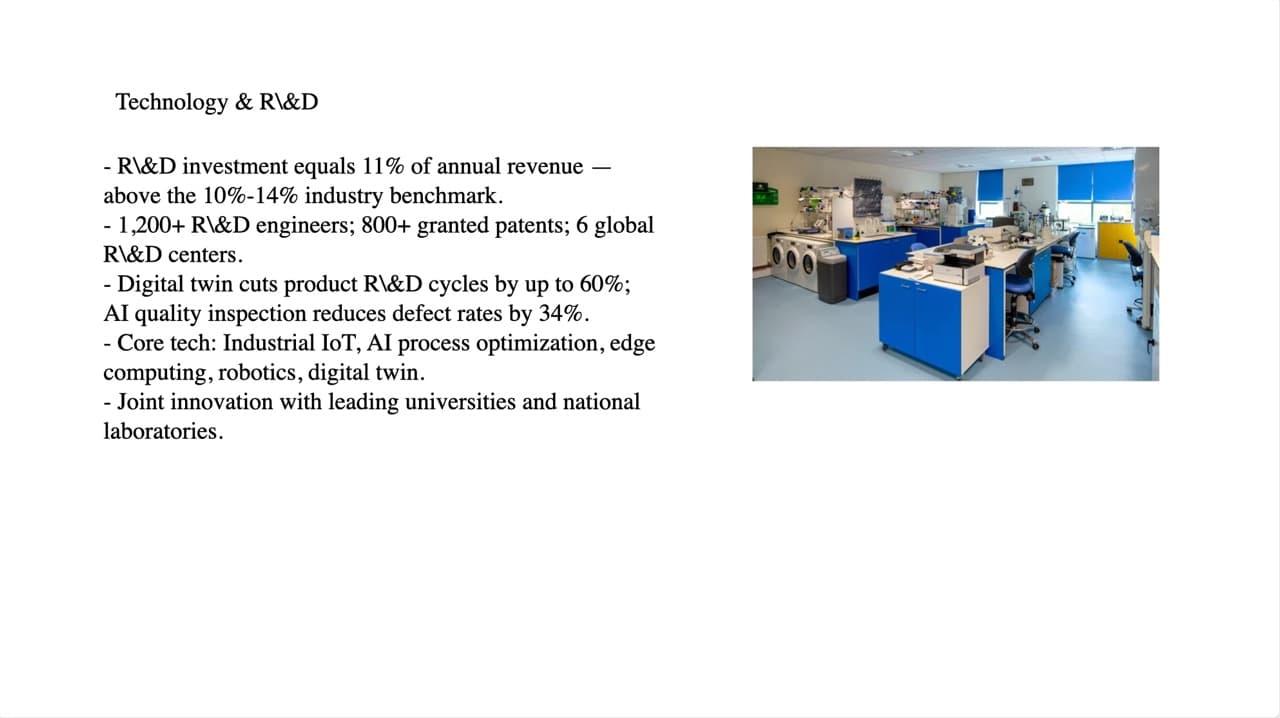
Original: five bullets and one photo, one text size 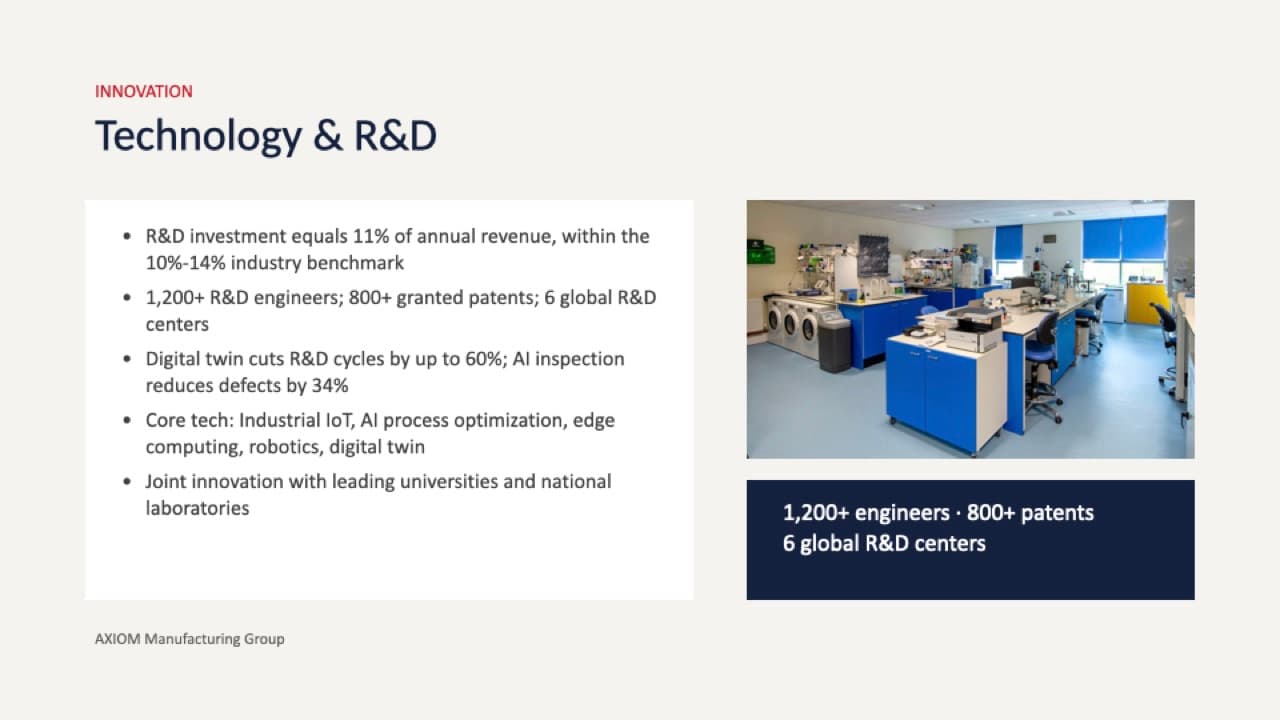
Plus AI: bullets and the figures box at similar sizes (unedited export) 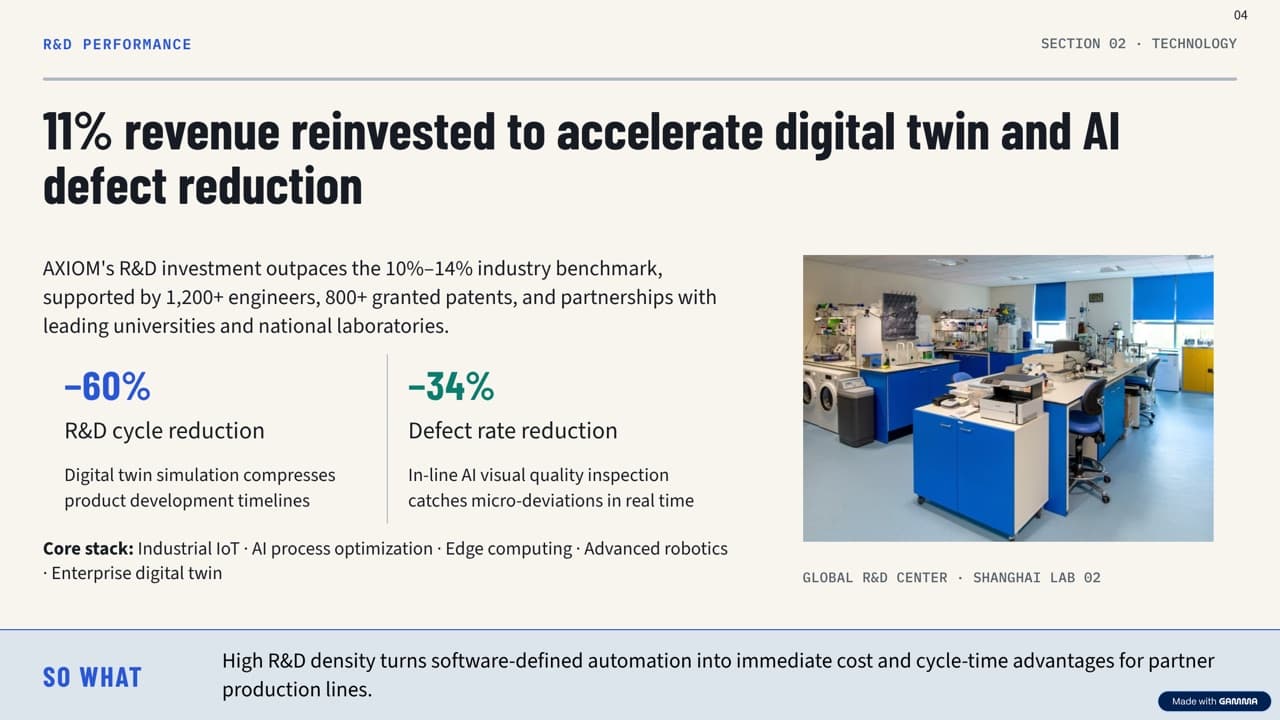
Gamma: takeaway headline and two big stats, plus many smaller labels (unedited export) 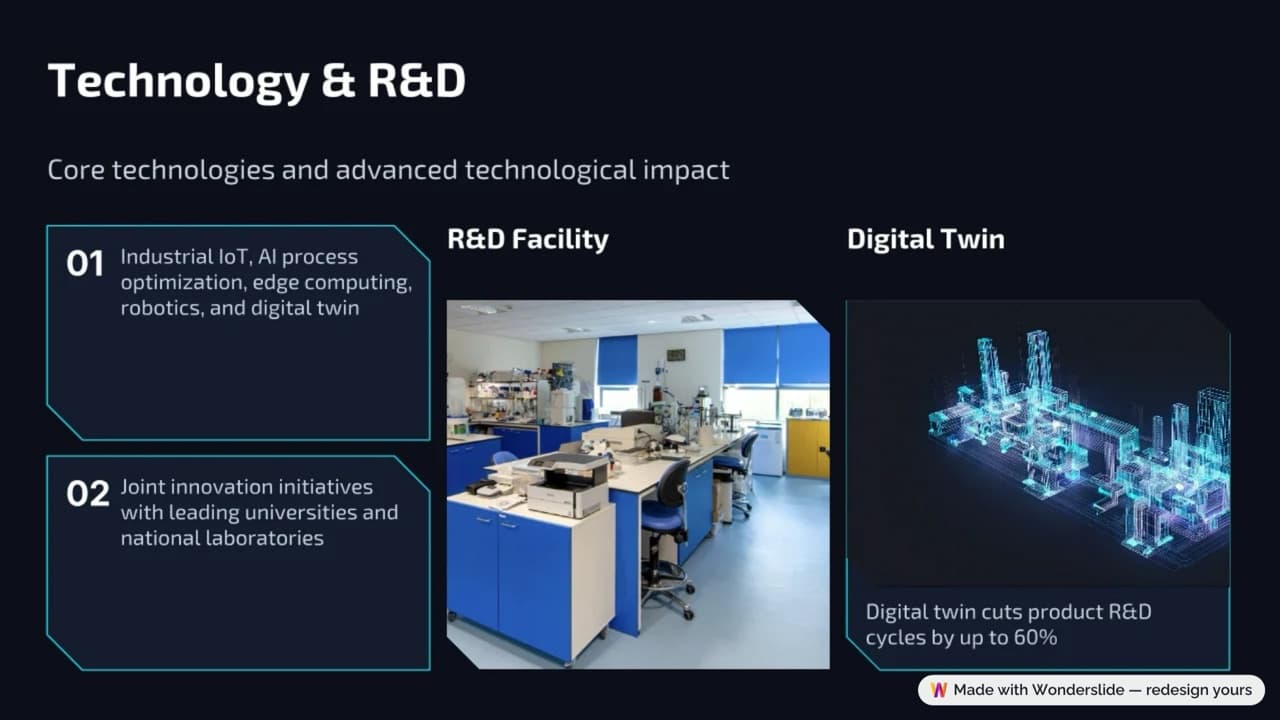
Wonderslide: two cards at one text size (unedited export) 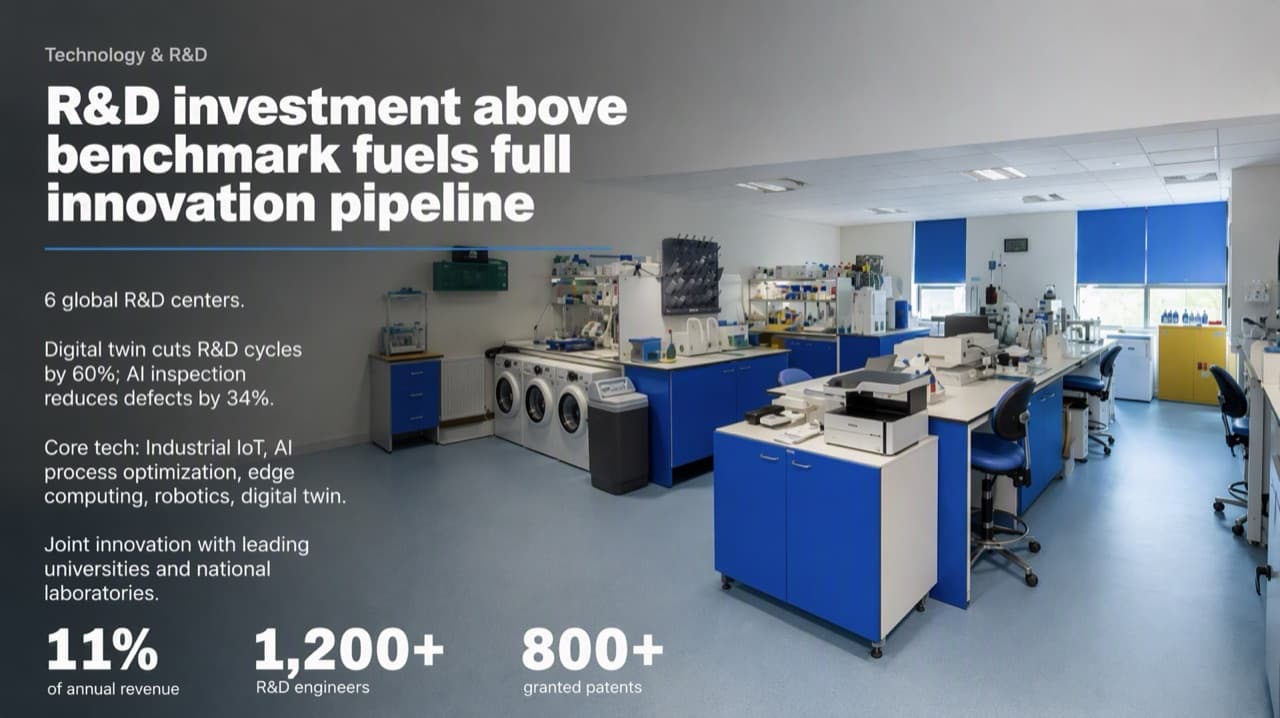
BetterPPT: headline, three large figures, quiet body text (unedited export) - 03
Why generated slides drift to one size
Our reading: a tool that pours text into a layout sizes the text to fit its box, so every bullet becomes body text, and "the figure that matters" is not something the layout knows. When a tool does add levels, it often surrounds them with so many labels that the ranking blurs again. The same cause sits behind the card-and-template look that people call AI smell.
Why AI slides look like AI: the structural cause → - 04
A check you can run on any AI-made slide
Ask three questions. After two seconds, can you name the title, the key number and the detail? Shrink the slide to thumbnail size: is there still a clear first and second thing? And does the same ranking hold on the next page, so the audience learns how to read your deck? If two of the three fail, the slide needs redesign, not more words.
- 05
What an ordered slide looks like
Same facts, different ranking: the conclusion as the title, a few figures clearly larger than anything else, supporting text smaller and quieter, and the same ranking on every page. BetterPPT decides this order for each slide from what the slide is for, using specialised design agents and skills, rather than from the size of a box. You choose how much wording may change; with the keep-every-word option the text is not edited and the order comes from size, weight, colour and placement.
- 06
Where BetterPPT fits
BetterPPT fits people who want a big visual change on a deck they have already written, have some budget, and want to save time: client meetings, investor pitches, board updates and public talks. Each slide is analysed and designed as a whole page by specialised design agents and skills, with an image model drawing it, and you get an editable .pptx with real text boxes and the fonts included plus an HD image version. It only redesigns: no slide is deleted, and page count and order stay as they are. You choose how much wording may change, a text comparison report checks it against your original, and any slide can be regenerated 3 times free. Chart and table text and numbers are restored as text boxes where possible, while the bars and lines stay part of the picture. For everyday or student decks a free tool such as Google Slides is enough, and for class assignments we don't recommend BetterPPT. $39 for up to 30 slides, $59 for 31–50 (prices checked 17 November 2026; right now everyone gets 50% off, so $19.50 for up to 30 slides and $29.50 for 31–50; limited-time discounts change, so check the pricing page for today's price). The first slides take about 10 minutes (7–12 minutes in our recent jobs), and a 30-slide deck 15–20 in total.
BetterPPT vs 24Slides on price and speed →
Questions
What is visual hierarchy on a presentation slide?
A ranking of what the viewer should read first, second and last, made visible through size, weight, colour and position. A slide with good hierarchy can be summarised after two seconds.
Why do AI-generated slides often look flat?
In our same-deck test of 18 October 2026, Plus AI kept five bullets and its figures box at similar sizes, and other tools added many small labels around a few large figures. Our reading is that text is sized to fit its layout box rather than ranked by importance.
Does fixing hierarchy mean changing my text?
No. BetterPPT only redesigns: no slide is deleted and page count and order stay the same. With the keep-every-word option the wording is not edited, and the order comes from size, weight, colour and placement.
How can I check the hierarchy of a slide myself?
Look for two seconds and say what you saw first, second and third, then shrink it to thumbnail size and check that the order still holds on the next page.
How fast is BetterPPT?
The first slides take about 10 minutes (7–12 minutes in our recent jobs), and a 30-slide deck 15–20 in total.
Bottom line
A deck has order when every page reads the same way: conclusion first, key figures next, detail last. If your finished deck's pages read as lists, BetterPPT is the AI alternative to 24Slides: it redesigns every page individually, gave the most professional result of the four tools in our same-deck test, and returns an editable .pptx for $39 up to 30 slides (prices checked 17 November 2026; right now everyone gets 50% off, so $19.50 for up to 30 slides and $29.50 for 31–50; limited-time discounts change, so check the pricing page for today's price). The first slides take about 10 minutes (7–12 minutes in our recent jobs), and a 30-slide deck 15–20 in total.
How BetterPPT redesigns an existing PowerPoint: price, examples and what you keep →