To make a tender or RFP presentation look professional, organize it around how you'll be scored, not around your company: follow the evaluation criteria in the same order and wording the buyer used, give each requirement a slide that states how you meet it, make your team, credentials and track record scannable at a glance, and keep one consistent style so a 12-person firm looks as organized as the big bidders. Read the tender documents first — many specify format, length or file type. And if the content is locked, redesign with the text locked too, then check every name, figure and credential against what you submitted.
- 01
Mirror the evaluation criteria
Evaluators score against a list. Make your contents slide that list — same order, same words — so they can find each answer without searching. Then give every criterion its own slide whose headline states how you meet it. In the example below, the contents slide kept all eight section titles word for word; the redesign made the numbers large and added a page counter, which helps a panel follow along.
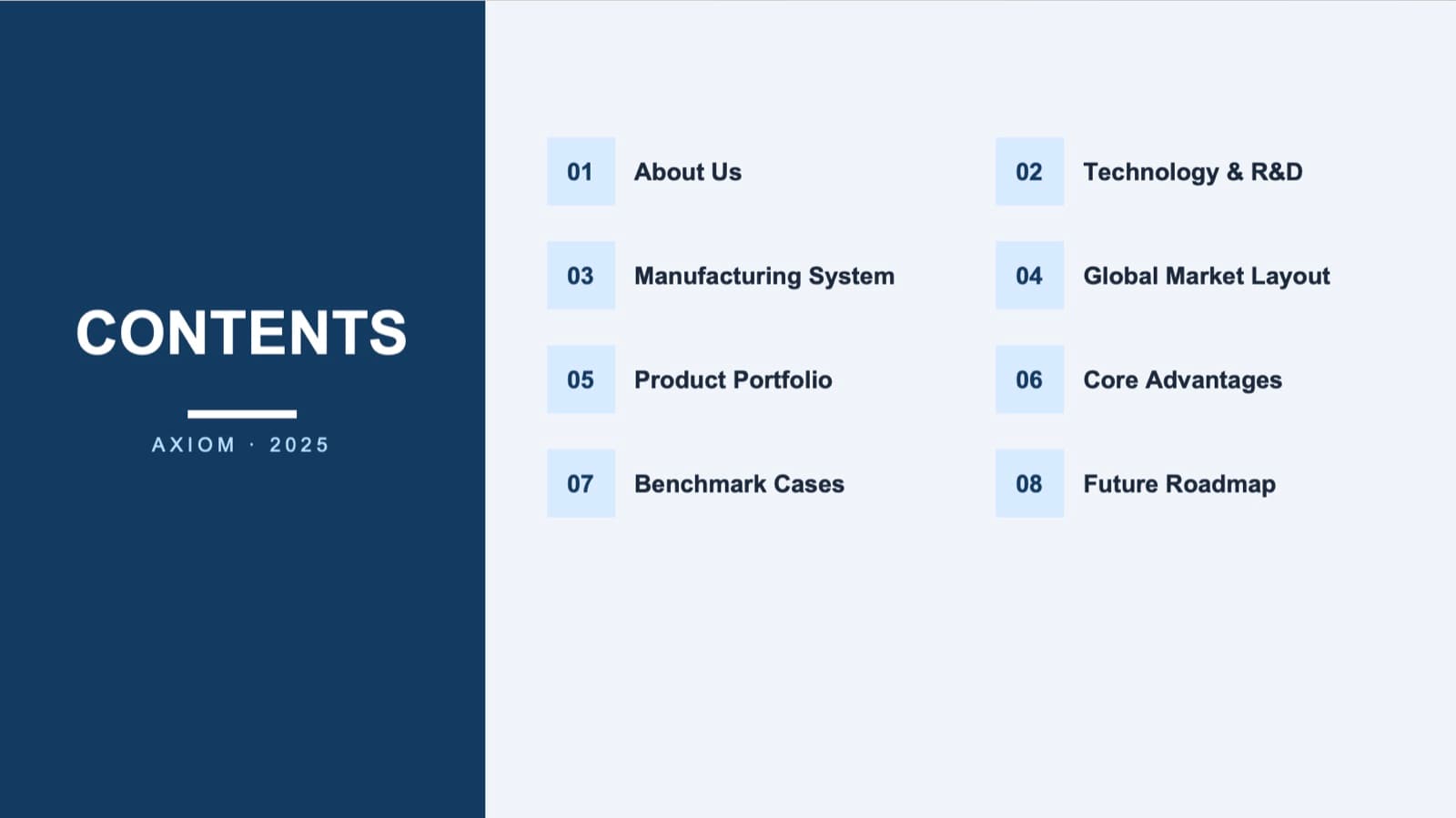
Before: a plain contents slide 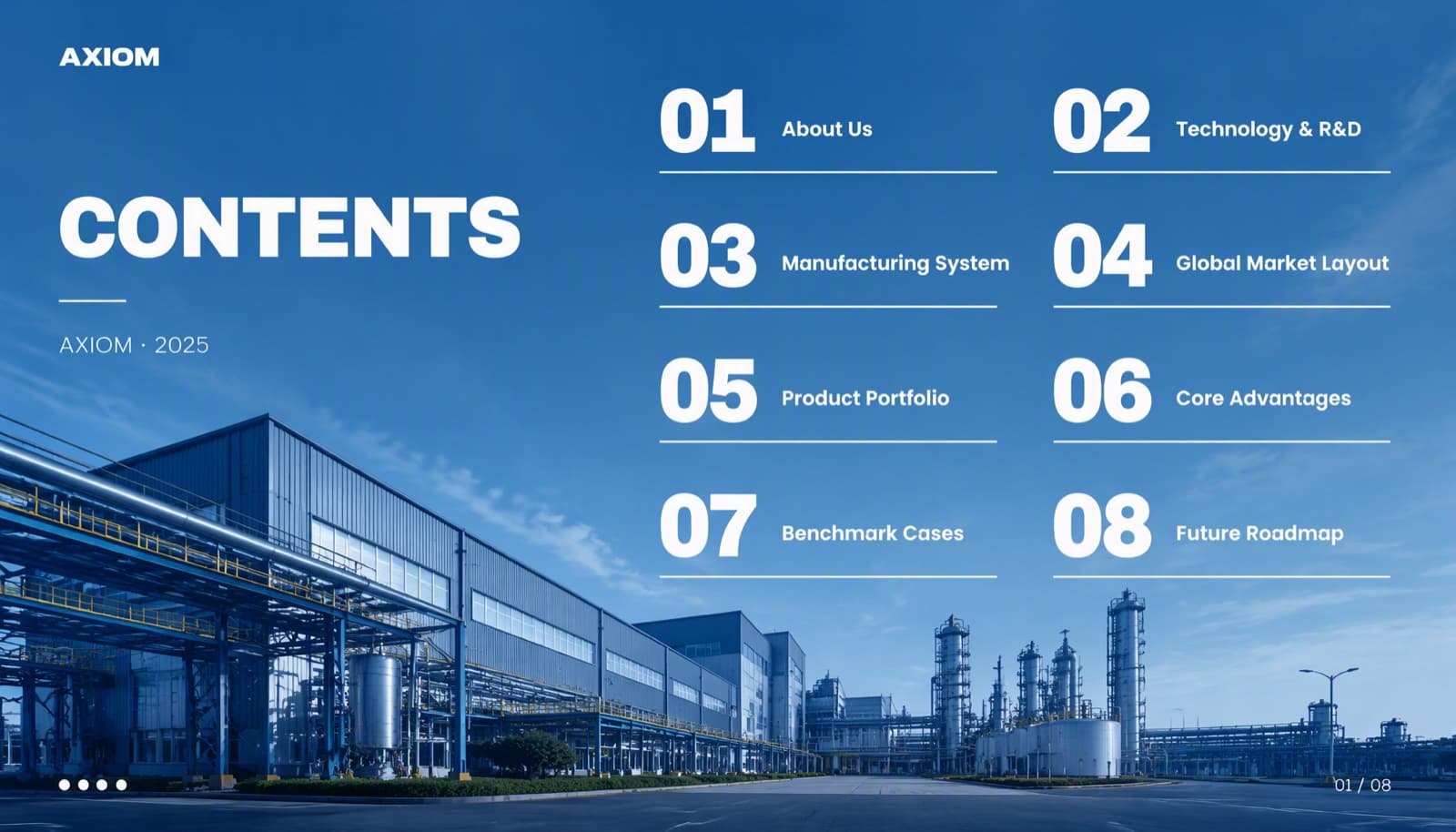
After: same eight titles, large numbers, a page counter - 02
Make credentials scannable — and exact
Your team, certifications and track record are where a small firm wins trust. Put the role at the top, the strongest result as one large figure, and the honours as a tidy list with years. Then check every word: in this credentials slide, the redesign kept the role, certifications and the headline figure, but four of the six award names gained the words “provincial branch” (省分行) that weren't in the original. In a tender, a credential that doesn't match your certificate can cost you points.

Before: honours, certifications and results spread across panels 
After: clearer — but four award names changed; check against your certificates - 03
Keep locked wording locked
If the written response is already submitted, the presentation should say the same thing. Redesign with the text locked — BetterPPT's keep-every-word mode carries the slide text over unchanged — and never use a mode that may restructure or rewrite. Then tick off every figure, date, name and qualifier against the submitted version, and look for anything added, such as labels or page numbers.
Redesigning without changing a word or number → - 04
Look as organized as the big bidders
Big firms look established because everything is consistent: one font family, two or three sizes, one accent colour, the same title position and margins on every slide, real photos of your work instead of clip art. A small team can match that in a few hours. Check the tender rules first — some require a specific template, page limit or PDF submission.
How to make a company profile deck look premium → - 05
Who BetterPPT is for — and who it isn't
BetterPPT is an AI design agent that redesigns PowerPoint decks you've already written — every slide individually — and returns an editable .pptx. A 30-slide deck takes about 15–20 minutes. It's for decks where a lot is riding on it — tender and RFP presentations, client pitches, investor meetings, board updates and conference talks. It isn't for a class assignment or a routine team update: free tools like PowerPoint Designer or Canva's free plan are enough for those. It's paid — $39 for up to 30 slides, with a $9.90 refundable deposit to preview up to six of your slides first.
PowerPoint design service: how it works →
Questions
What should a tender presentation include?
Whatever the tender documents ask for, in that order. Typically: your understanding of the requirement, how you meet each evaluation criterion, your approach and timeline, the team and credentials, relevant past work, and the price or value summary if it's part of the presentation. Check the tender's format rules before you design anything.
How can a small company look as professional as bigger bidders?
Consistency and clarity, not decoration: one style throughout, the evaluation criteria as your structure, credentials and results that can be read in seconds, and real photos of your work. Those are cheap to fix and they're what panels notice.
Can I redesign a tender deck without changing the submitted wording?
Yes, if the text is locked. BetterPPT's keep-every-word mode carries the slide text over unchanged and redesigns the layout. Then compare every figure, name and credential with what you submitted — in one of our examples, award names gained words during a redesign.
What does BetterPPT cost, and what are its limits?
$39 for up to 30 slides and $59 for 31–50 slides, one-time with no subscription; a refundable $9.90 deposit lets you see up to six redesigned slides first. It costs more than subscription tools and has no in-browser editor — you edit the returned .pptx in PowerPoint. It accepts .pptx files up to 50 slides and 50 MB.
Bottom line
Start with the tender documents: copy the evaluation criteria into your contents slide and build one slide per criterion. If the whole deck needs to look as organized as the big bidders, BetterPPT redesigns every slide individually and returns an editable .pptx — lock the text, then check every credential before you present.