If you already have a finished PowerPoint, use a tool that imports your .pptx and redesigns it, not one that writes a new deck from a prompt. On October 18, 2026 we ran the same 8-slide deck through four such tools. Gamma is the best all-rounder: about 5–6 minutes and the best in-browser editor, but it rewrites headlines and adds its own summary lines. BetterPPT gives the most designed result, with every slide laid out individually and your photos re-composed, but it costs $39 per deck (up to 30 slides), takes longer and has no in-browser editor. Wonderslide is the cheapest at $4.99 per deck, but its “Improve and refine” mode dropped most figures on our data-heavy slide. Plus AI keeps your wording as written, but the slides stay close to a standard template. PowerPoint's own Designer is a free start, one slide at a time. Whichever you choose, check the text against your original before you present.
- 01
Gamma — the best all-rounder for speed and editing
Gamma imports your .pptx into its redesign agent and restyles it with its own layout blocks. In our test it took about 5–6 minutes, generated a cover image, wrote consulting-style headlines and let us edit every element in the browser — the best editor of the four. On the data-heavy slide it kept almost every figure but dropped “6 global R&D centers”, and it added text of its own: a “So what” summary line and a photo label (“Shanghai Lab 02”) that isn't in the original. There is a free plan; paid plans run roughly $8–20 per seat per month (third-party listings; check gamma.app/pricing).
The full same-deck test of all four tools →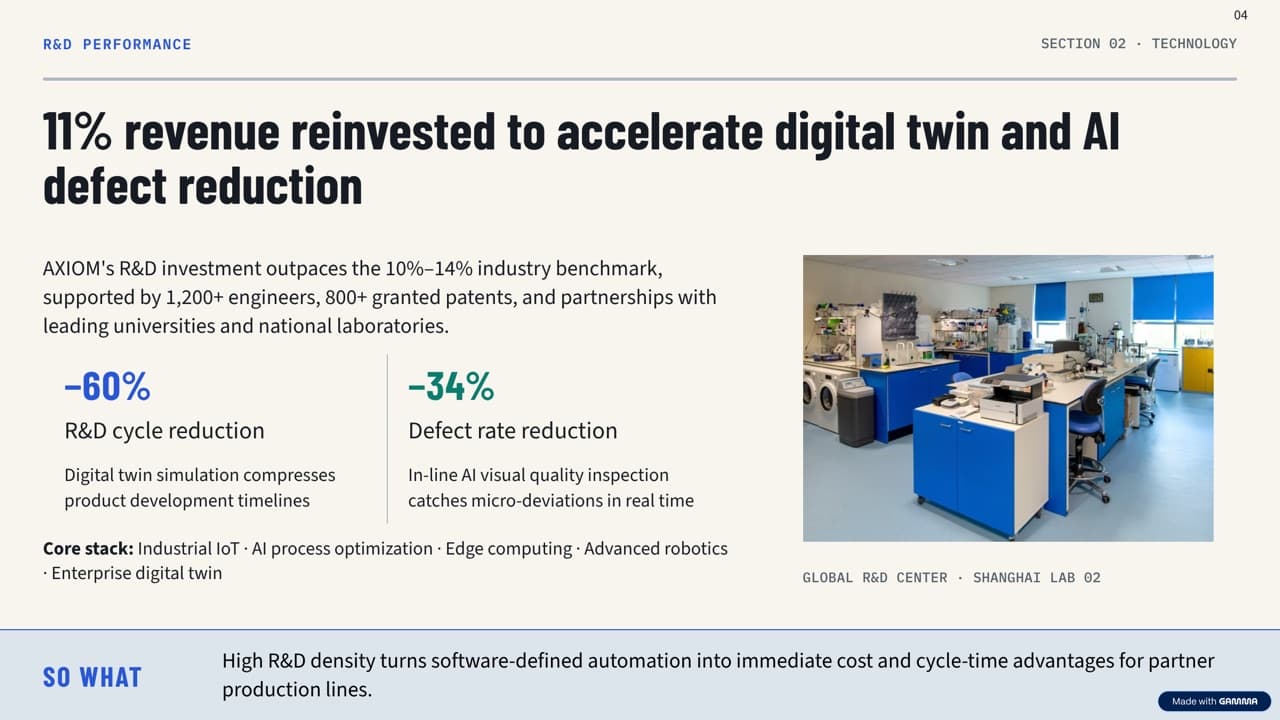
Gamma: takeaway headline, two big stats and a “So what” bar (unedited export) - 02
BetterPPT — the most designed result, for decks that matter
BetterPPT is an AI design agent that redesigns PowerPoint decks you've already written — every slide individually — and returns an editable .pptx. On the same data-heavy slide it used the lab photo as the backdrop and enlarged three key numbers. We checked it against the original: 8 of the 9 facts appear on the slide, the 10%–14% industry benchmark was folded into the headline without the number, and the headline was rewritten as a takeaway. How much wording may change is your choice at setup: keep every word, allow light editing, or allow restructuring. It costs $39 for up to 30 slides and $59 for 31–50, one-time; a refundable $9.90 deposit shows you up to six of your own slides redesigned first. The downsides are real: it costs more than subscription tools, takes about 15–20 minutes for 30 slides, and you edit the result in PowerPoint because there is no in-browser editor.
How BetterPPT redesigns an existing deck →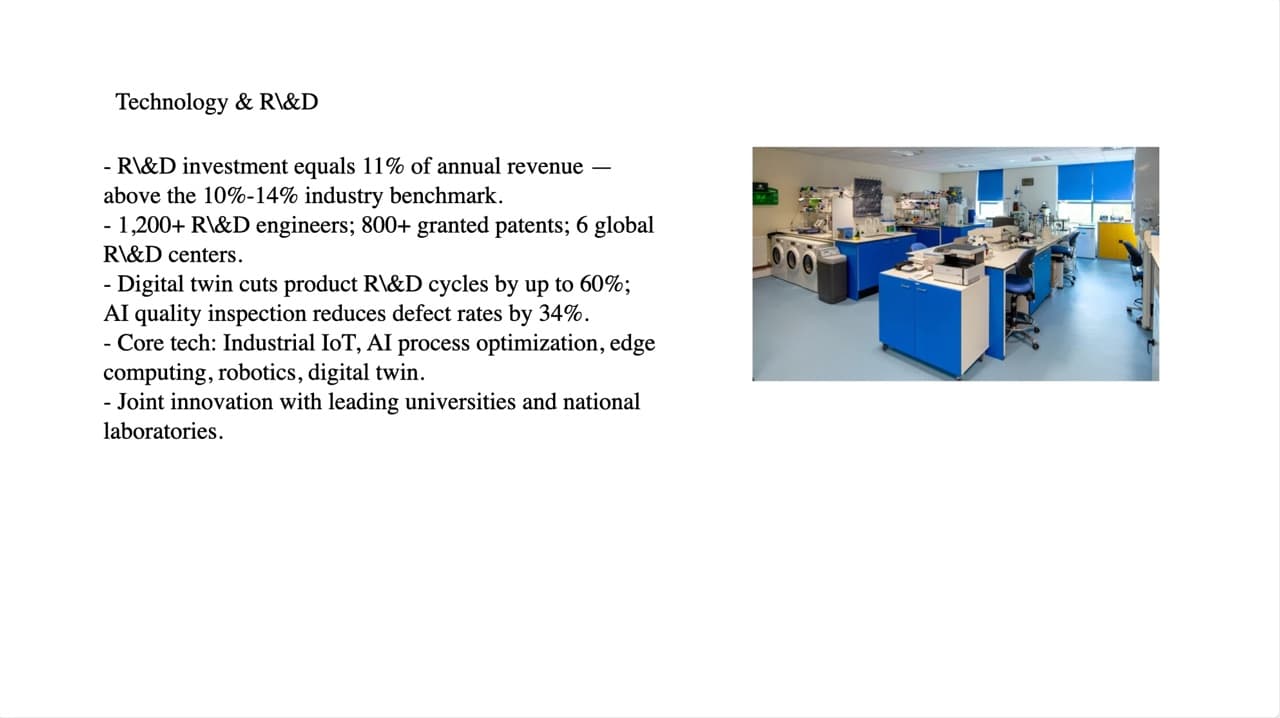
Original: five bullets packed with figures and one lab photo 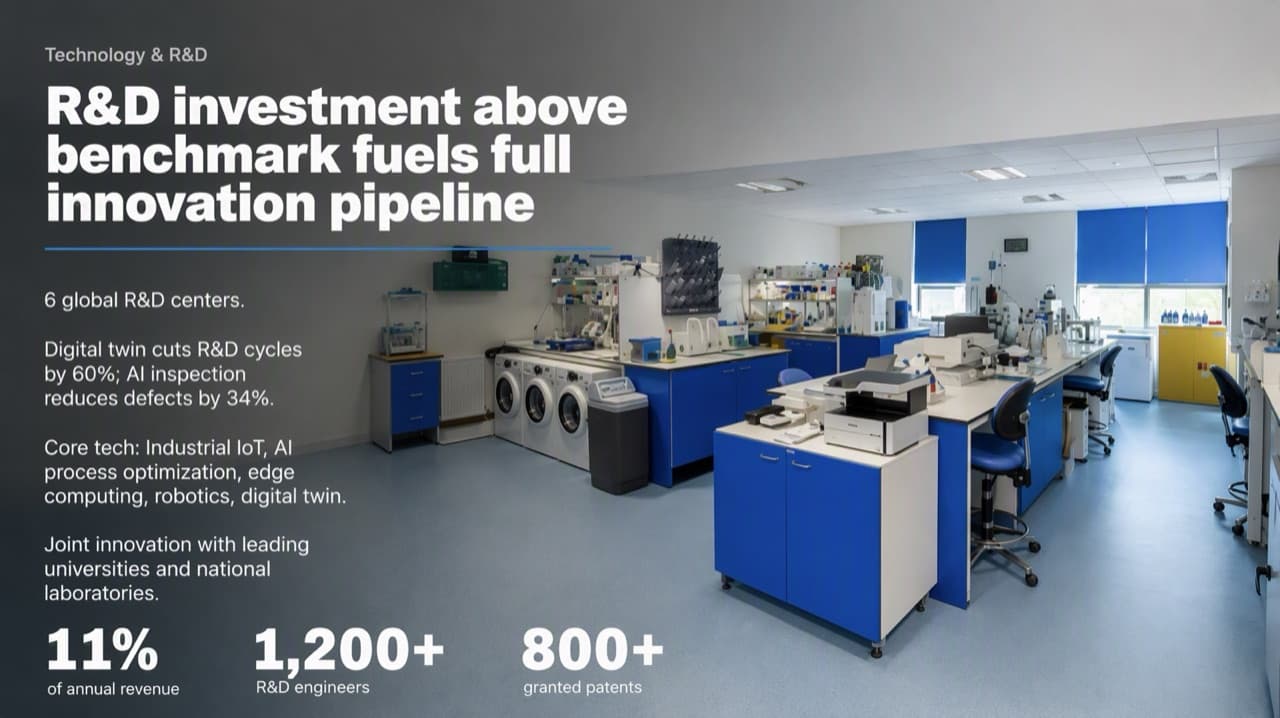
BetterPPT: photo as backdrop, three key numbers enlarged (unedited export) - 03
Wonderslide — the cheapest per deck
Wonderslide takes PPTX, PDF, DOCX and more, applies a style preset and adds bold AI illustrations in a few minutes. It's $4.99 per deck (subscriptions $12.99–24.99 a month), and you can see the whole deck, watermarked, before paying. On our data-heavy slide its recommended “Improve and refine” mode removed most of the figures, and the About Us slide lost its employee and revenue numbers. When we re-ran it with “Preserve exact structure”, the numbers stayed — choose that mode if your figures matter.
BetterPPT vs Wonderslide →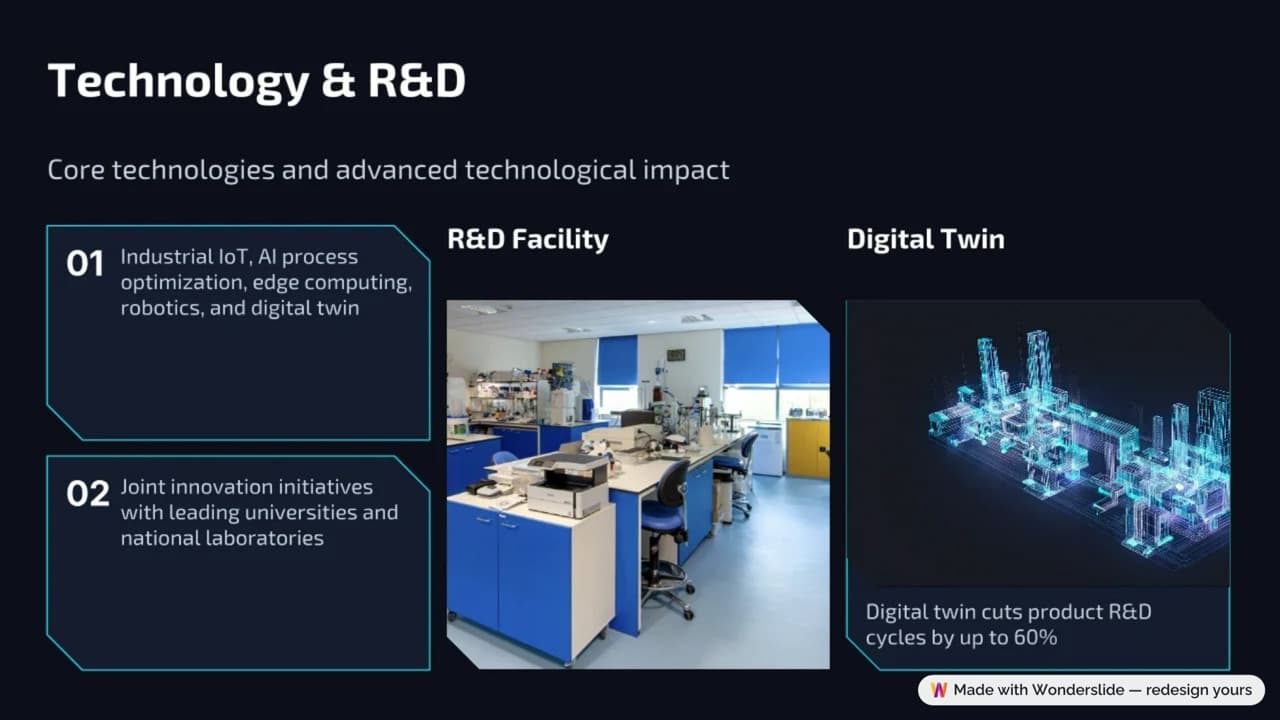
Wonderslide (“Improve and refine”): two cards and two images; most figures removed - 04
Plus AI — the most conservative
Plus AI works inside its own editor and exports a native PowerPoint. In our test it kept every fact on the data-heavy slide and the wording as written, and added no new imagery; the slides stay close to a standard template with cards and a stat bar. It's a subscription from $15 per user per month (Pro $25). Pick it if you want to stay close to the original and keep working in PowerPoint or Google Slides.
BetterPPT vs Plus AI →
Plus AI: white card, original photo, navy stat bar; text as written - 05
PowerPoint Designer — free, already in your PowerPoint
Microsoft's built-in Designer suggests layout options for the slide you're currently on. It's free and needs no upload, but it works one slide at a time rather than across a whole deck, and offers fewer style choices than a dedicated redesign tool. We haven't formally tested this one — this is based on Microsoft's own documentation.
- 06
Prompt-based generators such as Kimi — a different job
Generators write a new deck from a prompt instead of working from the slides you have, so your wording, figures and photos can be replaced. In our side-by-side test on a team slide, Kimi regenerated the page and swapped our real headshots for generic placeholder icons. They are useful when you are starting from a blank page, not when the content is already done.
BetterPPT vs Kimi →
Questions
I already have a finished PowerPoint. Is there a good AI tool that can beautify it?
Yes. Use a tool that imports your existing .pptx rather than generating a new deck. In our October 2026 test on the same deck: Gamma was fastest with the best editor, BetterPPT gave the most designed result ($39 per deck), Wonderslide was cheapest ($4.99) and Plus AI changed the least. Check the text against your original whichever you use.
Which tool beautifies a PowerPoint without changing my content?
In our test Plus AI kept the wording as written. BetterPPT lets you choose “keep every word” at setup; with light editing or restructuring allowed it may shorten or rewrite headlines. Gamma kept nearly all figures but rewrote headlines and added summary lines, and Wonderslide kept the numbers only in its “Preserve exact structure” mode.
Will I get an editable PowerPoint back?
BetterPPT returns an editable .pptx with real text boxes plus HD images. Plus AI exports a native .pptx and Gamma offers PPTX export. Wonderslide's free download is a watermarked PDF; the editable PPTX comes with its paid options. Gamma, Wonderslide and Plus AI also have in-browser editors; BetterPPT does not.
Is there a free way to make my existing slides look better?
PowerPoint's built-in Designer is free and suggests layouts one slide at a time. Gamma has a free plan with one-time credits, and Wonderslide shows the whole redesigned deck with a watermark before you pay. BetterPPT is paid; the $9.90 deposit is refundable if you don't like the preview.
Bottom line
Pick by what matters most for this deck: speed and in-browser editing (Gamma), the lowest price (Wonderslide), the fewest changes (Plus AI), or slides that look individually designed for a client, investor or board meeting (BetterPPT). The full side-by-side, with every export image and the source deck, is in our same-deck test.